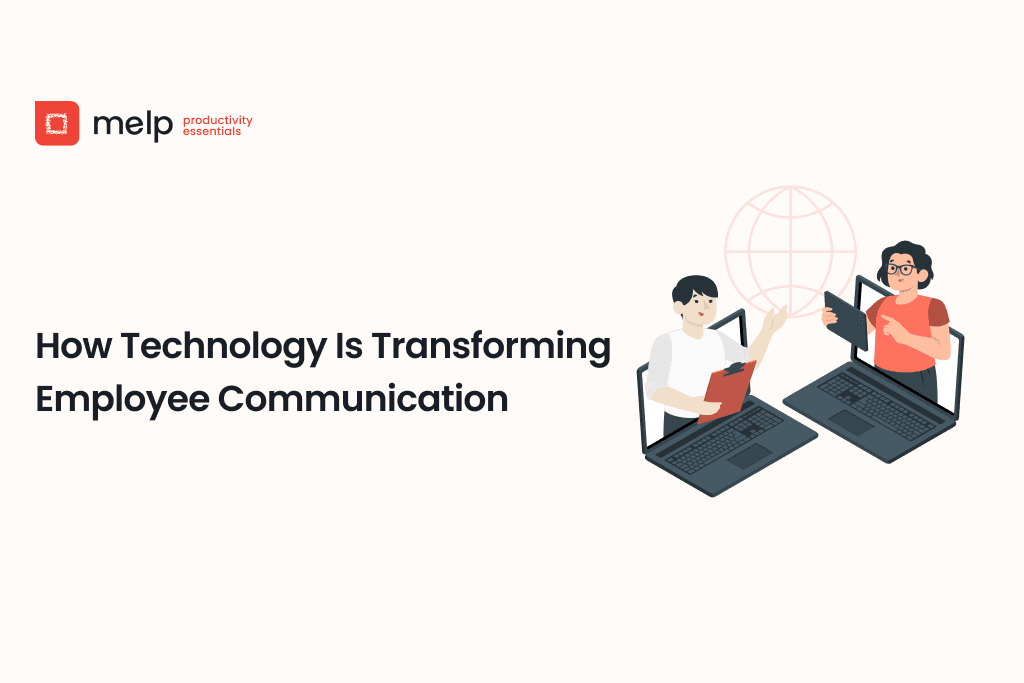
Have you ever sat through a meeting and thought, “Why am I here? Could this have been an email?” Or maybe you’ve waited hours or even days just to get a simple response. Those moments are exactly why communication in the workplace matters more than ever. As offices shift to remote, hybrid, or flexible setups, technology is stepping in to make that communication more human, immediate, and effective.
Today’s post dives deep into how tools like video call systems, AI-powered messaging, and mobile platforms are reshaping employee communication. You’ll learn practical insights, real-world examples, and takeaways you can apply now.
The Old Way vs the New Way
In many traditional offices, communication was slow and fragmented. You’d send emails, wait for replies, then book meetings that often felt like time-sinks. Feedback loops were long. Information got lost. Remote or field employees were often left out of key conversations.
Now, teams are connected instantly. A quick chat gets answered in minutes, and video calling brings tone and body language into play. But this shift is not just about speed. It’s about connection, inclusion, and efficiency.
Real-Time Messaging: The Power of Instant Exchange
One of the most transformative changes is the adoption of real-time messaging platforms. These channels make collaboration feel more natural and alive:
- Fast decisions: A manager can get a vendor confirmation or a design tweak in minutes instead of waiting for an email response.
- Cross-team collaboration: A product team in New York can ping the engineering team in India instantly, breaking down old silos.
- Transparency and record-keeping: Everything is logged, making it easier to track decisions and revisit old conversations.
Real-life example: A small marketing agency began using instant messaging to update campaign statuses. Before, staff waited until weekly meetings to report progress. Now, small wins are shared as they happen, creating momentum and reducing meeting overload.
In fast-moving work environments, having the right platform makes a big difference in how teams stay connected. The Melp team collaboration tool supports real-time messaging, quick updates, and seamless project coordination across locations. By reducing delays and simplifying communication, it helps teams can focus less on chasing answers and more on doing their best work.
Video Calling: Adding a Human Touch
Video call technology does more than let us see each other. It adds warmth, clarity, and connection:
- Facial expressions reduce misunderstandings.
- Seeing a next-week project presentation helps align expectations.
- Remote team members feel like part of the group.
Real-life example: A remote customer support team began doing 15-minute face-to-face check-ins every morning. Even brief visual interaction improved morale, communication, and problem-solving that day.
Smarter Meetings with Tools That Work
Meetings often get a bad rap, but modern tools are making them matter:
- Screen sharing boosts clarity when reviewing documents or workflows.
- Live polls or Q&A increase engagement during team-wide discussions.
- Breakout rooms help teams tackle smaller tasks inside larger meetings.
Real-life example: Leadership of a nonprofit organization uses breakout rooms during monthly staff calls. Program teams brainstorm specific challenges, then reconvene to share ideas. It turns sitting-through sessions into interactive working time.
AI-Powered Help in the Background
Artificial intelligence is starting to show up quietly, giving teams more mental space:
- Auto-generated meeting summaries mean no more frantic note-taking.
- Suggested smart replies speed up back-and-forths on chat tools.
- Grammar and tone suggestions help ensure professional clarity and warmth.
Real-life example: A busy operations director breaks from composing long status reports. Instead, an AI tool summarizes the day’s progress while they focus on strategy. Their email becomes shorter, sharper, and more effective.
Mobile-First Communication: Work from Anywhere
With remote work now common, mobile-friendly tools are essential:
- Real-time alerts arrive on-the-go.
- A field technician can join a virtual check-in from a job site.
- Time-sensitive approvals happen instantly, not just during office hours.
Real-life example: A retail field team faced delays approving store setups. A mobile app allowed supervisors to review photos, send feedback, and sign off without driving back to base. That saved hours.
Building a Culture of Feedback
Healthy communication flows both ways. Technology is helping shape workplaces where feedback is welcomed:
- Anonymous surveys foster honesty.
- Live polls during meetings give everyone a voice.
- Open forums encourage sharing suggestions and concerns.
Real-life example: A mid-sized software company began running monthly pulse surveys. Questions were simple: How clear is your workload? Are you satisfied with recent project support? Over time, HR used the data to create training sessions and adjust workloads. Employees noticed.
Why These Shifts Matter
When communication is fast, personal, and reliable:
- Employees feel noticed and engaged.
- Collaboration improves across locations and roles.
- Organizations work more agilely and purposefully.
- Innovation happens because people are heard.
How to Start Improving Communication Today
1. Introduce one tool at a time
Pick video call or chat, and use it consistently for a week.
2. Encourage authentic interaction
Start with a virtual coffee hour or an icebreaker question.
3. Give everyone a voice
Use simple polls or quick surveys to surface opinions.
4. Use tools to make life simpler
Try meeting summaries or suggested replies to reduce administrative tasks.
5. Check back
Review what’s working, ask for feedback, and adjust.
Final Thoughts
Technology is changing employee communication by making it faster, friendlier, and more human. These innovations help employees connect more deeply, collaborate more effectively, and feel more heard.
But tools are just tools. The real magic happens when organizations use them to cultivate trust, transparency, and a sense of belonging. When that happens, productivity and well-being go hand in hand.
Try one simple experiment with your team this week. Maybe schedule a short video chat with a colleague you don’t normally work with. See what a difference that personal connection can make.
Take the First Step Toward Better Team Communication
Strong employee communication starts with the right tools. Whether your team is remote, hybrid, or in-office, staying connected should feel natural and productive. Sign up today, Melp, and explore how easy it is to keep everyone informed and engaged. Start building a more unified and people-first workplace.