

Client collaboration with an approval trail
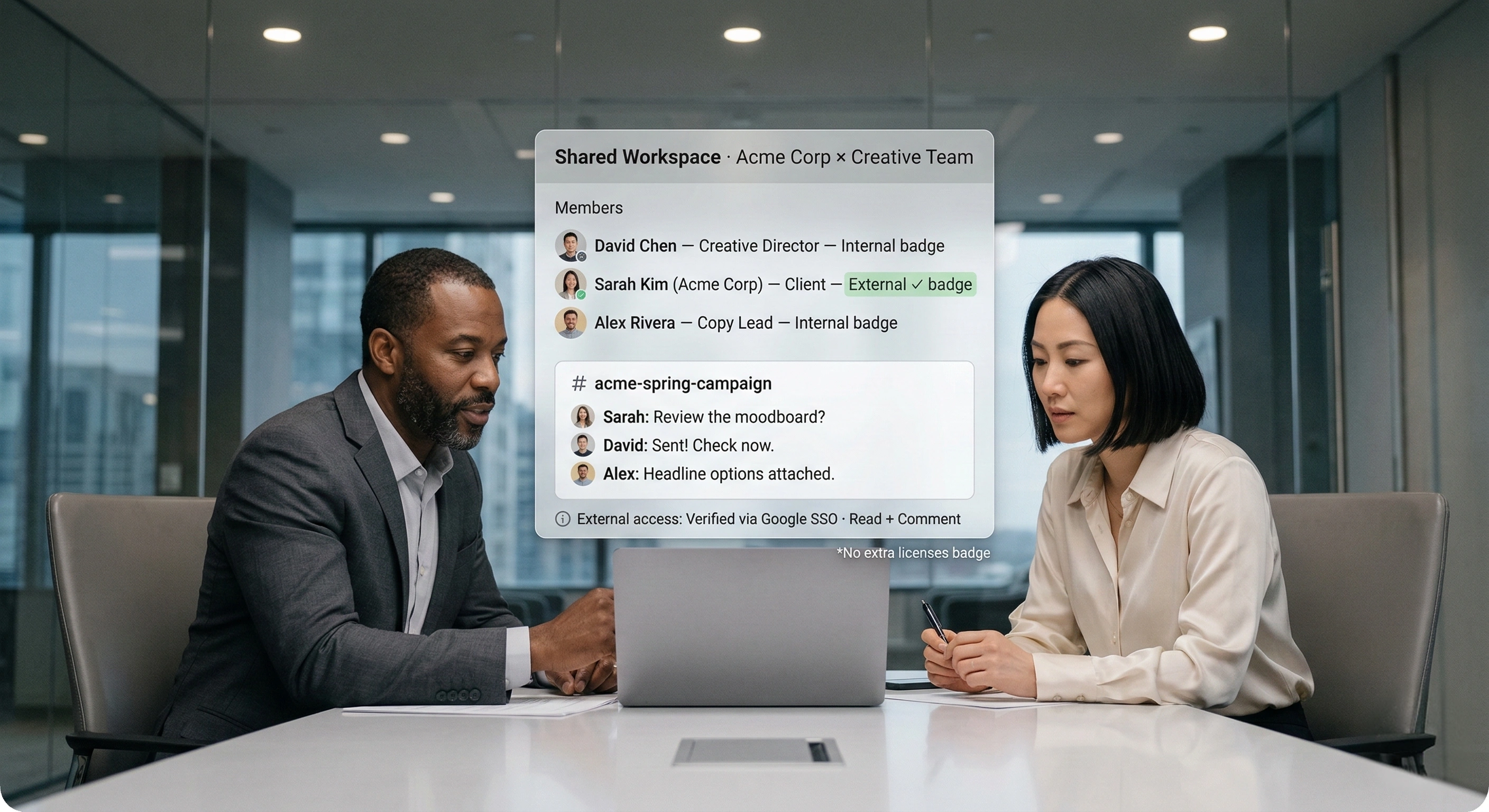
Melp keeps briefs, revisions, files and meeting decisions in one shared workspace your clients can join — so months later you can still show what was agreed.
The real cost
Client work does not fail on effort. It fails on traceability
The client is certain they asked for something, you are certain they approved something else, and neither side can produce the moment it was decided.
Email and shared drives
- Approvals live in inboxes. The sign-off sits in one person's email, unavailable the week they are on leave.
- Decisions evaporate on calls. The change that broke the budget was agreed verbally and written down by nobody.
- Access never ends. Clients from engagements closed two years ago still sit in a channel nobody has audited.
In Melp
- One workspace per engagement. Brief, threads, files, meetings and approvals in a single place both sides can open.
- Meetings write themselves up. AI summaries capture decisions and action items, so a verbal agreement becomes a record.
- Access closes with the engagement. Client access is granted per workspace and removed when the work ends.
What client collaboration actually needs
The specific mechanics of running scoped, paid work for someone outside your company.

What your client sees, and what they never see
The blocking question in every evaluation. Access is scoped to the workspace a client was invited to, and nothing above it.

| Who | Can access | Never sees | Access lifecycle |
|---|---|---|---|
| Client stakeholder | Can access
| Never sees
| Access lifecycle Invited per workspace. Removed when the engagement closes. |
| Client's wider team | Can access
| Never sees
| Access lifecycle Added by the client sponsor or your engagement owner; membership visible to both sides. |
| Your engagement team | Can access
| Never sees
| Access lifecycle Managed with your internal roles; staffing changes take effect immediately. |
Melp runs on infrastructure aligned to SOC 2, GDPR and HIPAA requirements. See the Trust Center for current certifications.
Questions firms ask before inviting clients in
The objections that come up in every evaluation.
Where to go next
If your external relationships are contractual rather than client-billable, one of these will match more closely.
Run your next engagement where the record keeps itself
Create a client workspace, invite one client, and see what the engagement record looks like as a by-product of the work.