

Personal Room
Your always-ready virtual meeting space.
Melp's Personal Roomis your own virtual conference space — always ready, always yours. It's a unique, private meeting link you can share with anyone to instantly connect and collaborate.
Why Use Personal Room?
Easy Access
Share your permanent Personal Room link with teammates or clients — no re-invites needed.
Instant Connection
No account needed! External users can join directly using your link.
Convenience
Start a meeting on the fly or use the same link to meet regularly.
Security Note
The link and meeting ID are permanent — avoid using it for back-to-back meetings or with people you don't meet regularly, for privacy and security.
How It Works
Share Your Personal Room Link
Click your profile icon in the top-right corner and select "My Meeting Room". Your room link will be instantly copied to your clipboard.
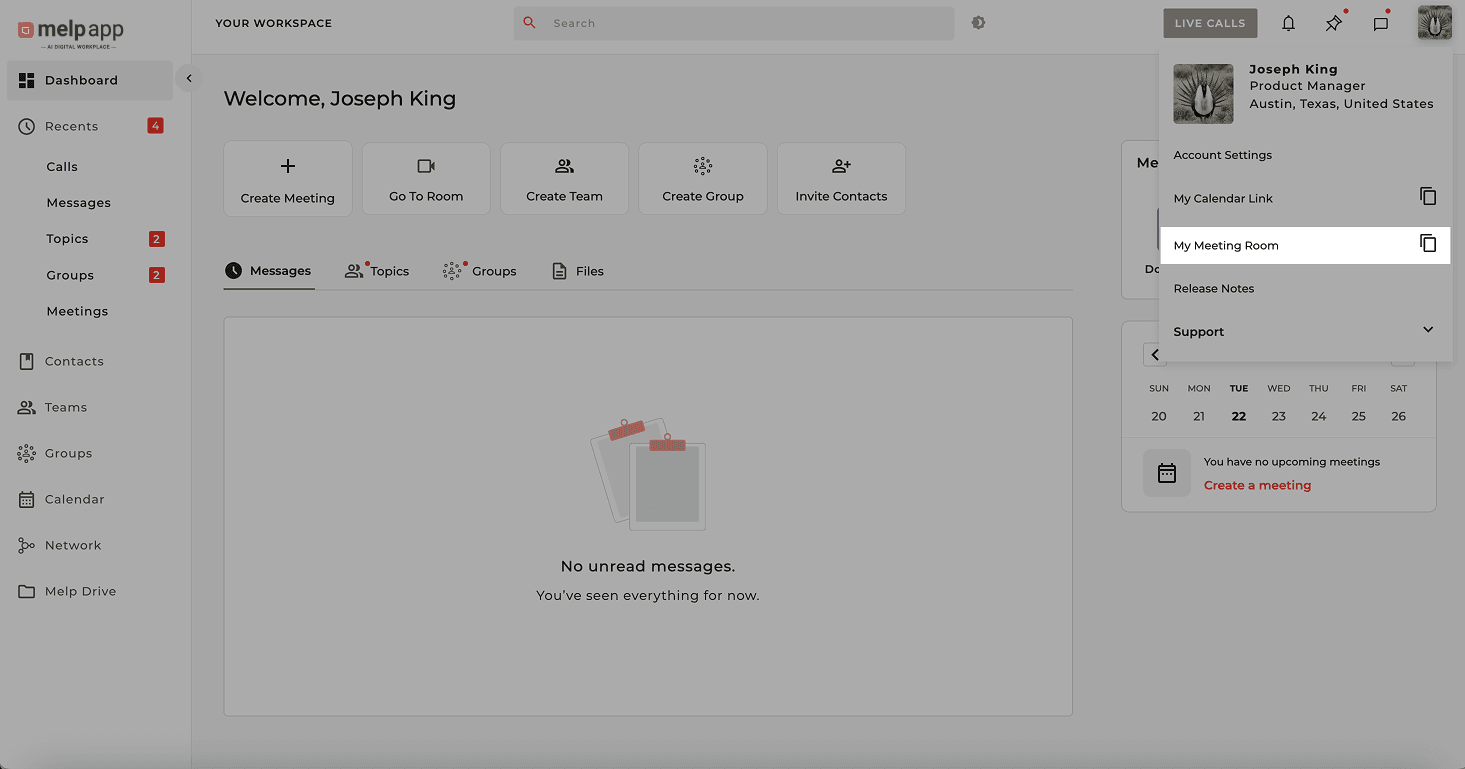
Paste and share it anywhere — email, message, or any platform.
Access Your Personal Room
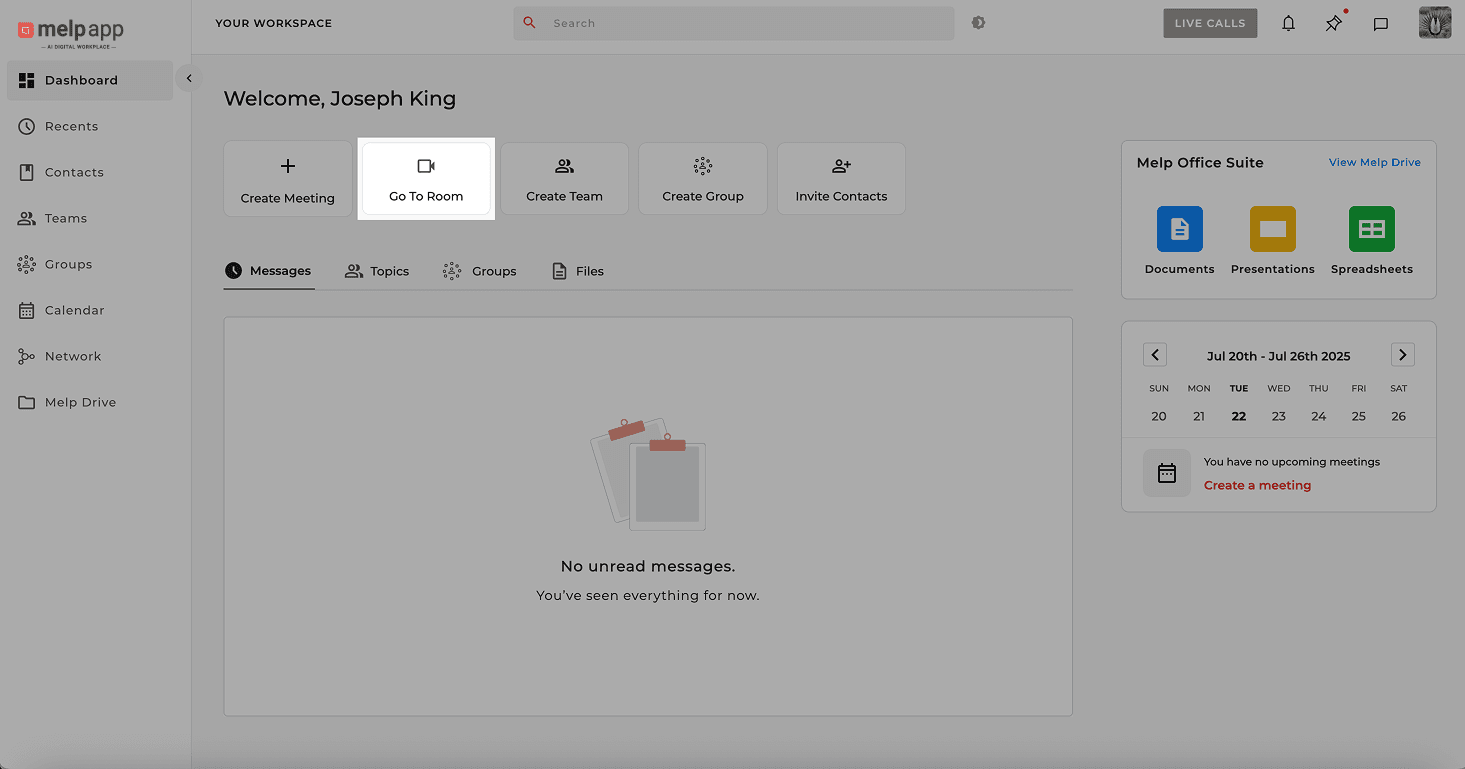
From the Dashboard, click Go to Roomand you'll be redirected to your private meeting space instantly.
How Invitees Join
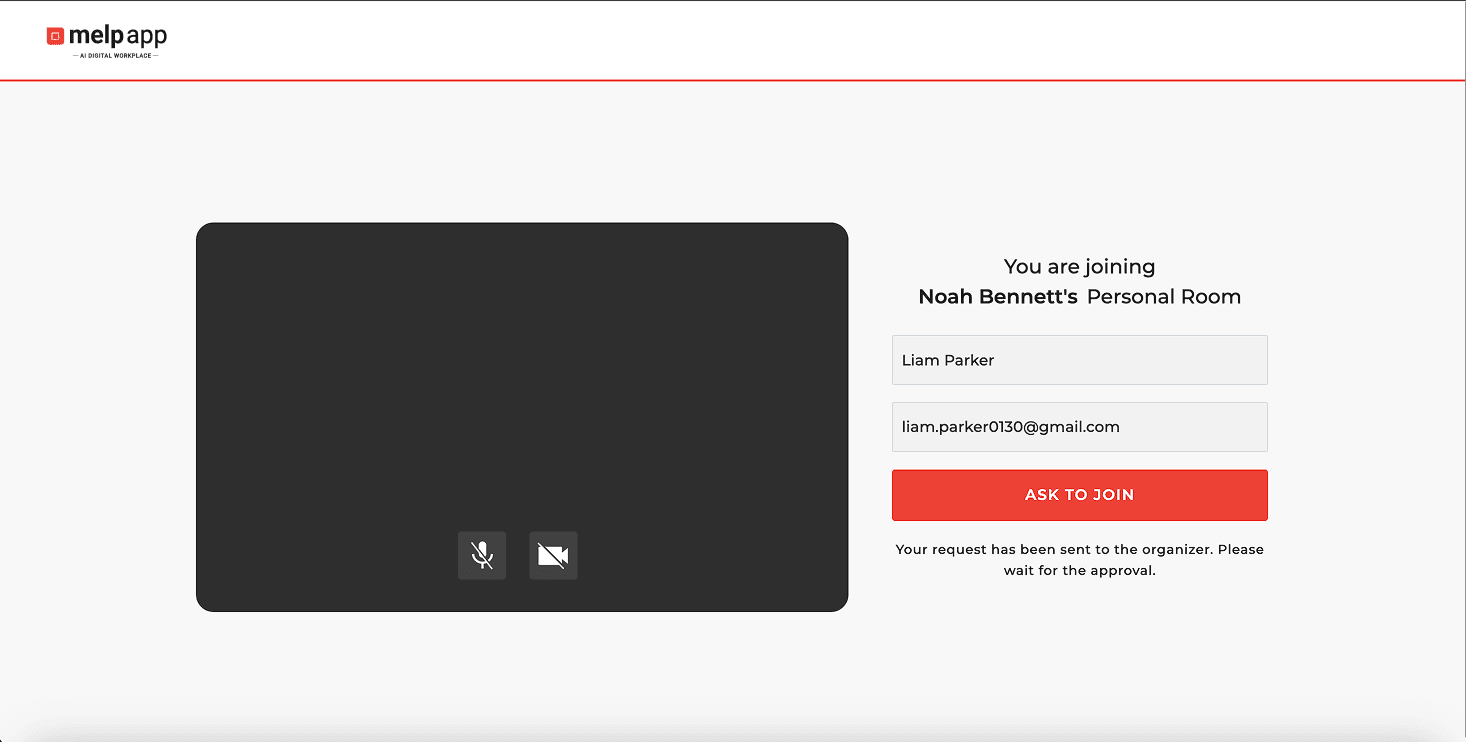
Invitees open the shared link in any browser, enter their Name and Email, then click Ask to join.
Respond to Join Requests
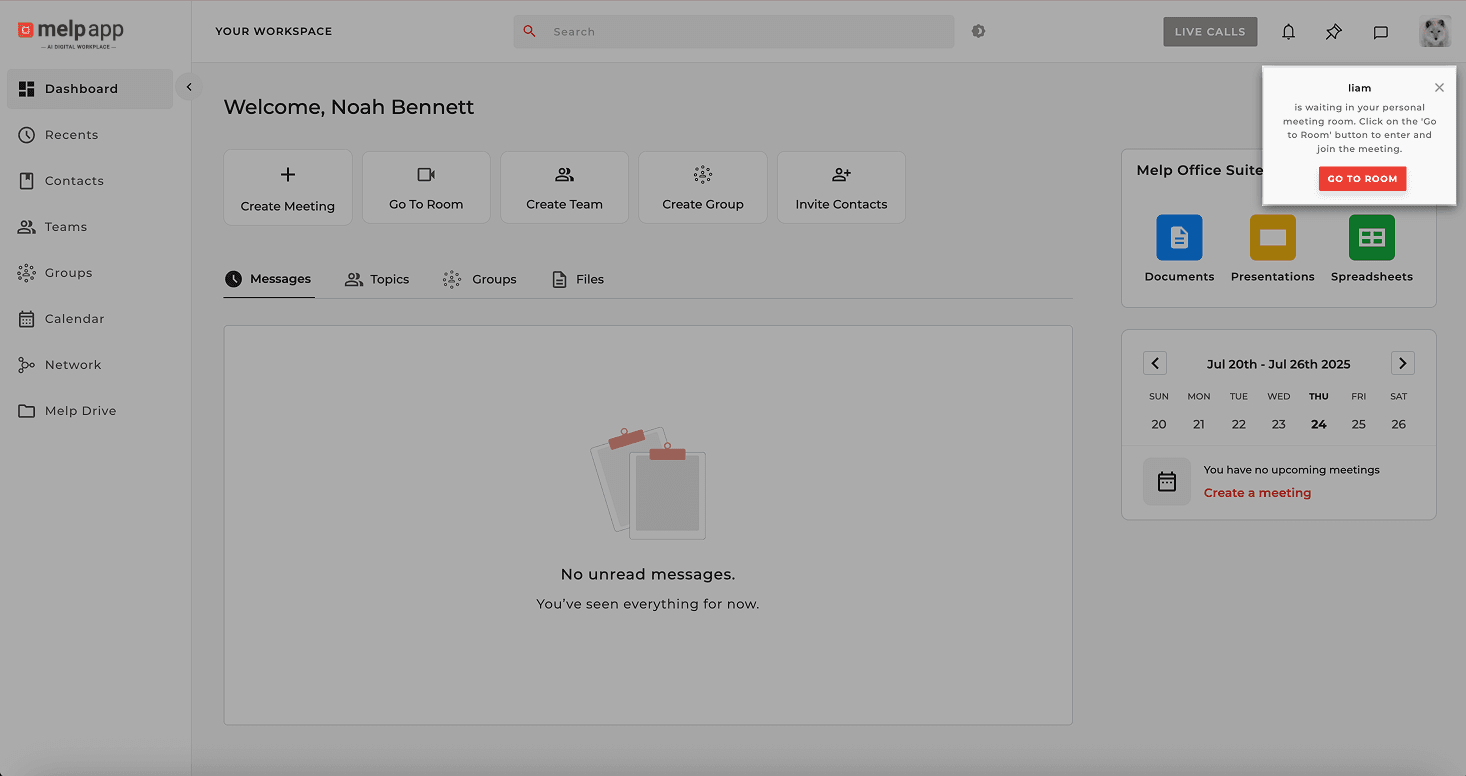
When a user requests to join, a "Go to Room" pop-up appears. Click Go to Room to navigate to your Personal Room.
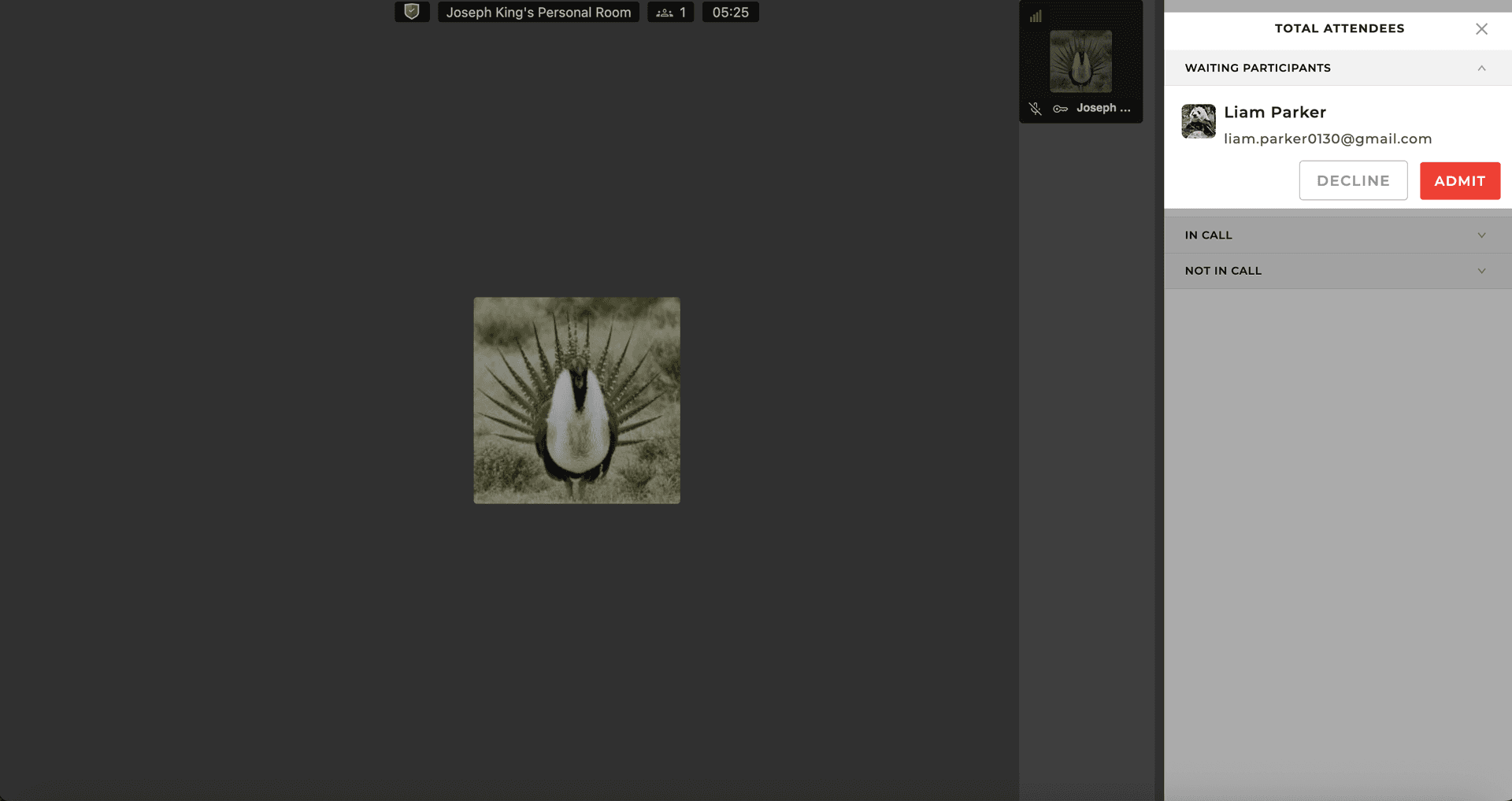
Admit the Guest
Click Admitto approve the request and let the guest into the meeting. The call starts as soon as they're admitted!
Melp's Personal Room keeps your meetings flexible, efficient, and secure — just like stepping into your virtual office.