

Team or Group Conferences
Host multi-person meetings directly within your Teams or Groups.
Need to bring your team together for a quick sync or an in-depth discussion? Melp makes it easy to host voice and video conferences directly within your Teams or Groups — no extra tools needed.
Start a Team Conference
Navigate to the Team where you want to start the call. Click on Voice Call icon for voice-only, or Video Call icon for a full video meeting.
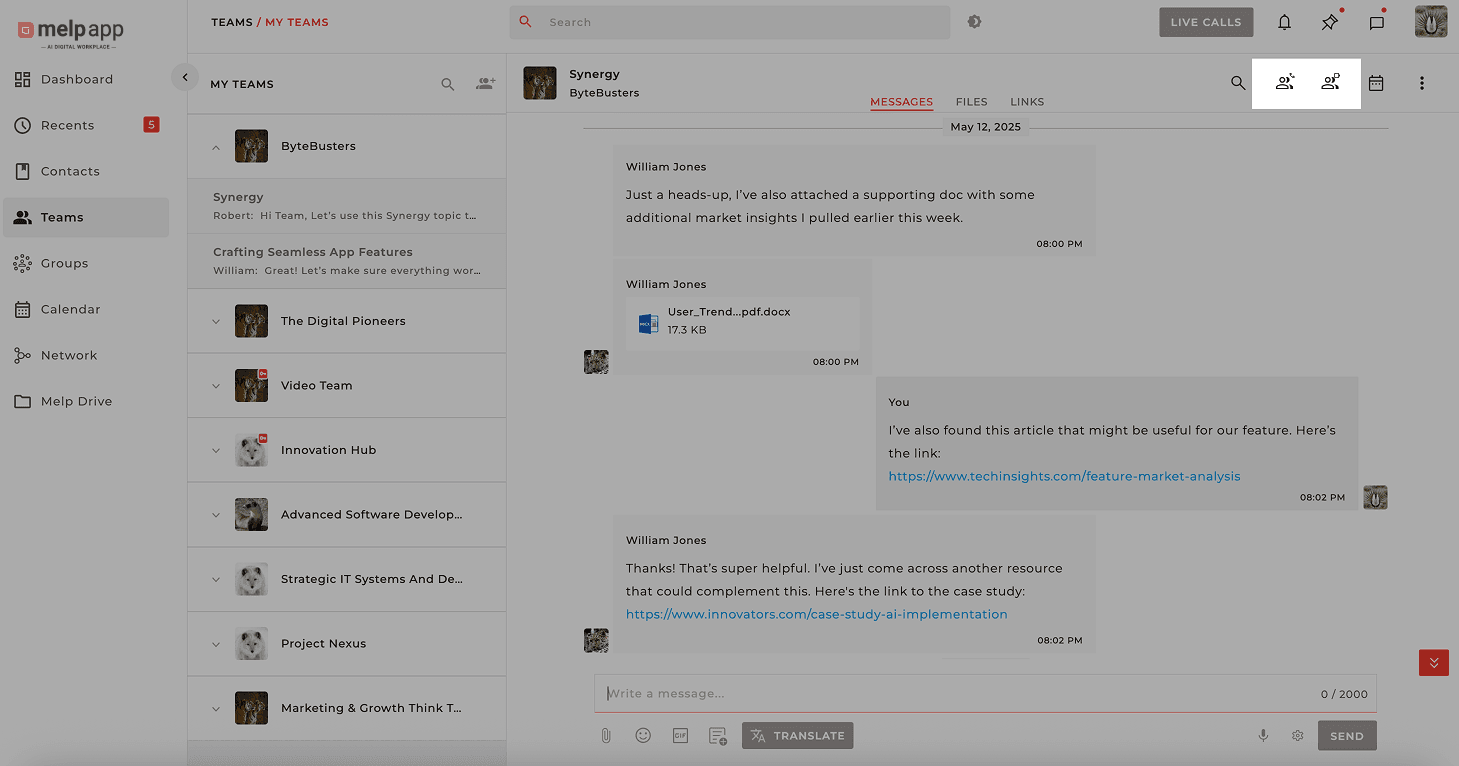
Your team members will receive a call notification and can join instantly.
Start a Group Conference
Navigate to the Group where you want to start the call. Click on Voice Call or Video Call icon.
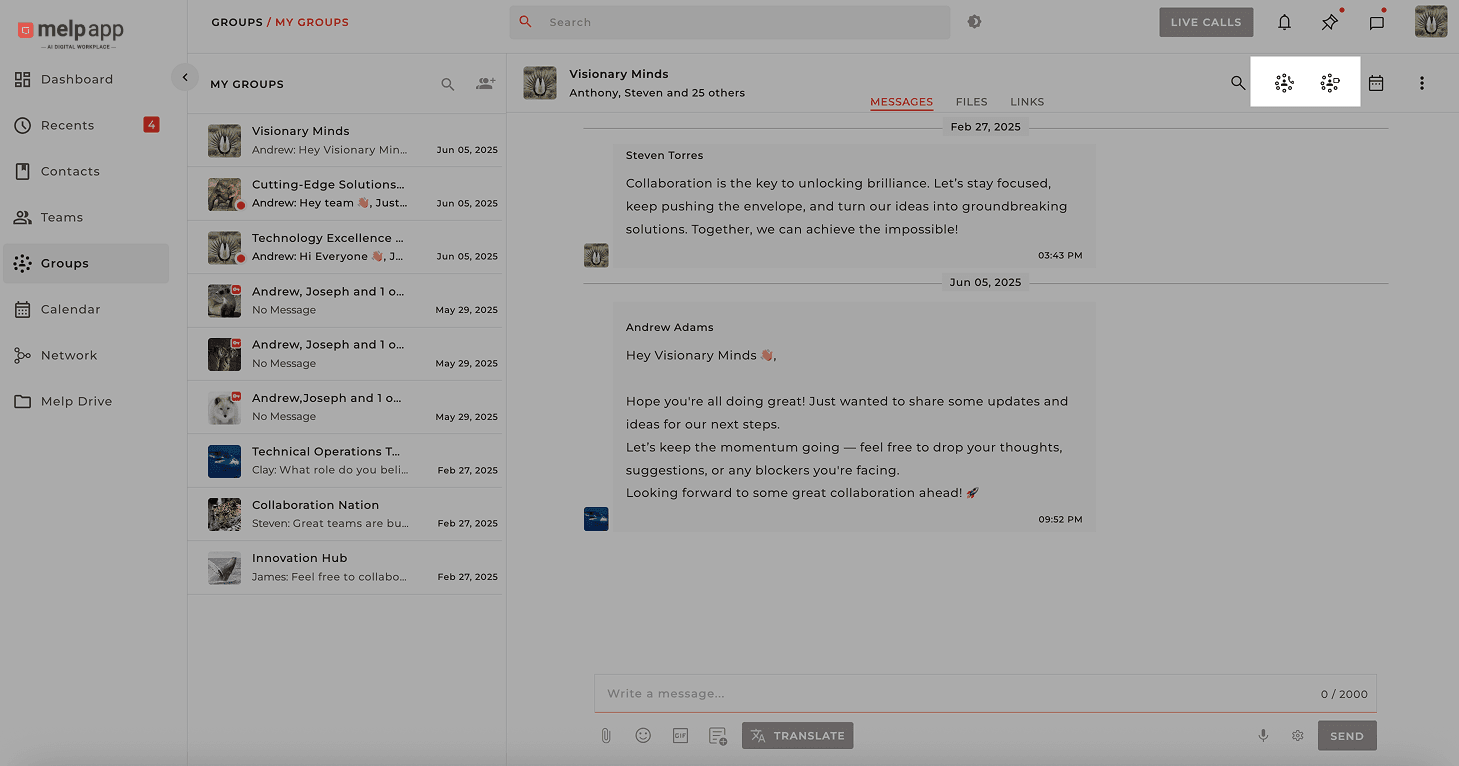
All group members will receive a call notification and can join instantly.
Missed the Call? Join Anytime!
If someone misses the initial notification, they can still join by navigating to the Active Call section and clicking Join from any device.
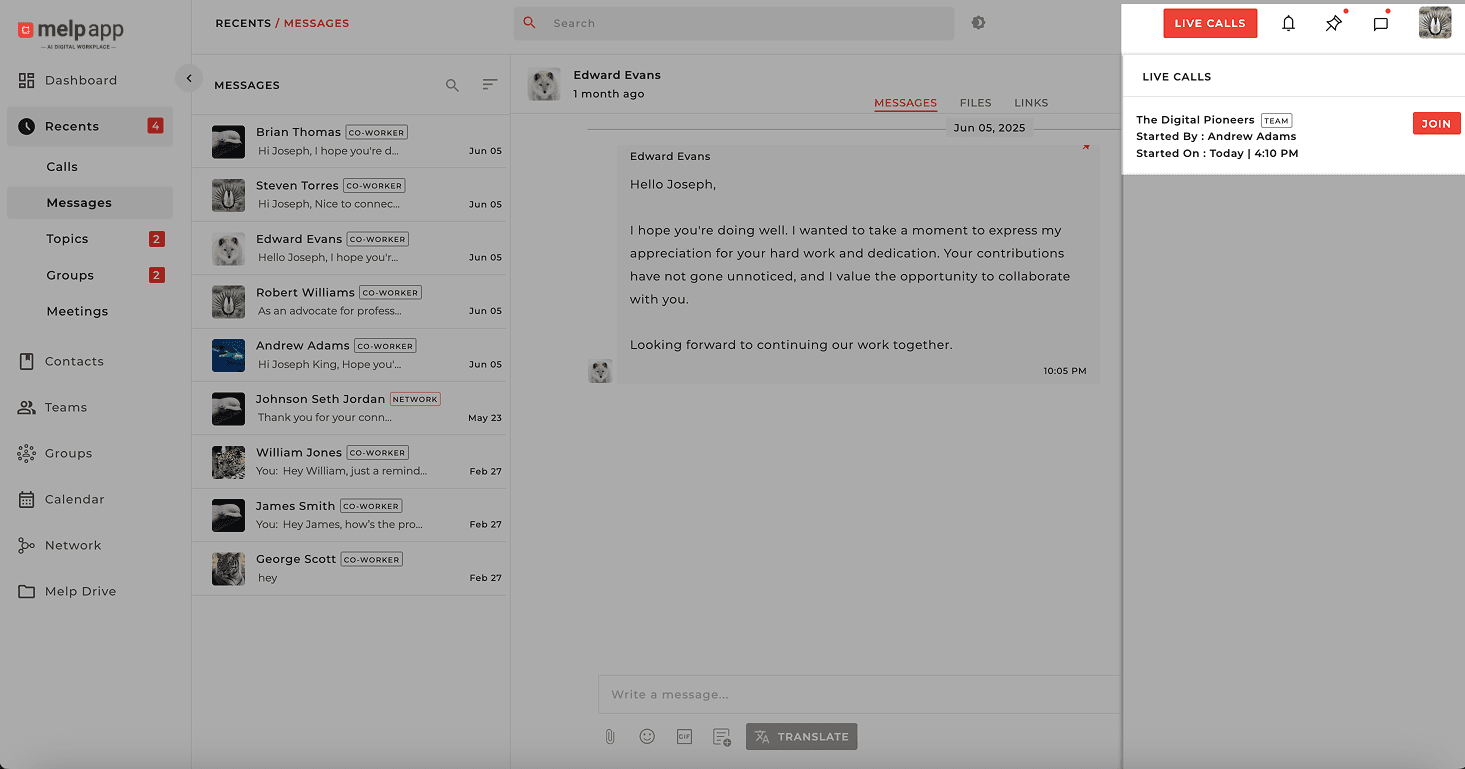
Works seamlessly on Web, iOS, and Android.
Melp keeps you connected with your team — anytime, anywhere. Whether you're working from your desktop or switching to mobile on the go, conferences are just one tap away.