

Forgot Your Password?
Quick and secure steps to reset your Melp password.
2 min read
No worries—resetting your Melp password is quick and secure.
1
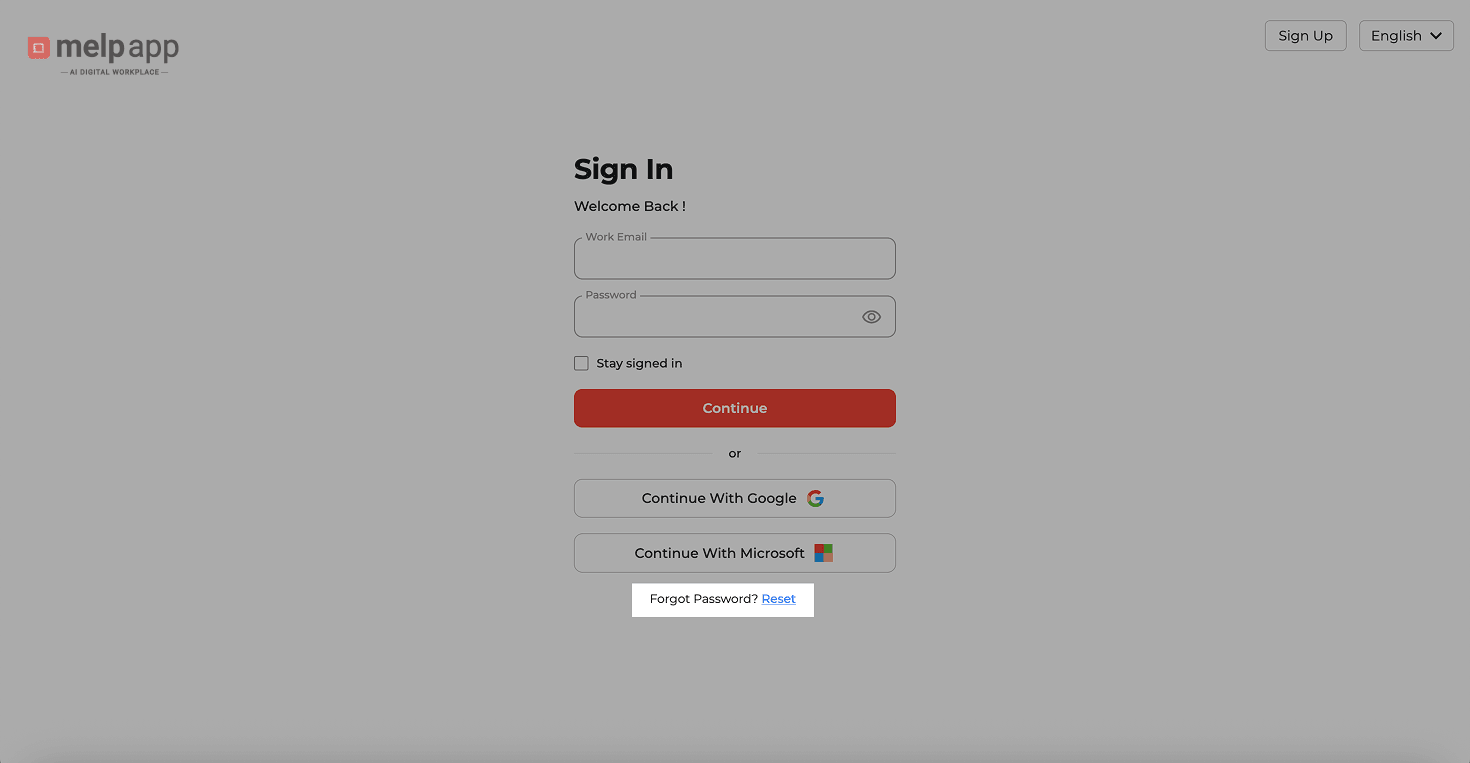
Click Forgot Password
Go to the Melp Sign-In page and click "Forgot Password?"
2
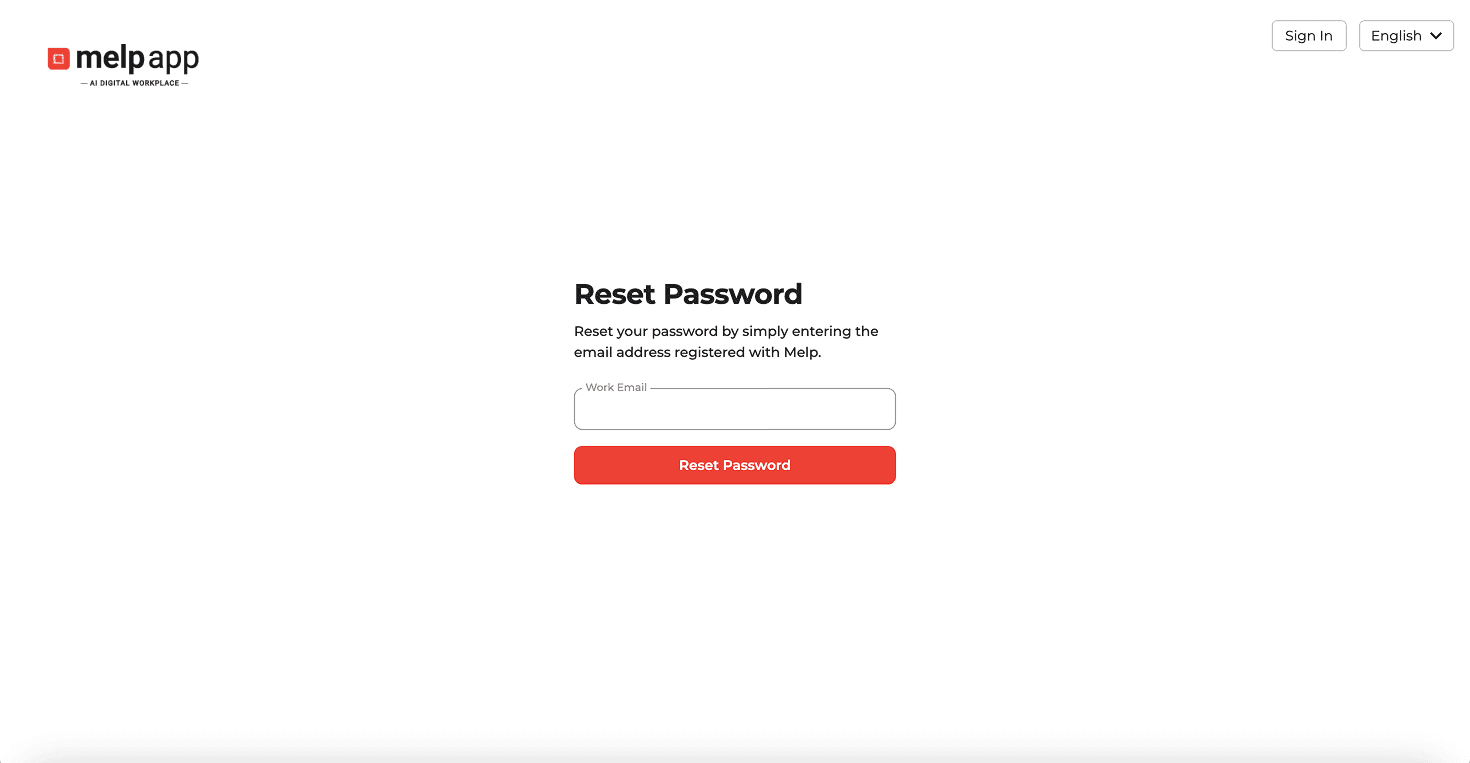
Enter Your Email
Enter your registered email and click Send
3
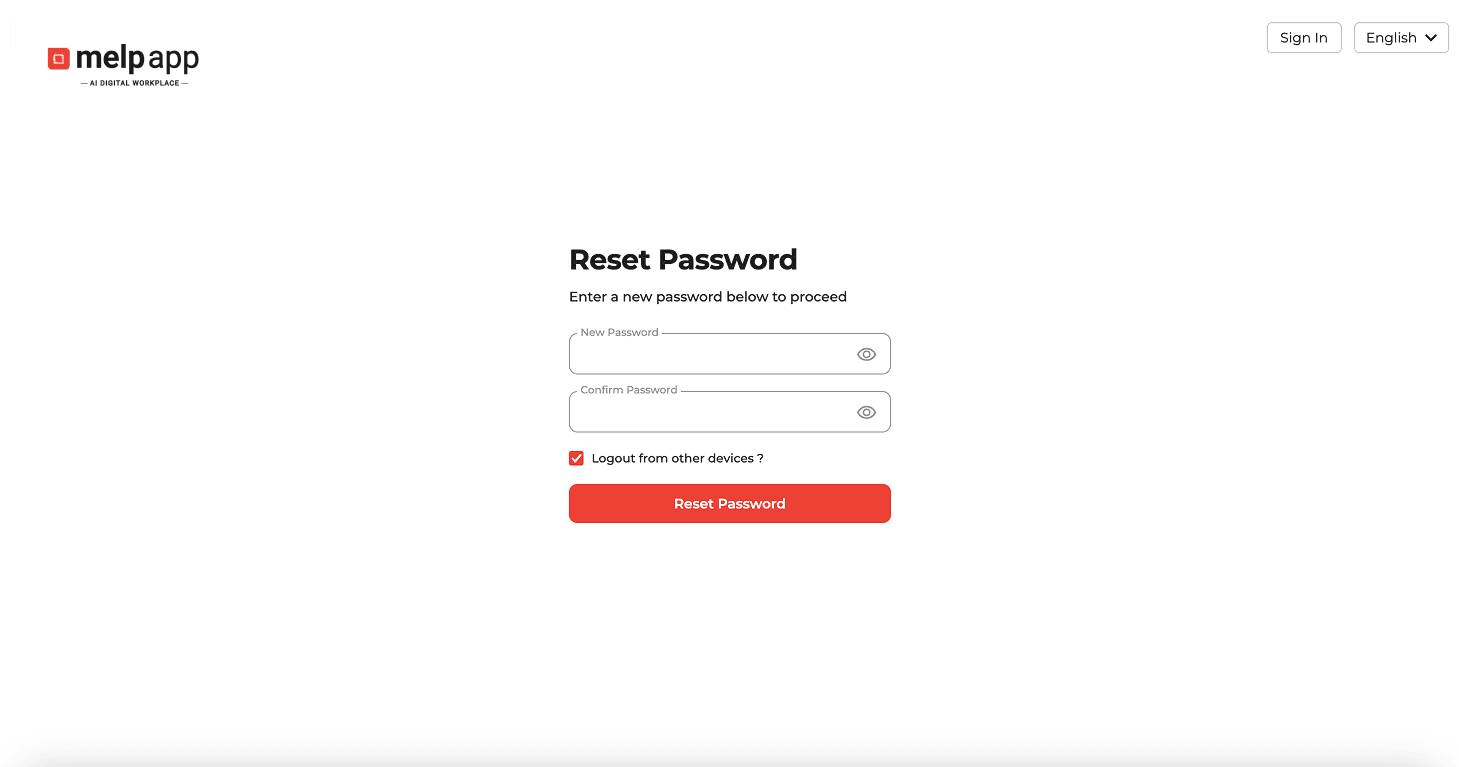
Create New Password
Open the email and click the reset link, then enter your new password.
Security Tip
Make sure your new password is strong and unique for added security.
Updated 21 Jan 2026
Did this page help you?