

Set Your Status
Communicate your availability without saying a word.
2 min read
Keeping your status updated helps others know when you're available, in a meeting, or focused on work. It's a quick way to communicate your availability without having to say a word.
How to Set Your Status
1
Open Status Menu
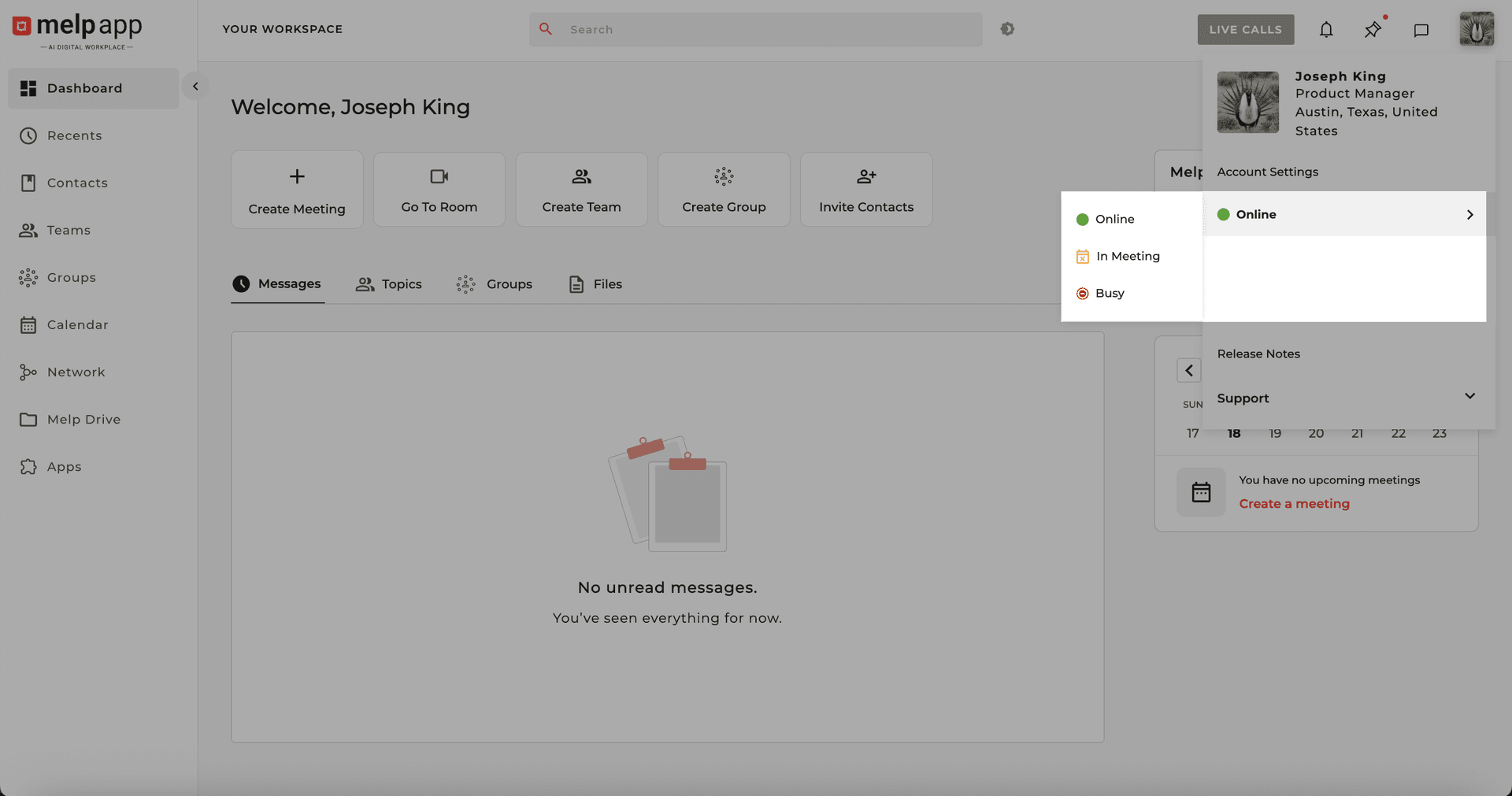
Click your profile icon in the top-right corner. From the dropdown list, select Status.
2
Choose Your Status
A dropdown menu will appear — select the status that best fits your availability.
Available Status Options
Online
You're available and active.
Busy
You're focused and prefer not to be disturbed.
In a Meeting
You're currently in a call or meeting.
3
Apply Your Status
Click on the status you want to use and your status will instantly update — you're all set!
That's it! Your updated status will now be visible to your contacts, helping them communicate with you at the right time.
Updated 21 Jan 2026
Did this page help you?