
Calendar Syncing
Sync with Google Calendar or Outlook.
MelpApp provides an easy way to sync your online calendars, such as Google Calendar and Microsoft Calendar, to help you manage your schedule more efficiently.
Supported Calendars
Google Calendar
Sync with your Google account for seamless integration.
Microsoft Calendar
Connect with Outlook for unified scheduling.
How to Sync Your Calendar
Go to Calendar
Open Calendar in MelpApp.
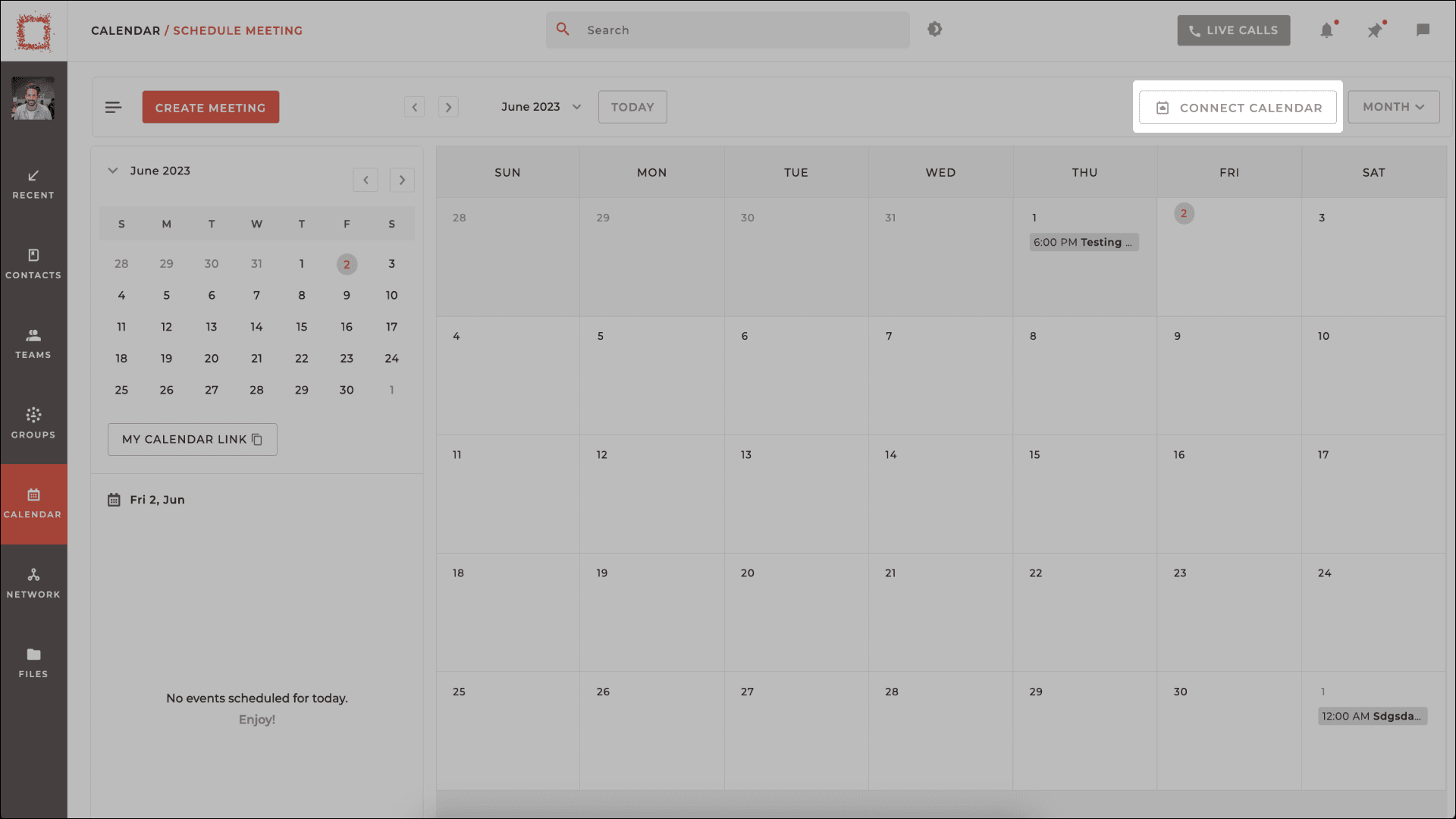
Click Connect Calendar
Click on the Connect Calendar button located at the top right.
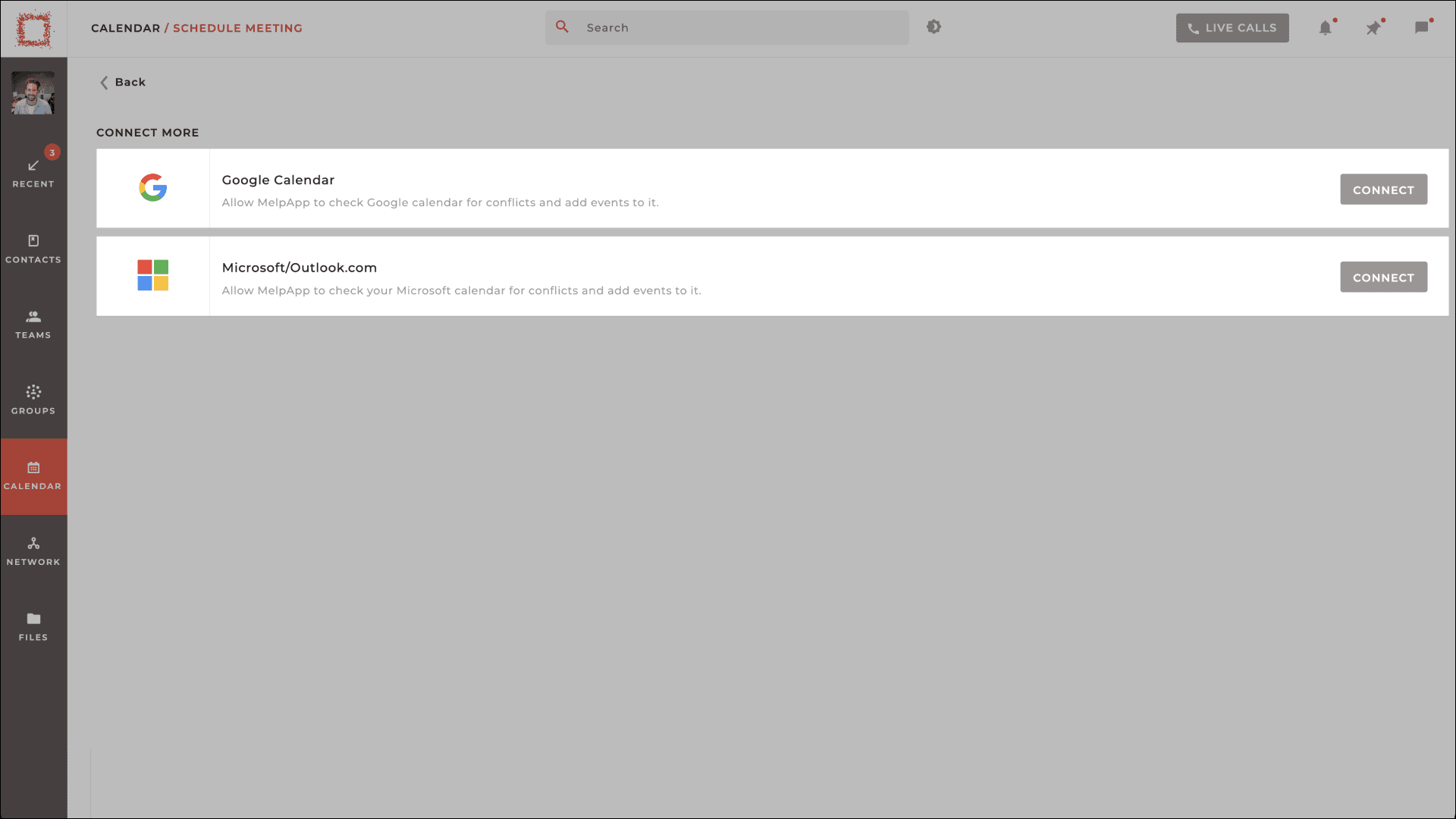
Choose Your Calendar
Choose your preferred calendar, such as Google or Microsoft Calendar.
Sign In & Sync
Sign in using your login credentials. Your calendars will be synced automatically. You will see all your meetings and appointments in both calendars.

All in One Place
By syncing your calendar, you can keep track of all your appointments and events in one place, avoiding the hassle of switching between different calendars. This ensures that you never miss an important meeting or update.