

Managing Your Event
Edit, pause, or delete events.
1 min read
Take full control of your events without any hassle—right from the event card!
Event Management Options
Click the More Options menu on your event card, and you can:
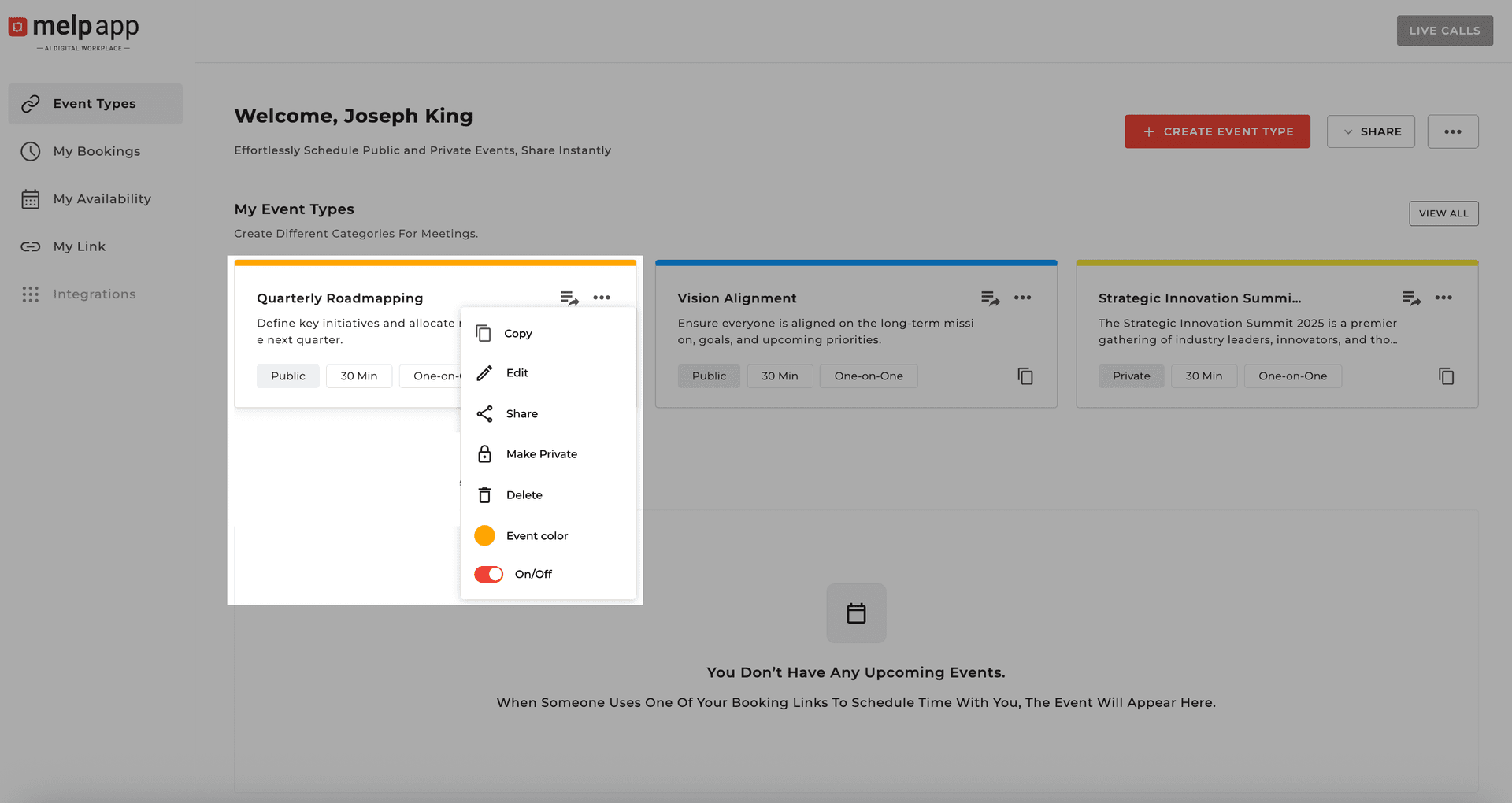
Share
Instantly send the booking link to others.
Edit
Update event details anytime.
Make Public/Private
Switch visibility with one click.
Turn Off Event
Pause new bookings temporarily.
Copy Event Link
Quickly grab the link for easy sharing.
Delete Event
Permanently remove it from your calendar.
Pro Tip
Use Turn Off Event when you just need a break from new bookings—no need to delete the entire event!
Updated 21 Jan 2026
Did this page help you?