

Setting Your Availability
Define when you're free to meet.
2 min read
Want to make it easy for others to book time with you? With MelpApp, you can set up multiple availability slots that fit your schedule.
How to Create an Availability Slot
1
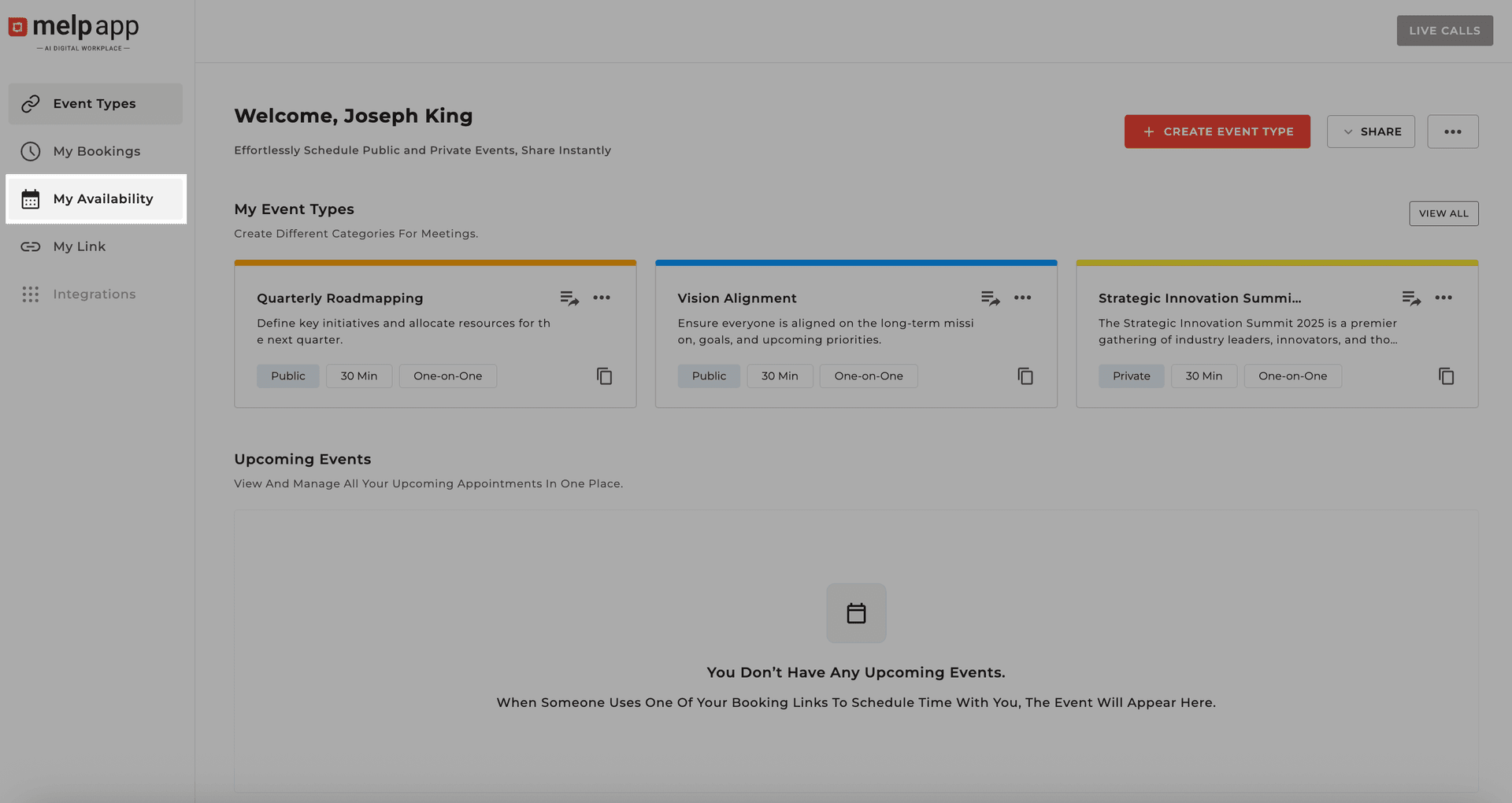
Open My Availability
From the left sidebar, click My Availability.
2
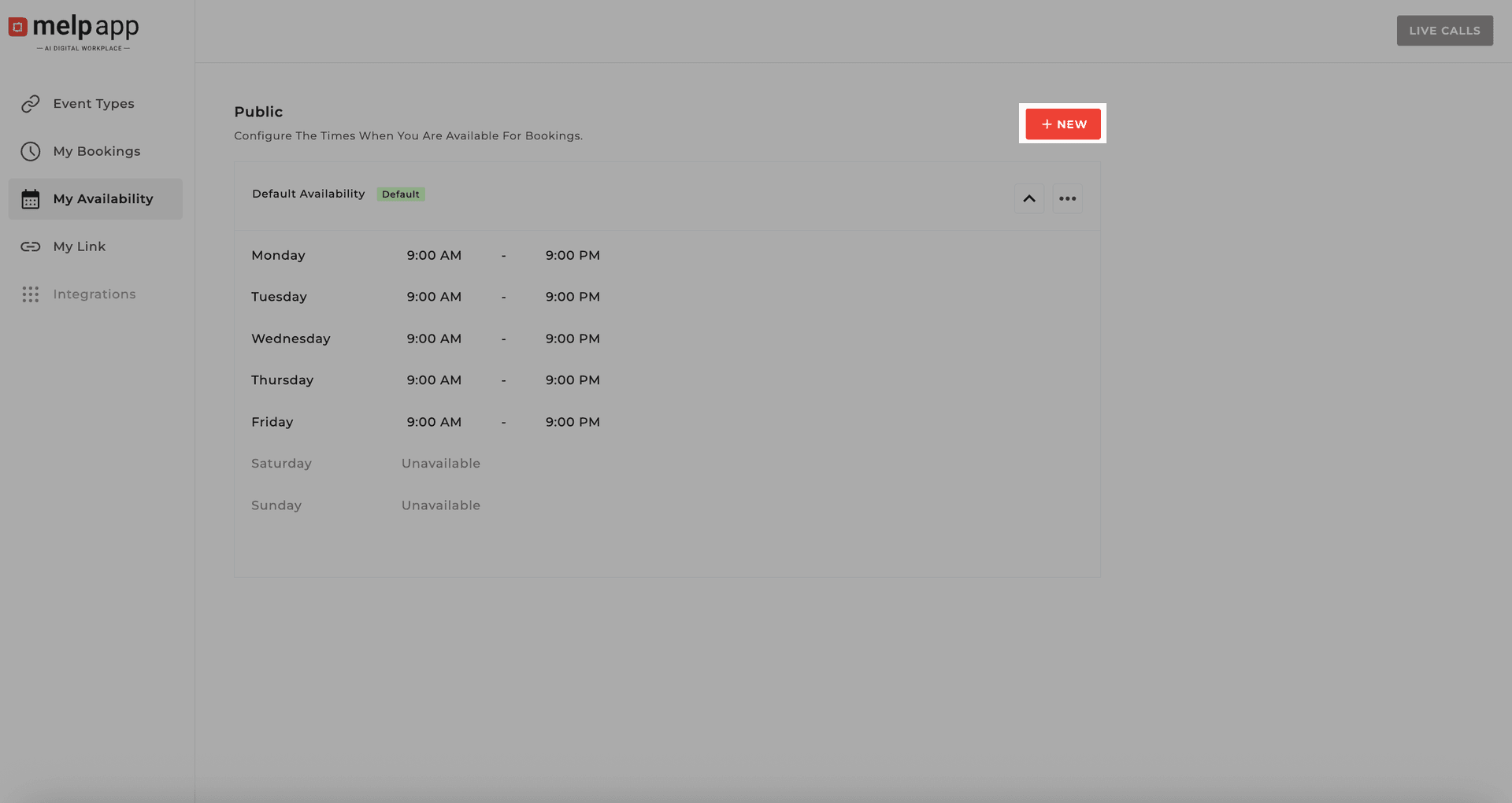
Create a New Slot
Hit New to create a fresh slot.
3
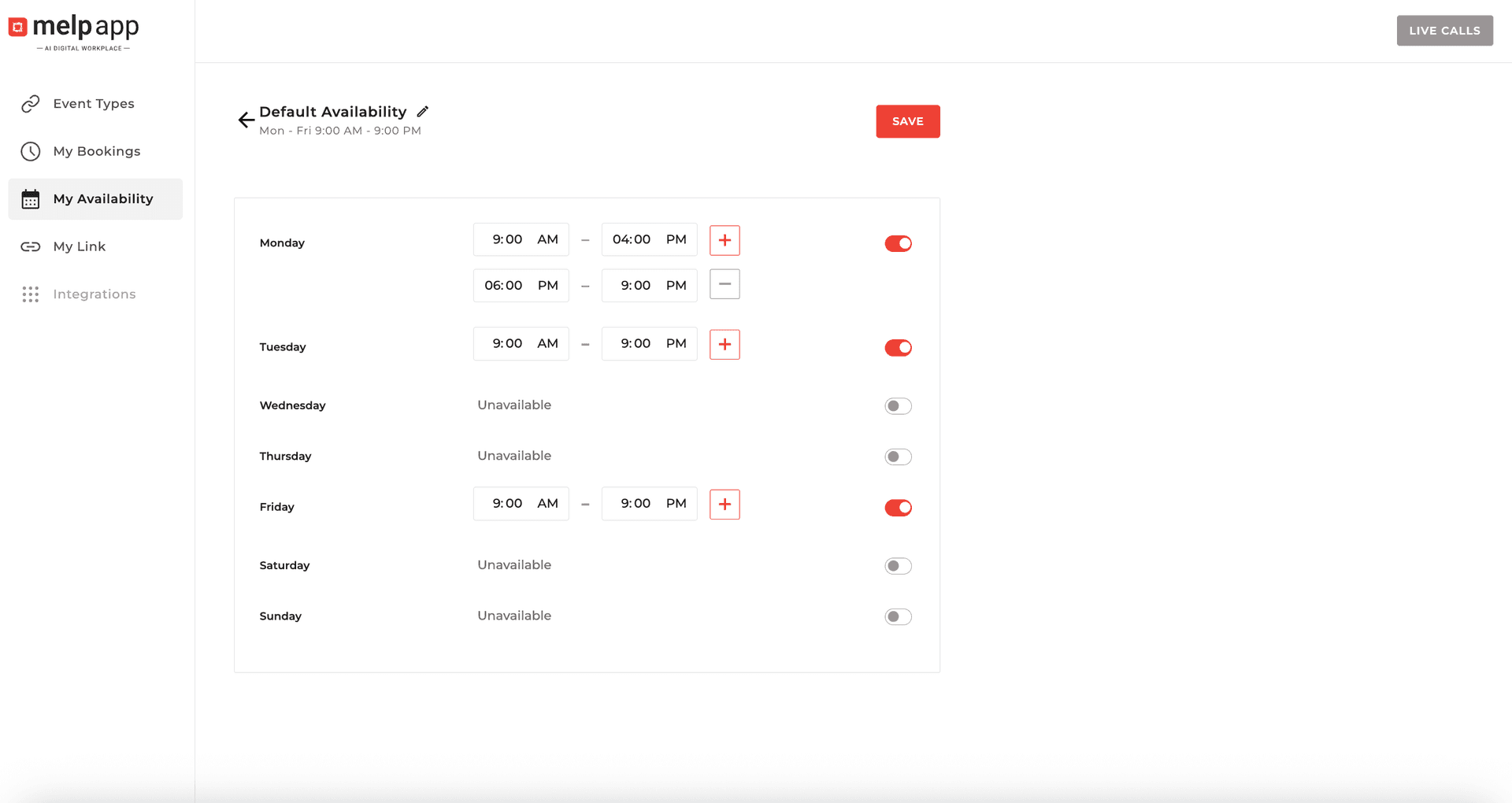
Set Your Times
Pick your start time, end time, and the days you want to be available.
4
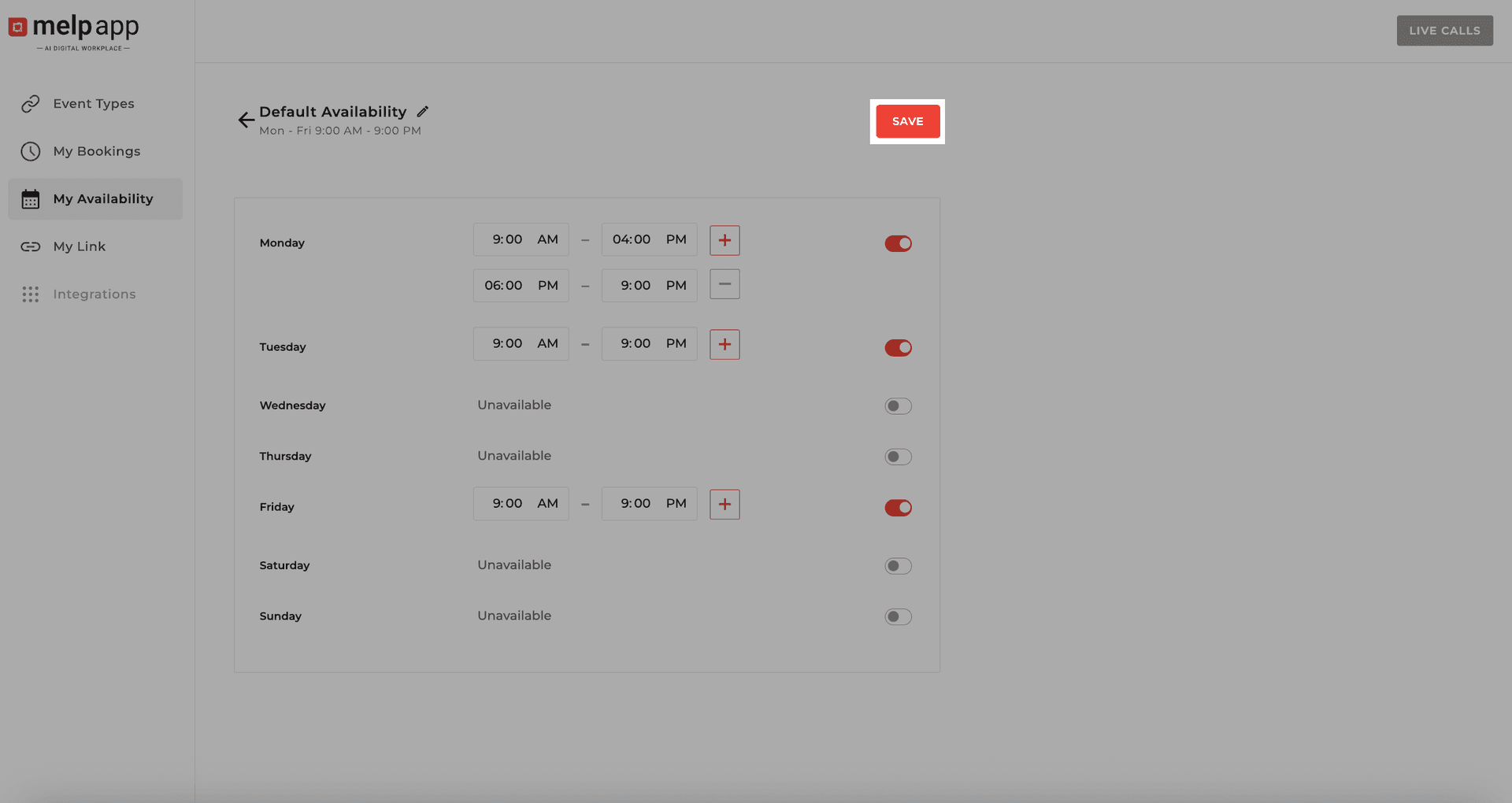
Save Your Availability
Click Saveand you're all set!
Tips for Managing Your Availability
Pro Tips
- Create as many slots as you need—split mornings and afternoons, or keep it flexible.
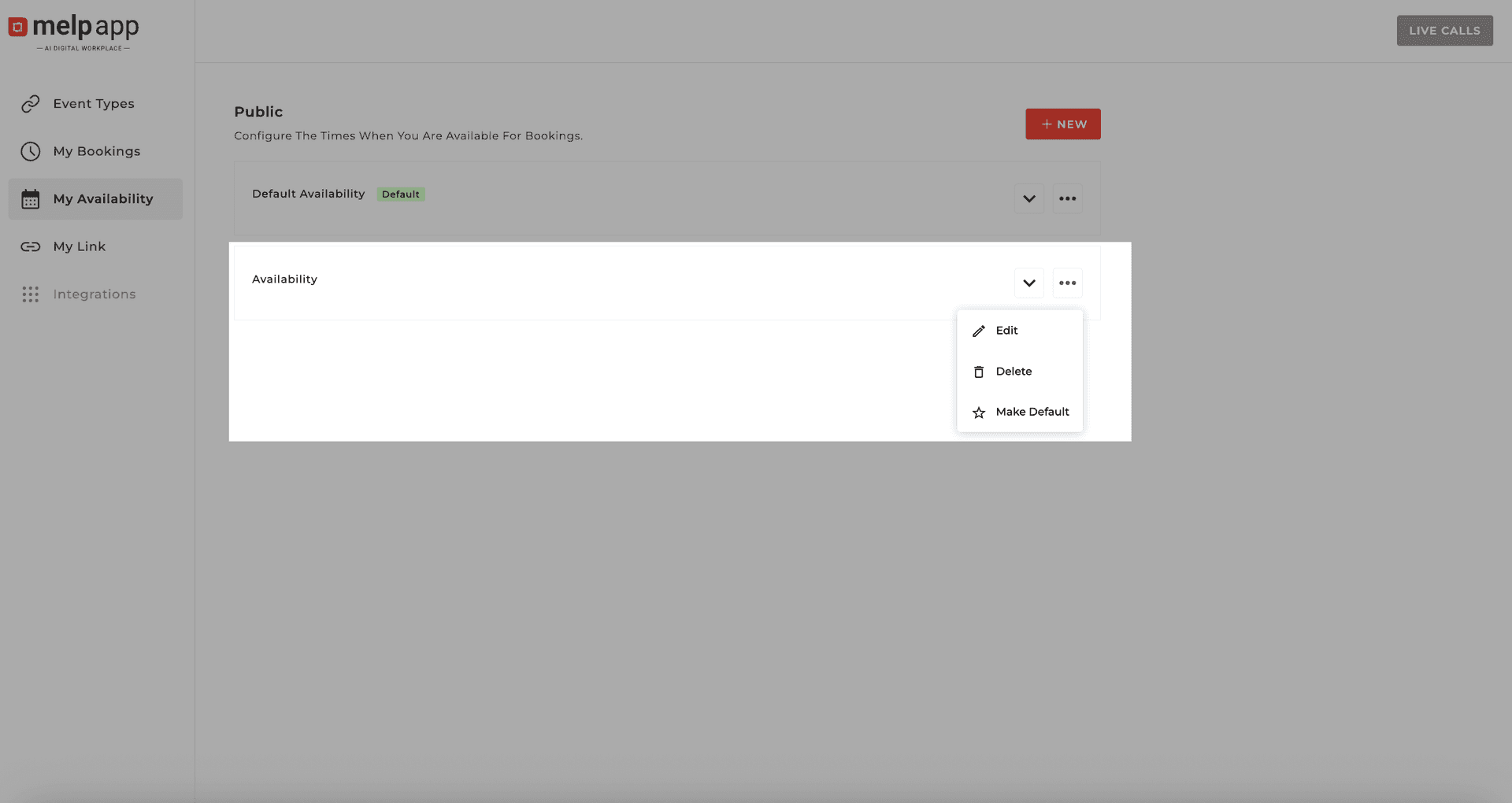
- Click More Options on any slot to edit, make default, or delete it.
- Label your slots to help others know the best time to connect.
Updated 21 Jan 2026
Did this page help you?