

Email Your Chat
Export and share conversation history.
2 min read
Take your conversations with you — anytime, anywhere. With Melp, you can export your chat history and have it delivered directly to your inbox as a PDF file.
Perfect For
Archive Conversations
Keep important chats for future reference.
Share Discussions
Share meeting discussions with stakeholders.
Backup Records
Maintain documentation for compliance.
How to Email Your Chat
1
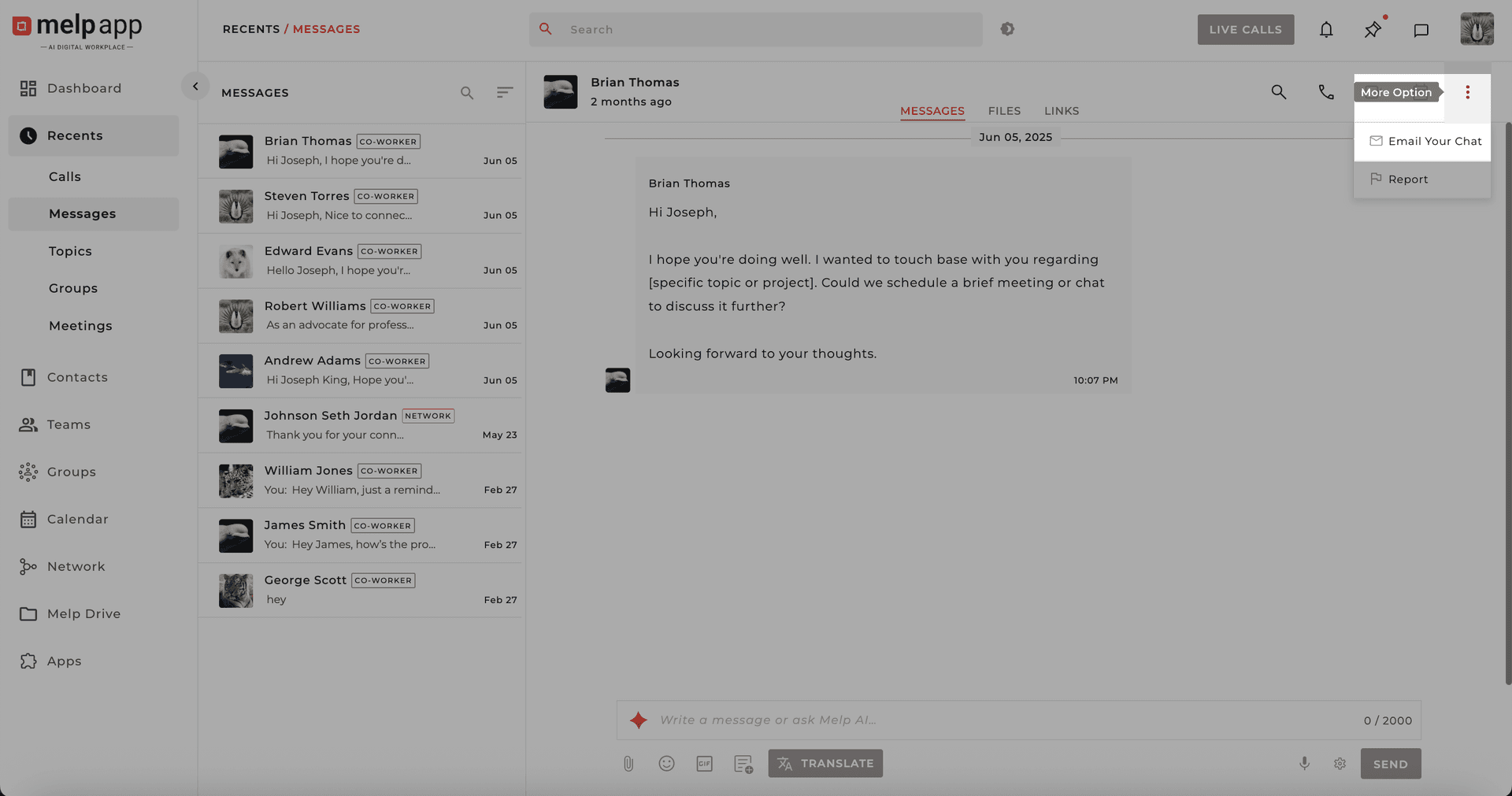
Open More Options
Tap the "More" icon in the top-right corner and select "Email Your Chat".
2
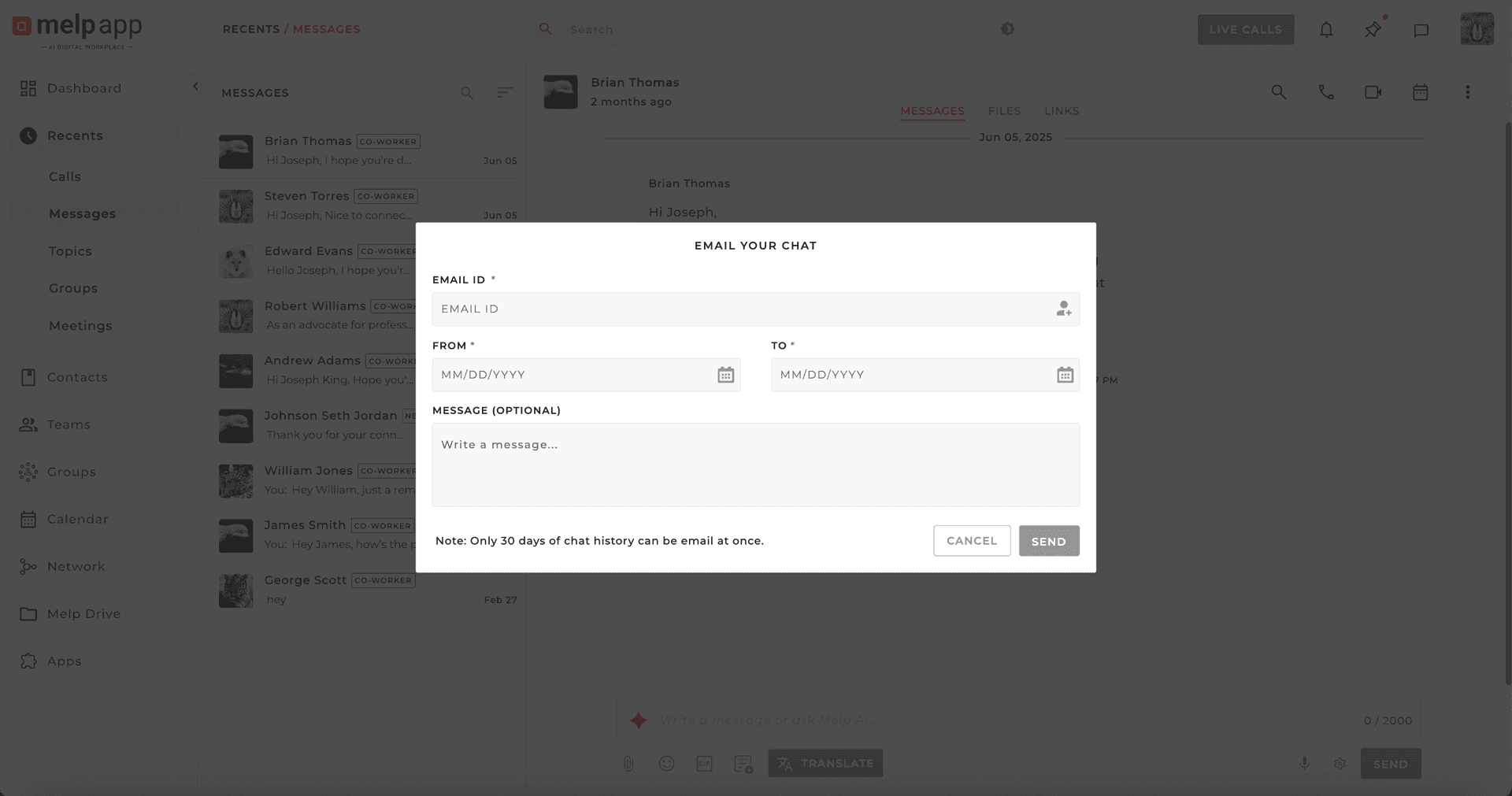
Configure Your Export
Select your desired date range, optionally add an email address, and include a personal note.
3
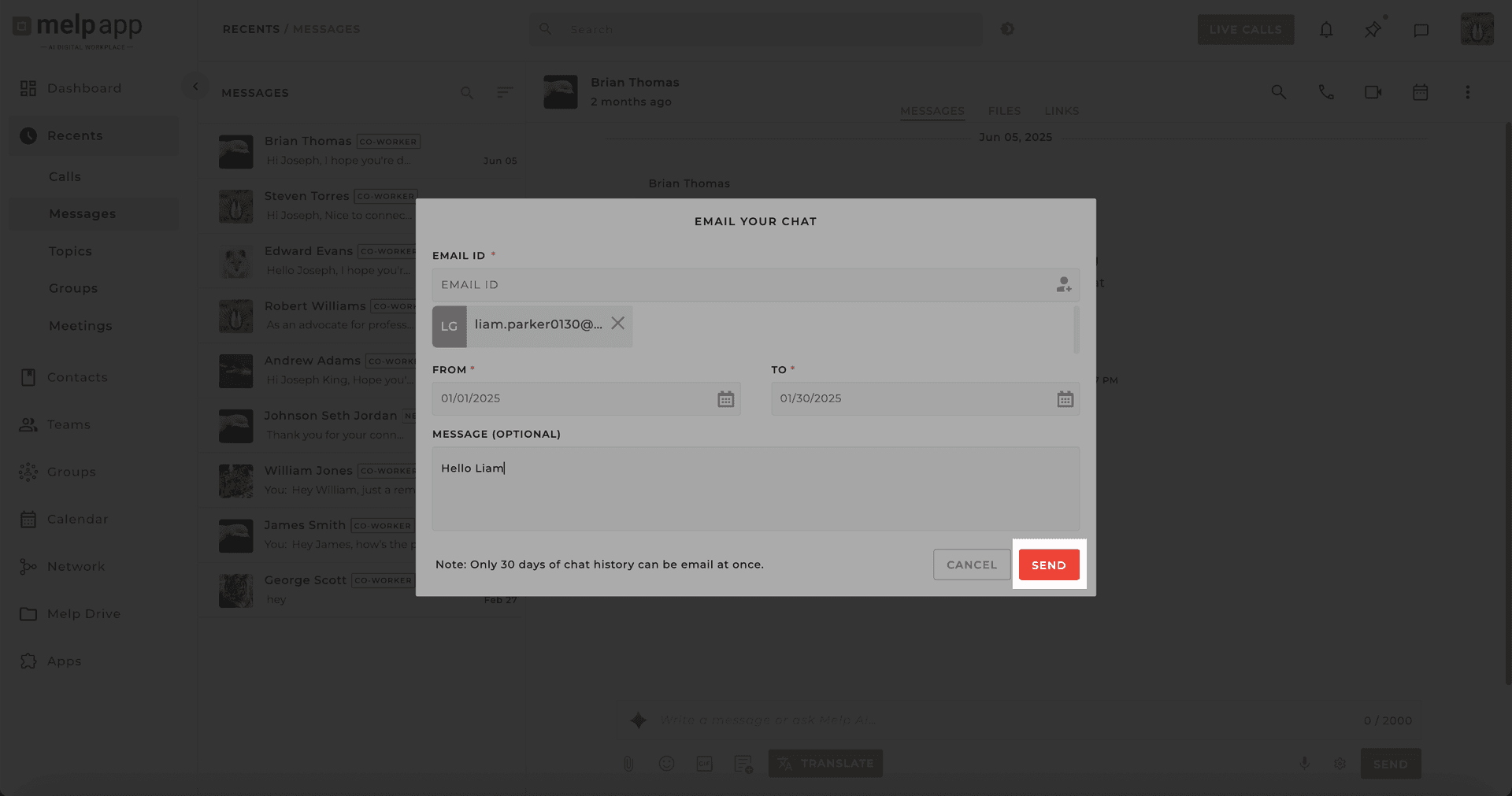
Send It
Hit "Send" — a clean PDF of your chat history will be delivered to your inbox.
Why Teams Love It
- Clean, professional PDF export
- Perfect for reporting and documentation
- Works with all chat types: One-on-One, Group, and Team Topics
Pro Tips
- Project Wrap-Up?Export and share the last month's team chats for a clear summary of decisions and milestones.
- Client Handover? Send important conversations as a PDF to your client for transparent records.
- Team Onboarding? Share past chats with new team members to get them up to speed.
- Stay Organized! Use this feature as your personal archive for meetings or quick reference.
Updated 21 Jan 2026
Did this page help you?