

Quick Message
Reply instantly without leaving your task.
2 min read
Need to send the same message to multiple people without group chaos? Quick Message has your back!
How to Send a Quick Message
1
Select Contacts
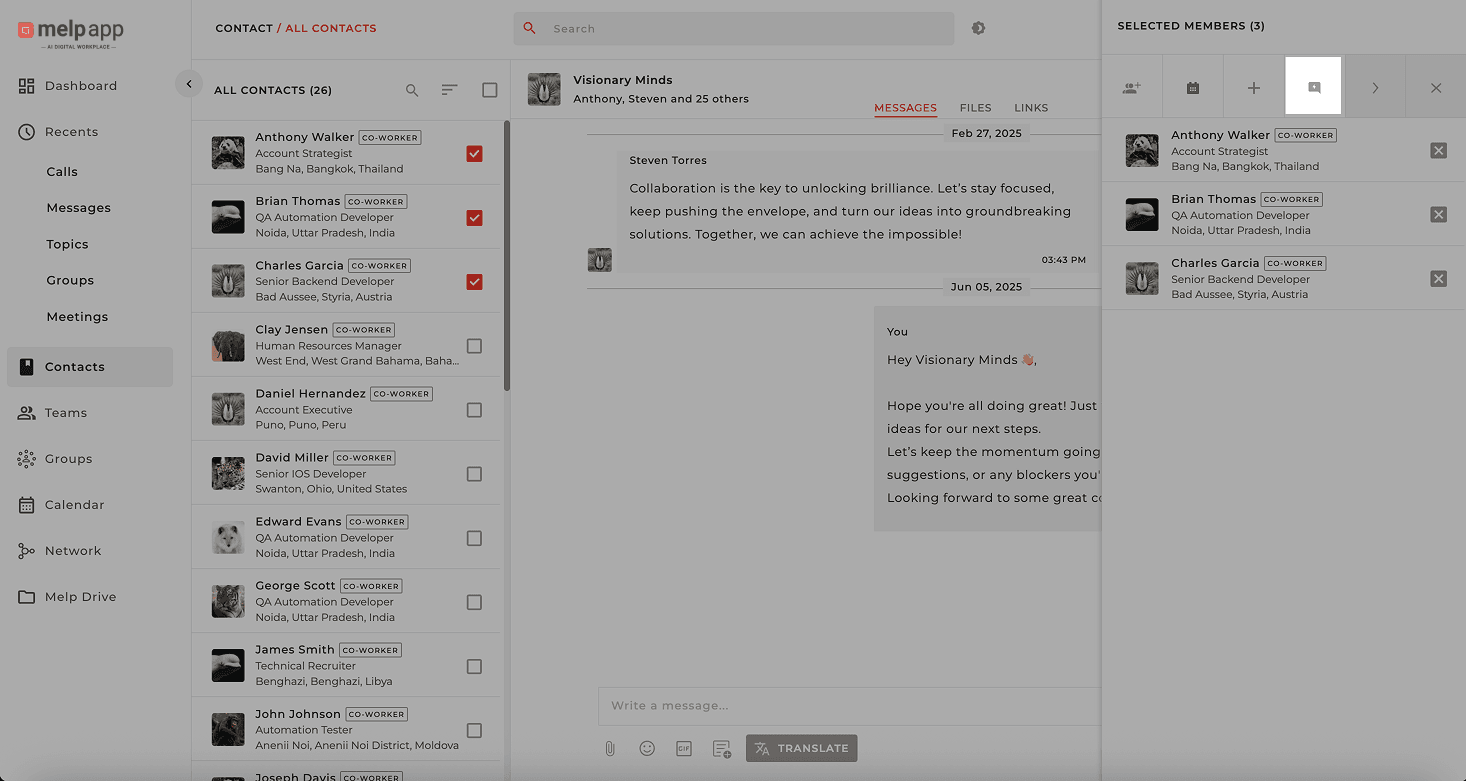
Open the Contacts taband pick the people you want to message. You'll see selected contacts appear on the right-hand panel.
2
Open Quick Message
Click "Quick Message" — this opens the message box!

3
Send to All
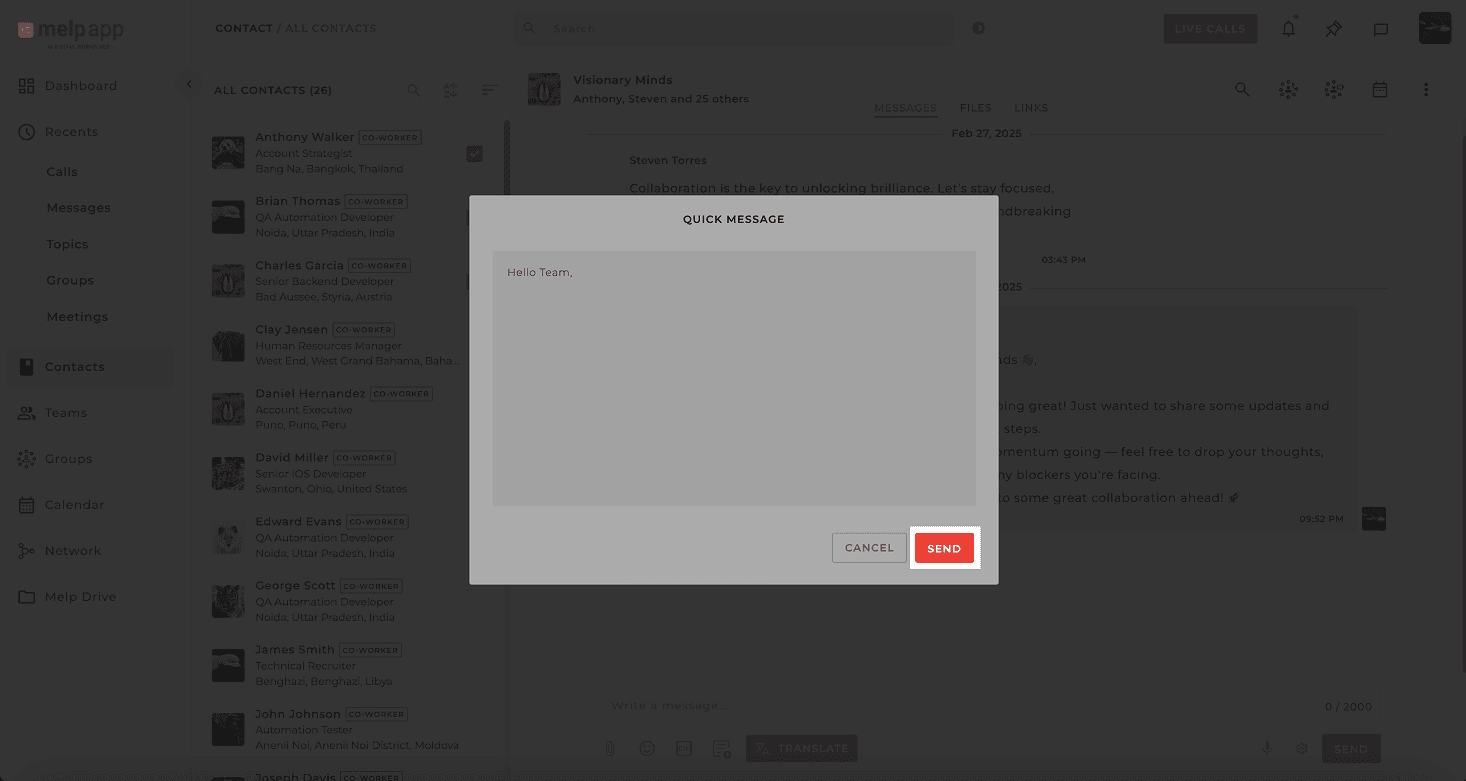
Type your message, hit Send, and everyone gets it as their own private message.
Why You'll Love Quick Message
Perfect for Announcements
Quick reminders or daily updates to multiple people.
Private Responses
No messy reply threads — every response stays private.
Save Time
Send it once, deliver it everywhere.
Less Chaos, More Clarity
Quick Message = Less chaos, more clarity.
Updated 21 Jan 2026
Did this page help you?