

Smart Chat Search
Find any message, file, or link instantly.
2 min read
Ever spent minutes scrolling through endless messages? Not anymore! With Melp's Smart Chat Search, you can find anything in seconds.
How to Use Smart Chat Search
1
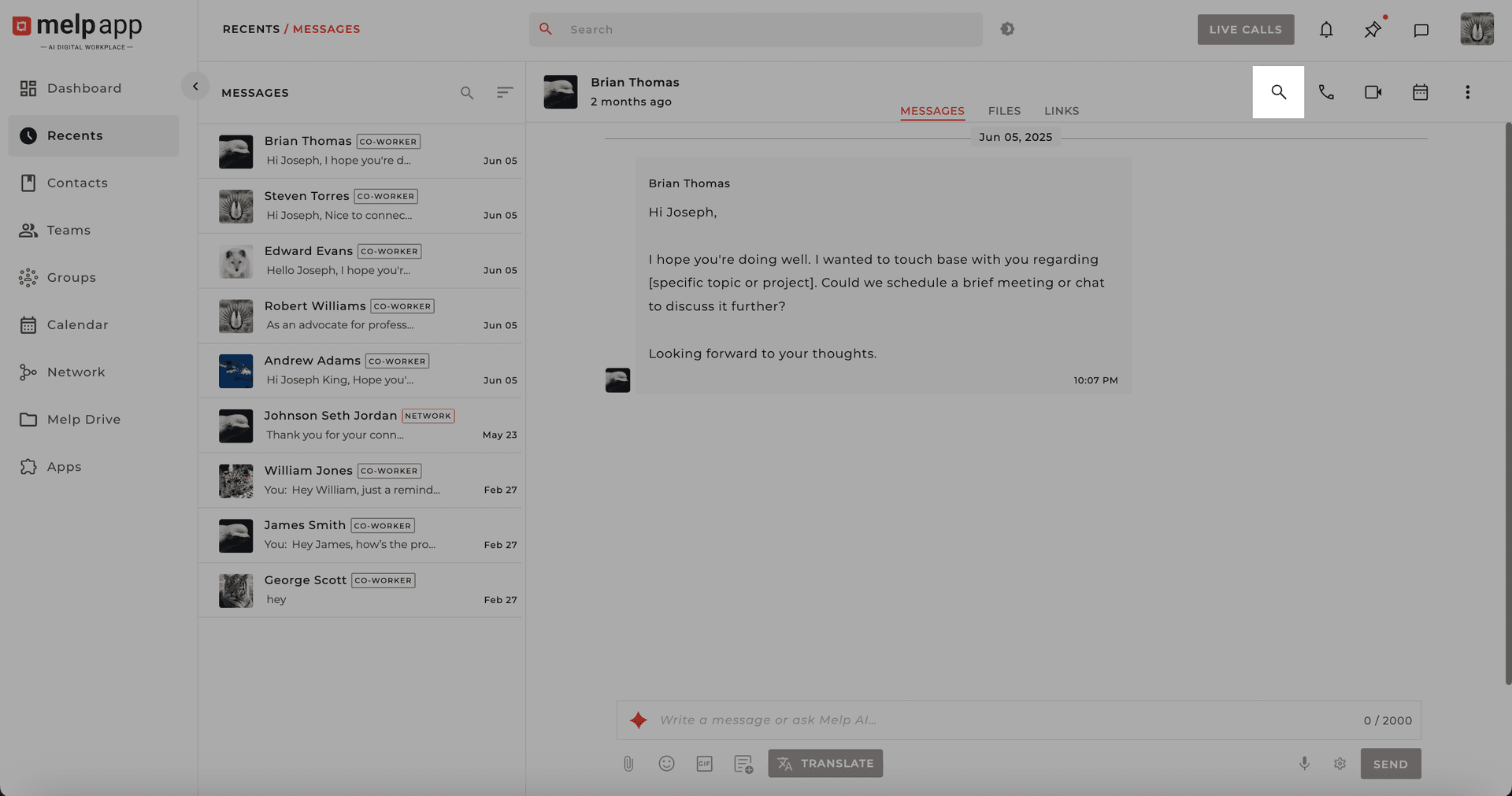
Open Search
Click the Search Icon in the top-right corner of any chat.
2
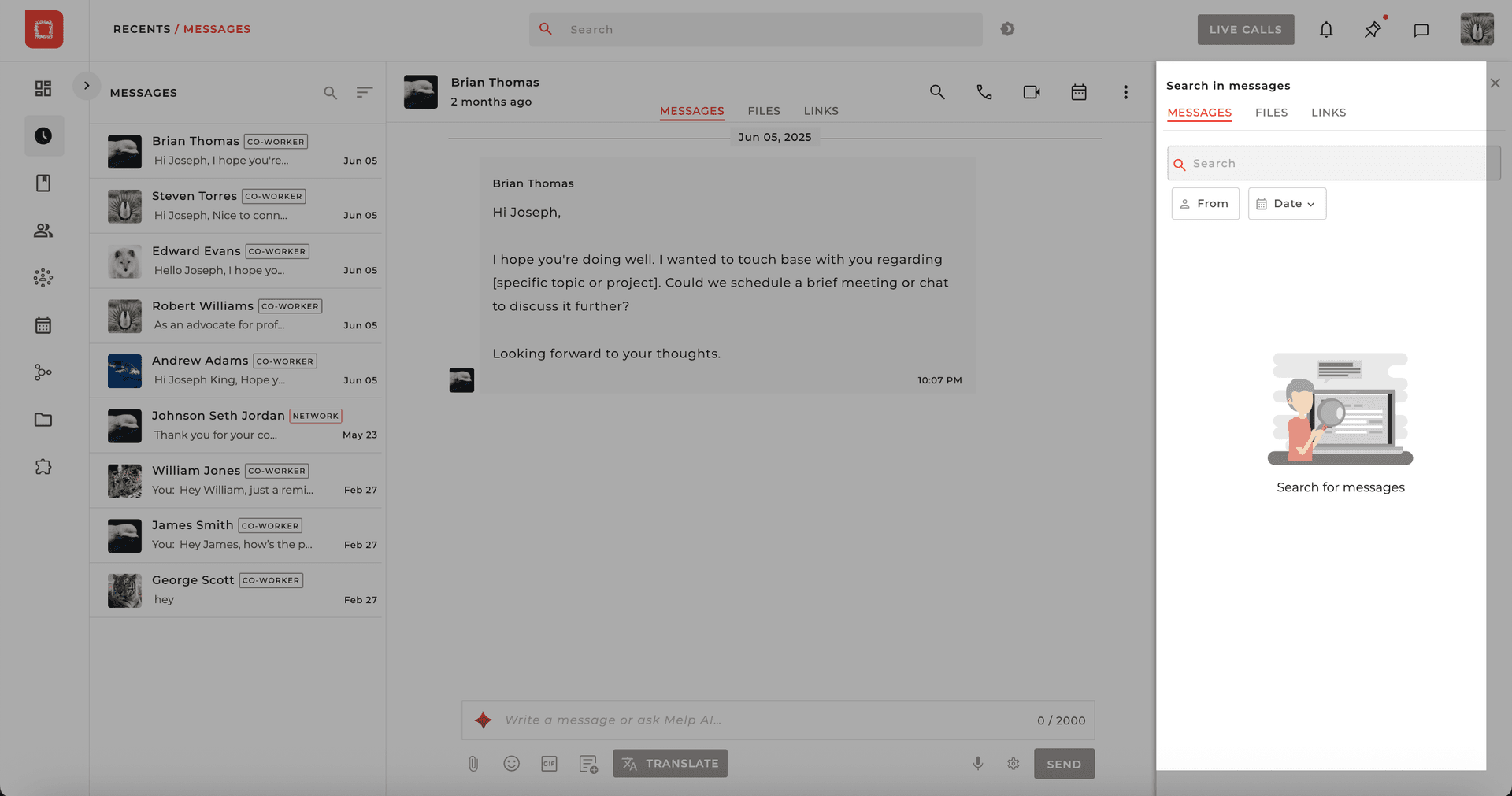
Apply Filters & Search
A search panel appears on the right side. Use filters to narrow down results.
3
Pick a Sender
Pick a sender to see only what a specific teammate shared.

4
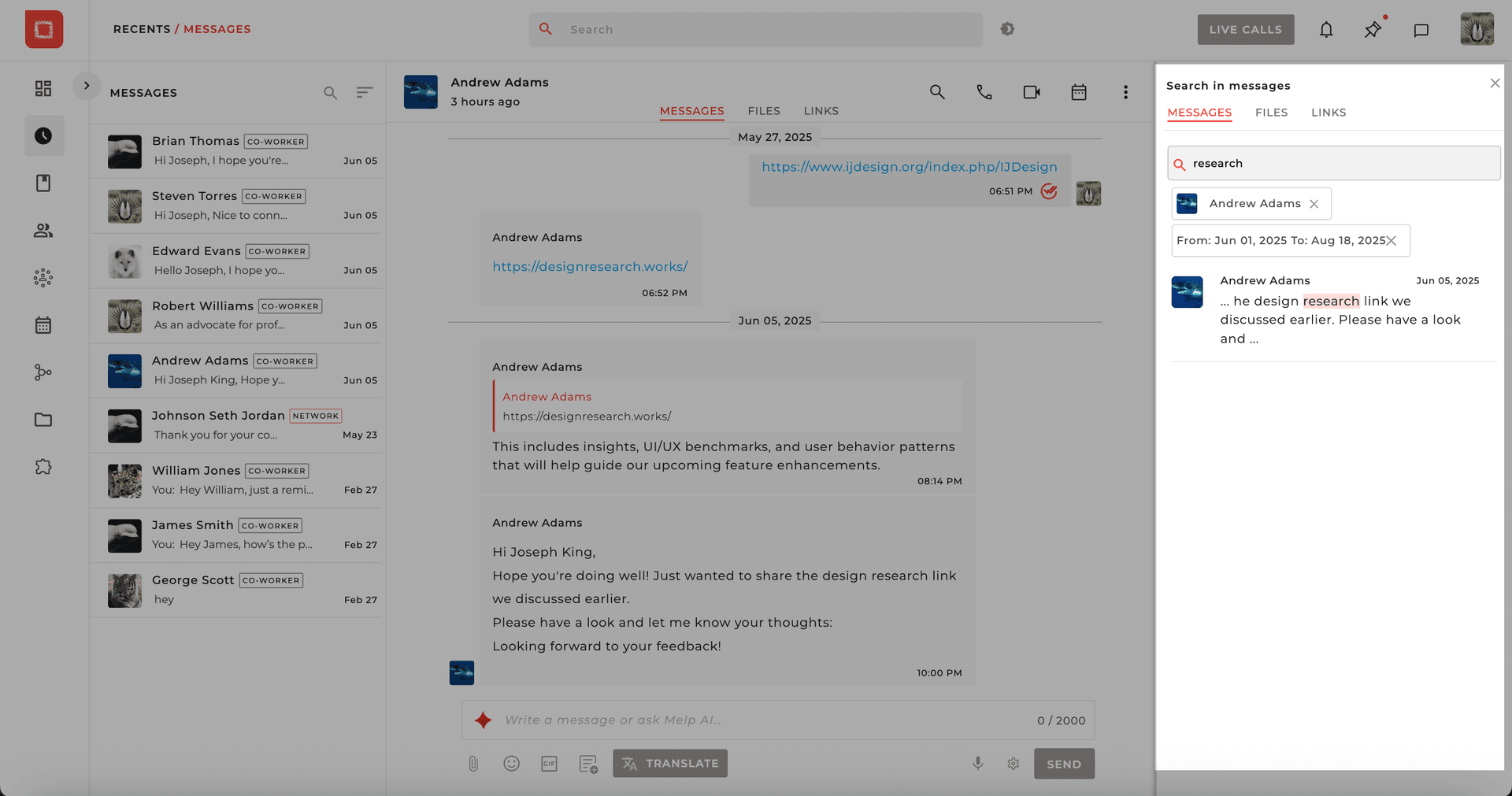
Set Date Range
Set a date range (e.g., "last week" or "last month") to narrow results.

5
Jump to Result
Click any search result to jump directly to that message — no manual scrolling needed.
Powerful Filter Options
Messages
Search through text messages.
Files
Find shared documents and attachments.
Links
Locate shared URLs and links.
By Sender
Filter by specific teammate.
Date Range
Search within a time period.
Why You'll Love It
- Works across chats, groups, and topics
- Instant results with powerful filters
- No more "Did you see my message?" moments
Updated 21 Jan 2026
Did this page help you?