

Real-Time Chat Translation
Break language barriers with instant translation.
At Melp, we believe productivity should never be limited by language. That's why we've built a powerful, real-time Translation Feature that helps you connect and collaborate—no matter what language your team speaks.
Supported Languages
How to Enable Translation
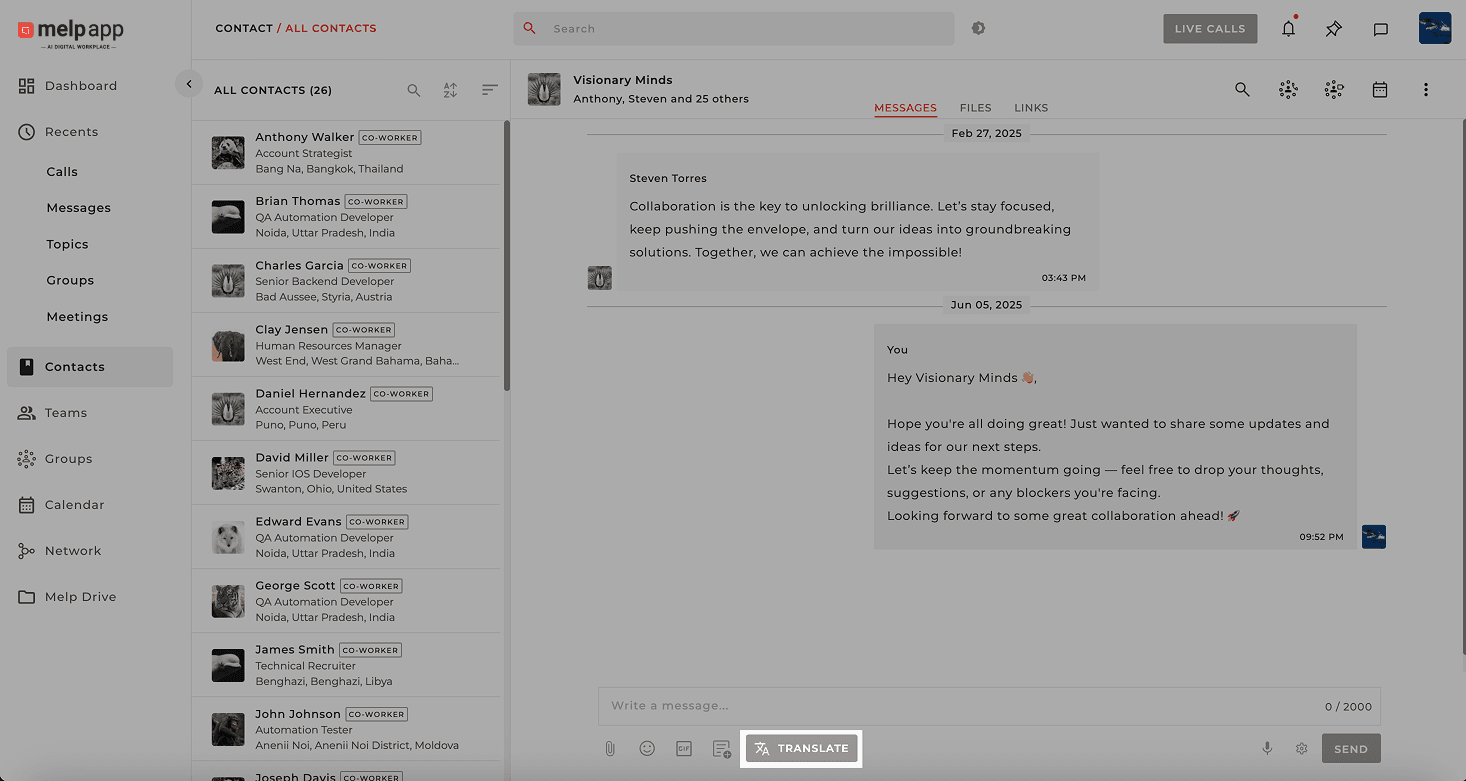
Open Translate Button
Open any chat (personal, group, or topic) and click on the "Translate" button.
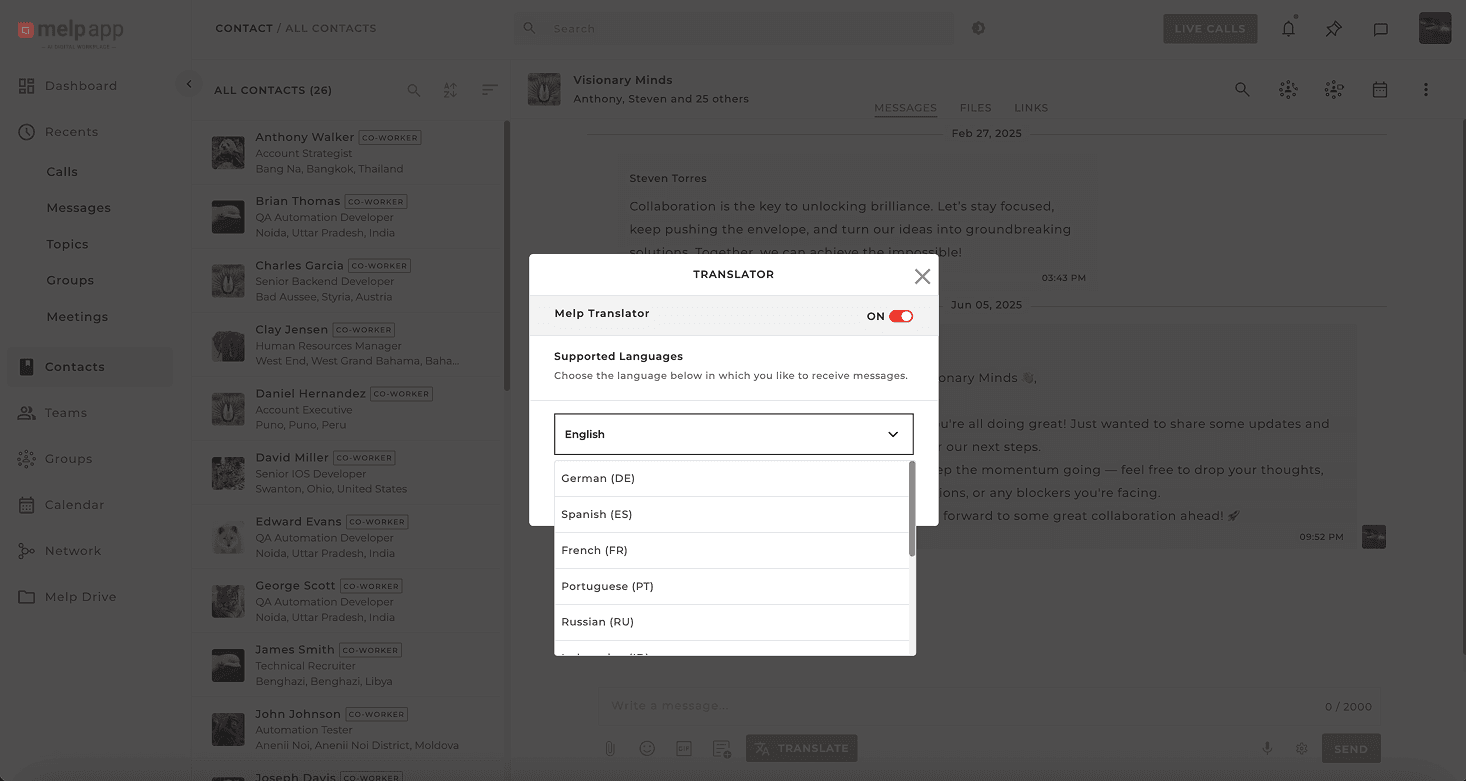
Choose Your Language
Toggle the translator ON and choose your preferred language.
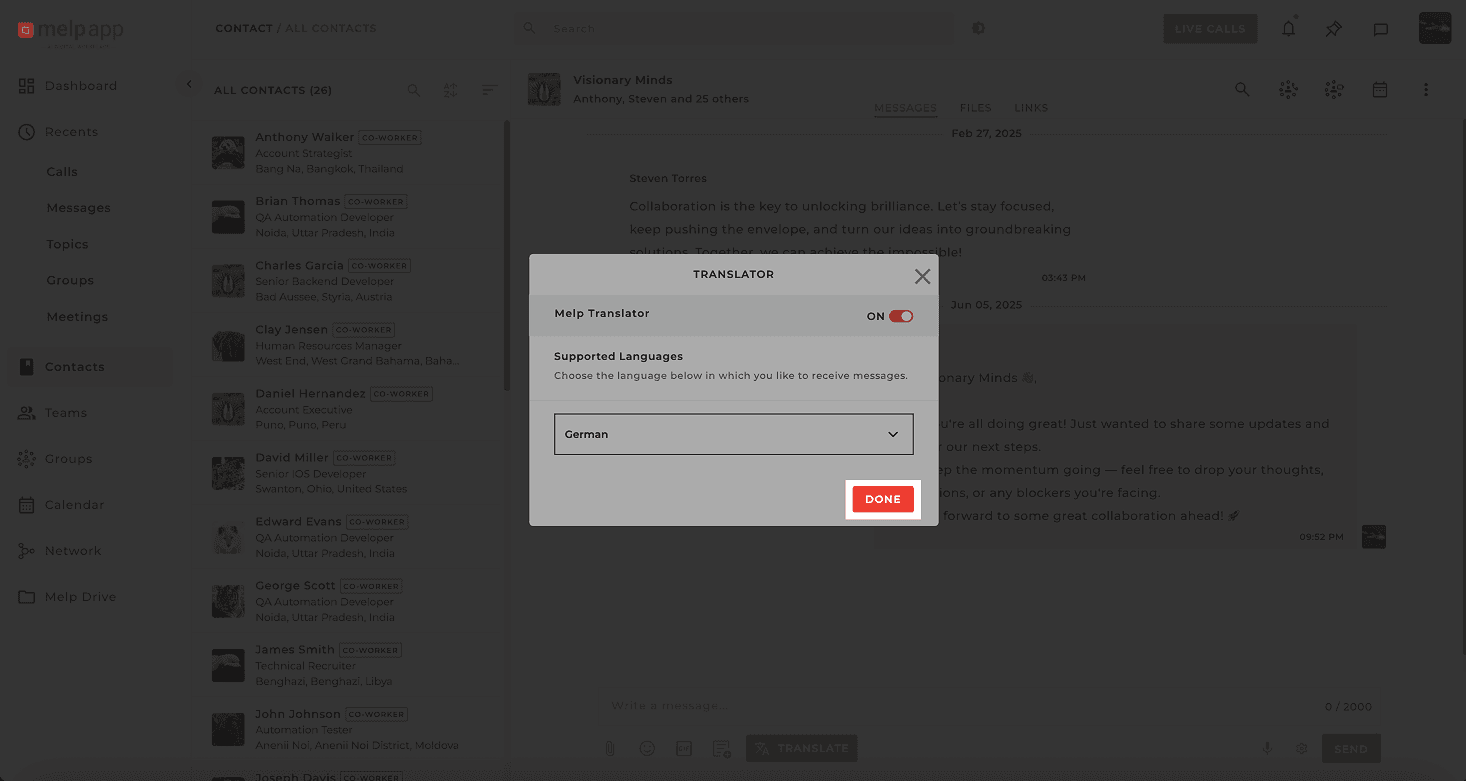
Click Done
Click Done to confirm. All future messages in other languages will now be automatically translated in real time.
Using Translated Messages
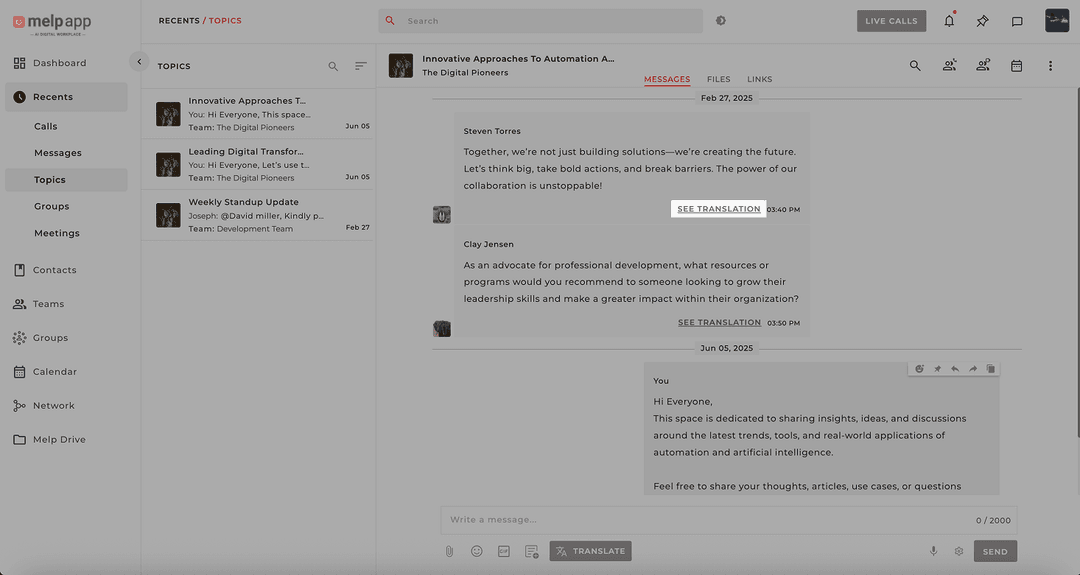
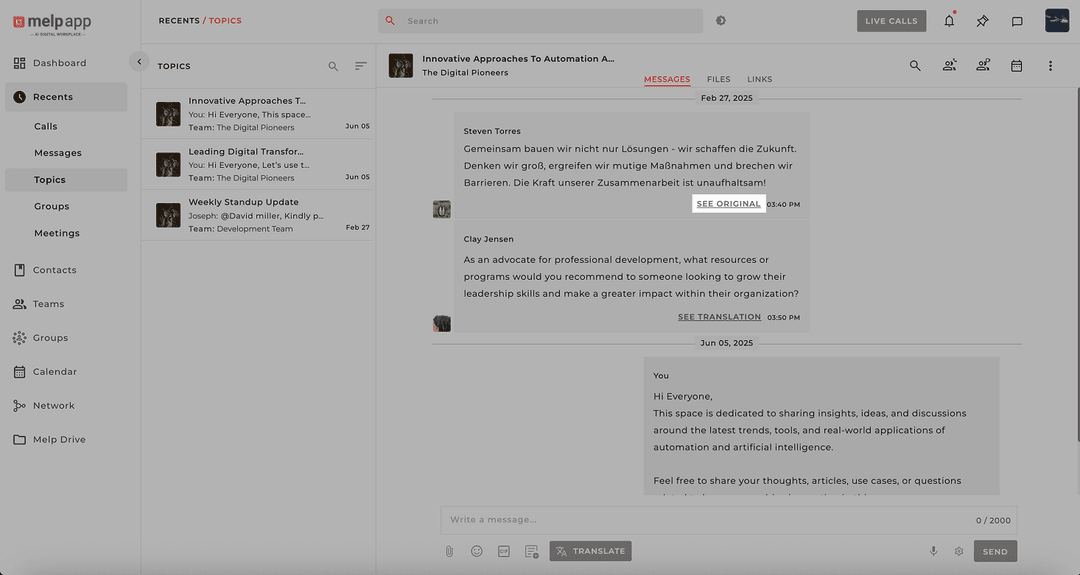
See Translation
Click to view the translated version of any message.
See Original
Click to view the original message in its source language.
Auto Detection
Melp remembers your preferences for seamless translation.
Connect Without Barriers
With Melp's translation feature, you don't just chat—you connect. Whether it's a quick note or a full conversation, language is no longer a barrier.