

Melp AI: Draft for Me
Write smarter, faster, and more professionally.
Melp AI helps you write smarter, faster, and more professionally. With Draft for Me, you can instantly generate high-quality content, reply to chats with ease, and personalize tone or language.
What You Can Do
Compose High-Quality Content
Type your idea or keywords and Melp AI generates polished paragraphs instantly.
Chat Sense Replies
Turn on Chat Sense to analyze your recent chats and suggest contextual replies.
Translate Messages
Translate your message into another language seamlessly.
Spell & Grammar Check
Catch errors before you send with built-in grammar checking.
Customize Your Tone
How to Use Draft for Me
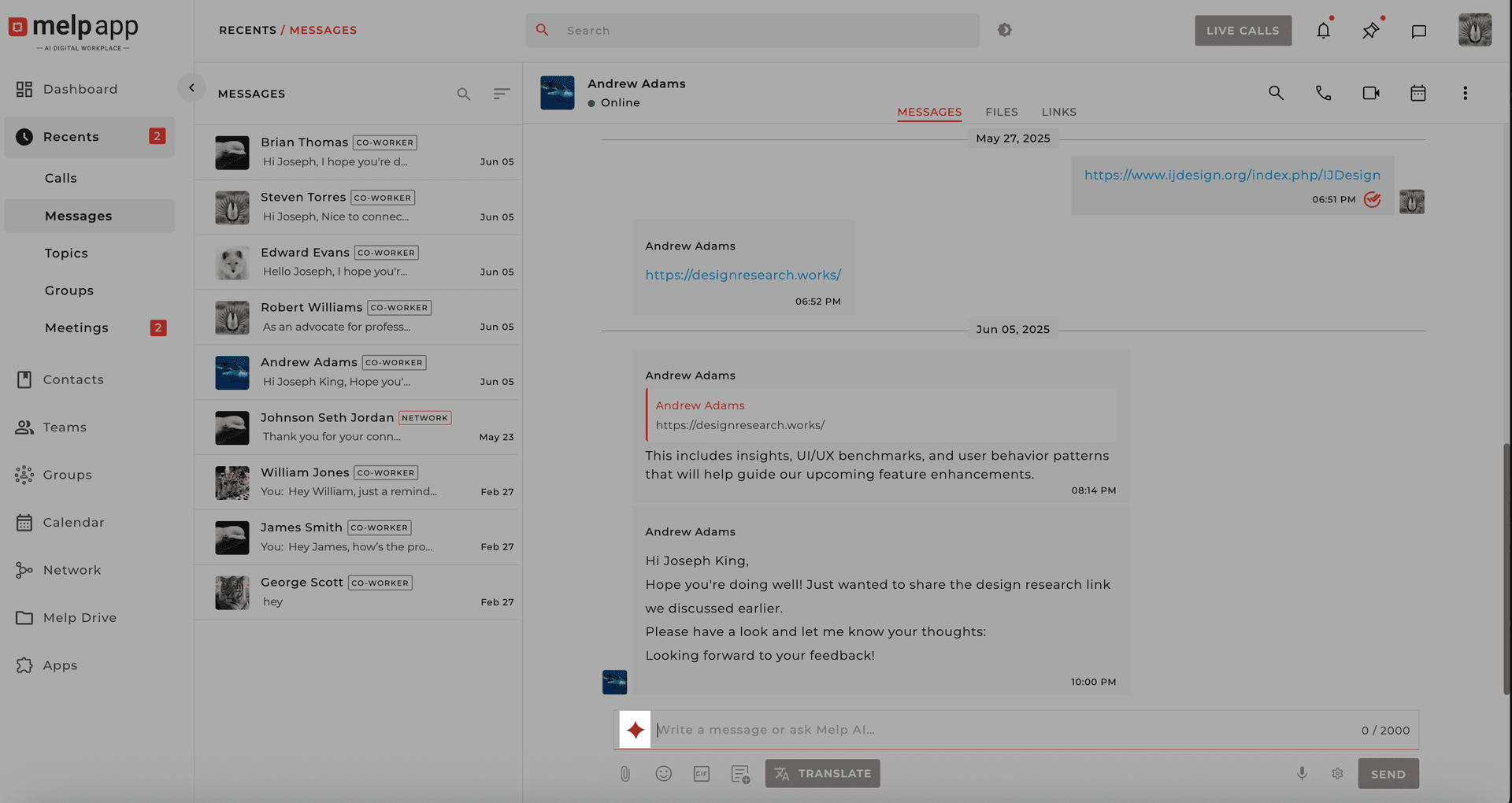
Open Draft for Me
Go to the chat where you want to create a draft and click the Melp's AI (Draft for Me) icon in the text editor.
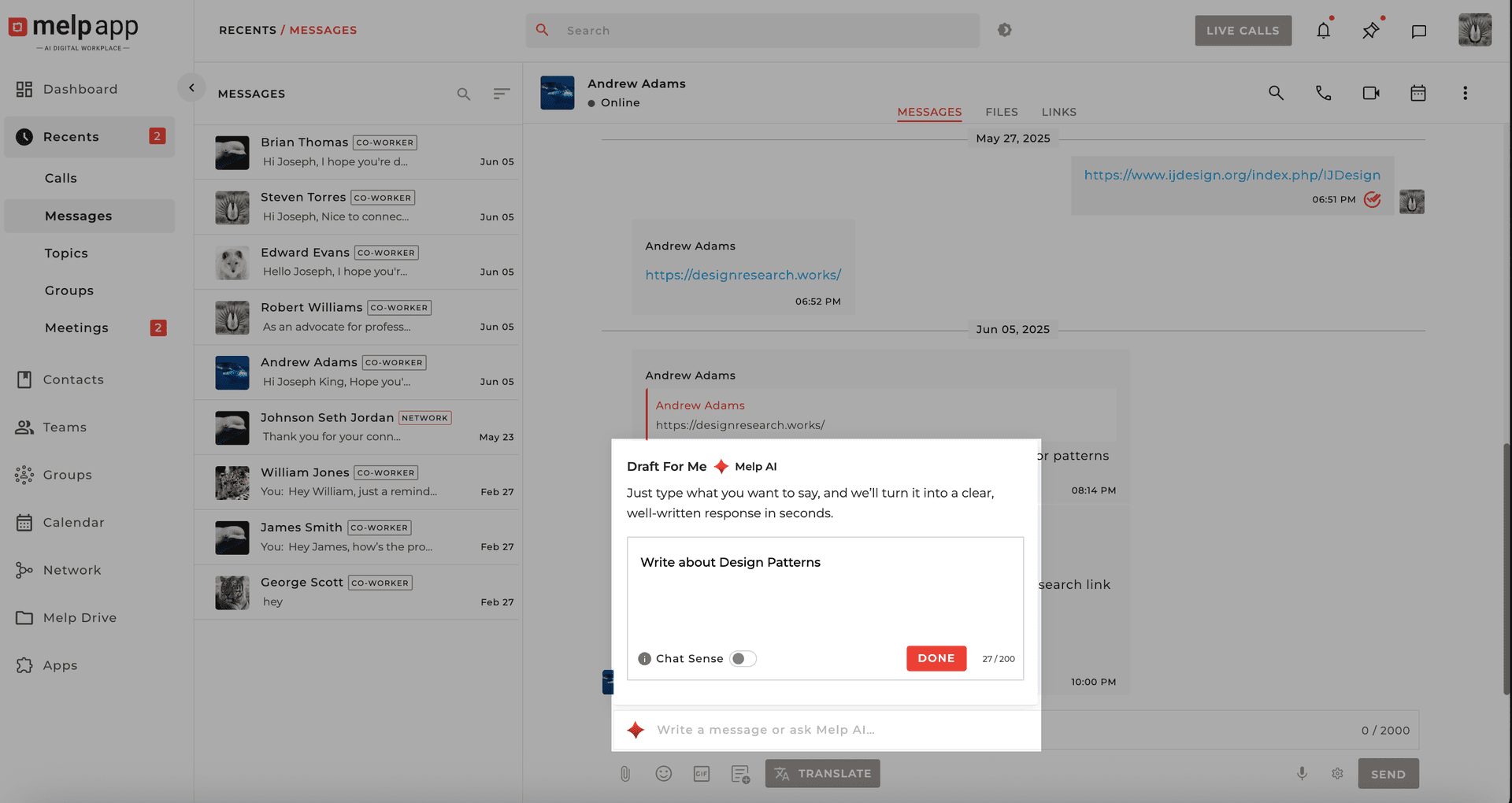
Type Your Idea
Type your idea or a few keywords in the text box and click Done.
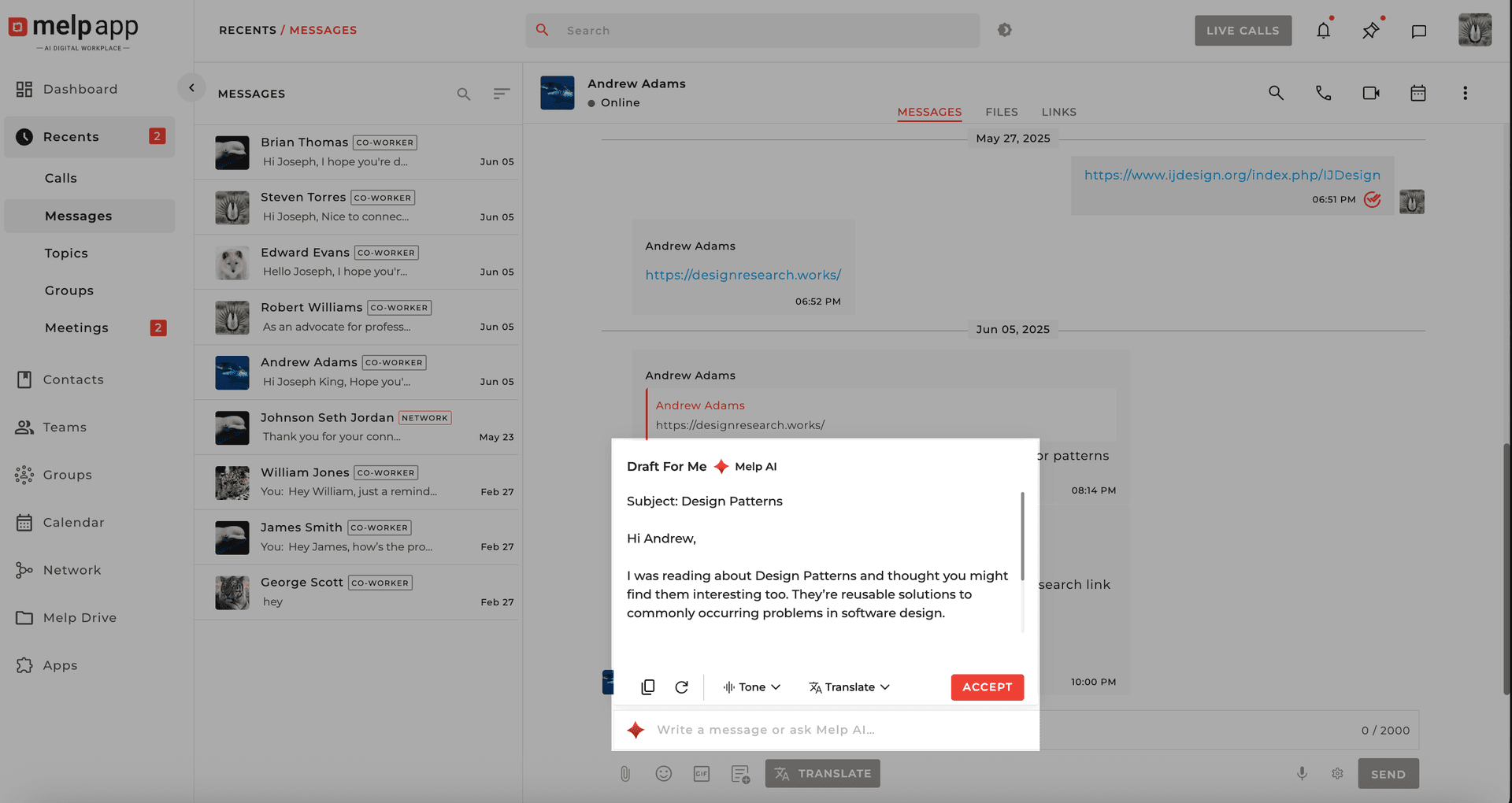
Accept the Draft
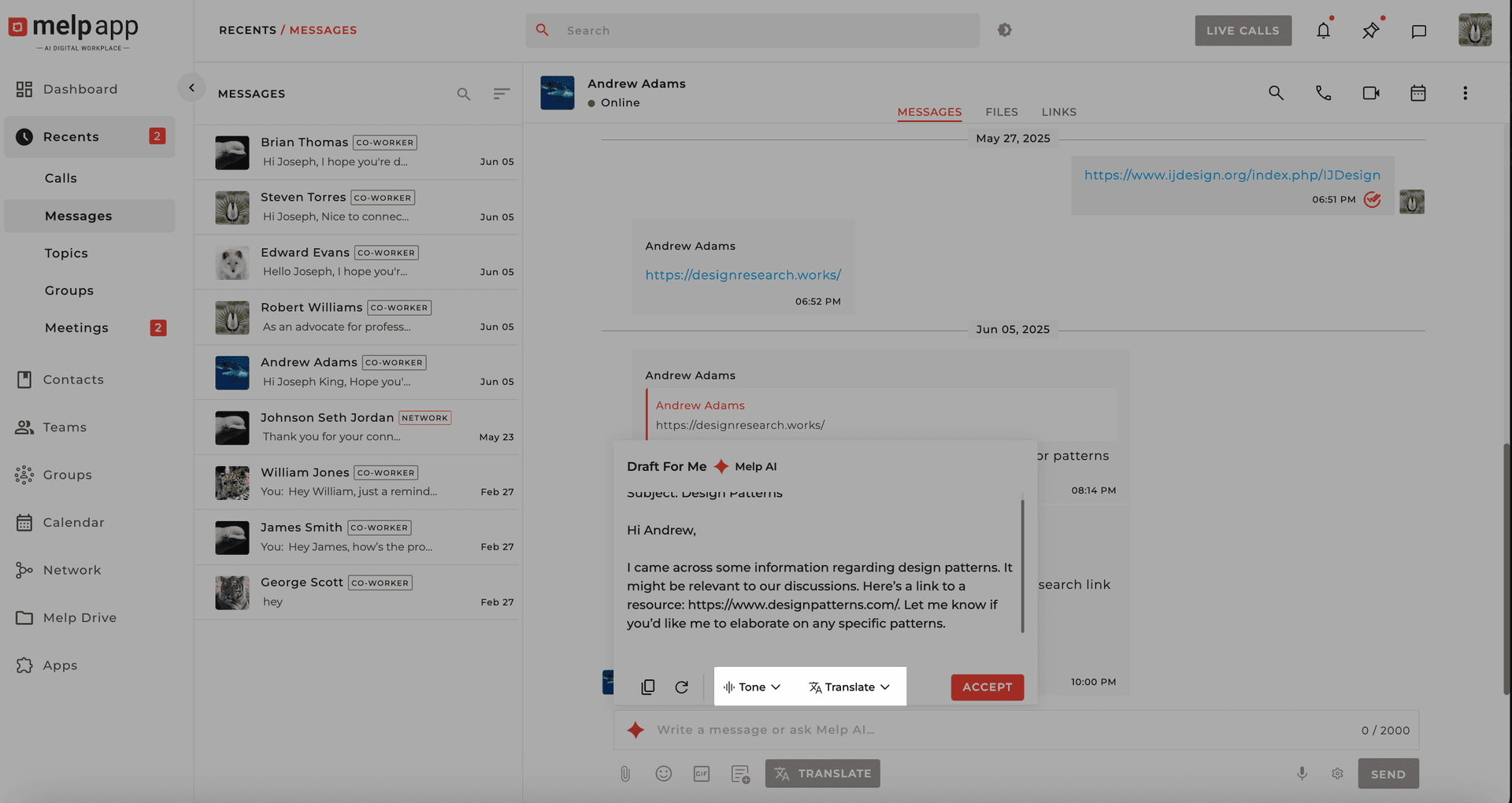
Melp AI will generate a polished paragraph. Click Accept to add the draft to your chat box.
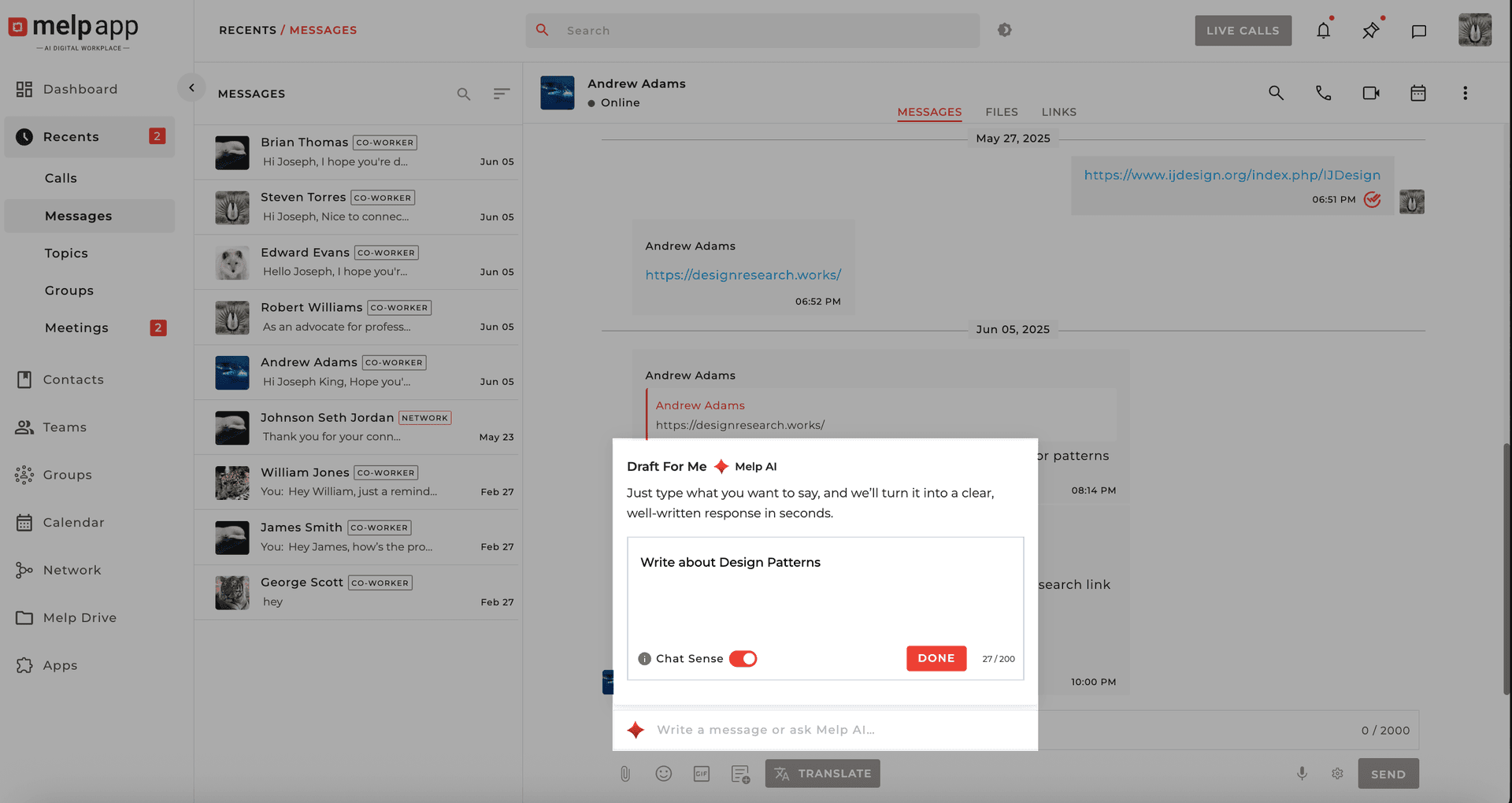
Use Chat Sense (Optional)
Turn on the Chat Sense button to analyze your recent chats and suggest contextual responses.
Customize Tone & Language
After generating a draft, click Tone & Language Options to adjust the tone or translate.
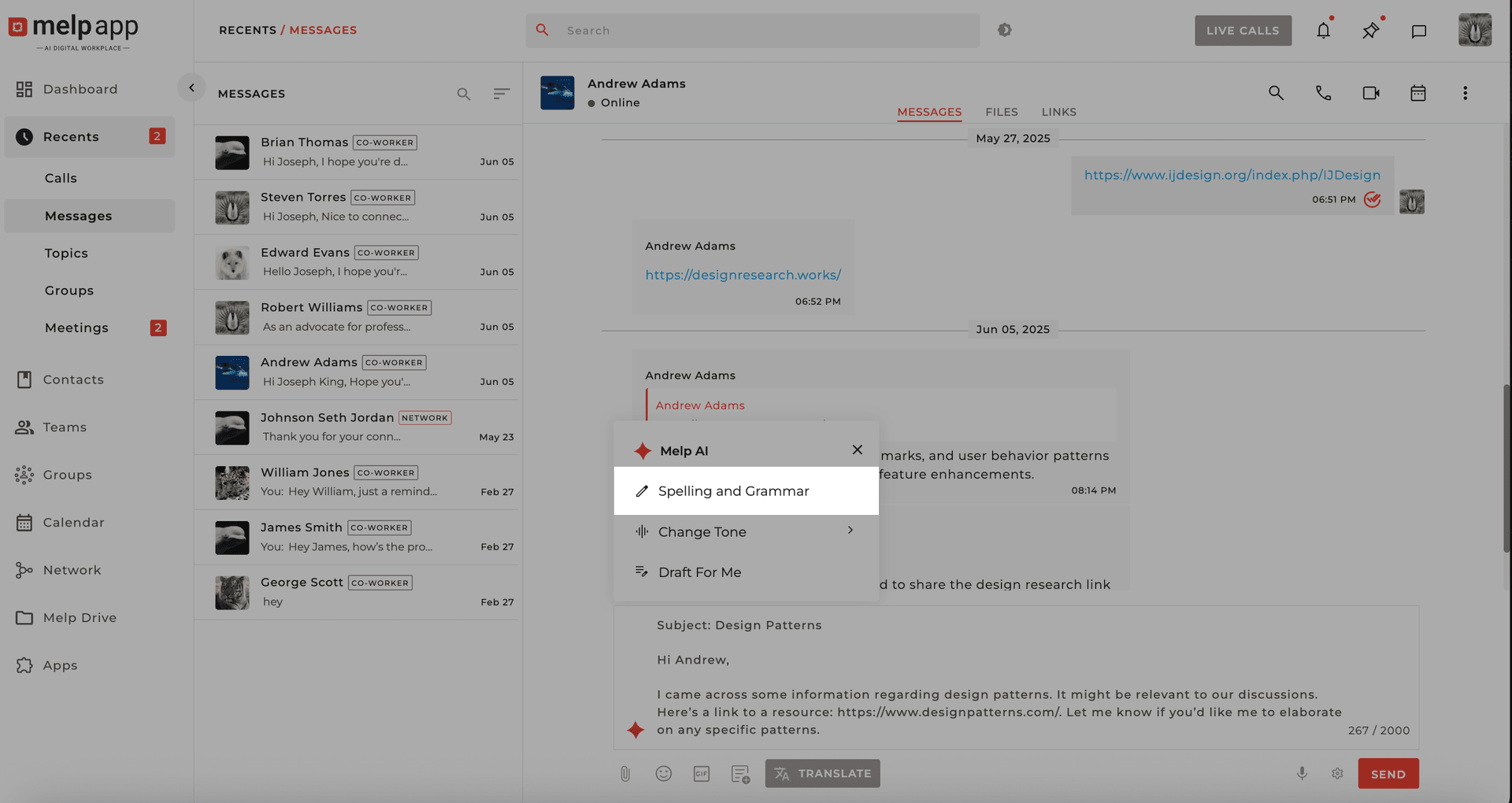
Spell & Grammar Check
After accepting the draft, click the Melp AI icon and select Spell & Grammar Check.
Communication Made Easy
With Melp AI: Draft for Me, your communication becomes faster, smarter, and more effective — so you can focus on what matters most.