

Recurring Meetings
Set it once. Stay on track forever.
Have a daily stand-up, weekly sync, or monthly check-in? Melp makes it effortless to schedule recurring meetings.
Why Recurring Meetings Are a Game-Changer
Never Miss a Beat
Each instance shows up with its own reminders.
Edit with Precision
Update one meeting or the whole series.
Create Exceptions
Reschedule individual instances without affecting the series.
How to Schedule a Recurring Meeting
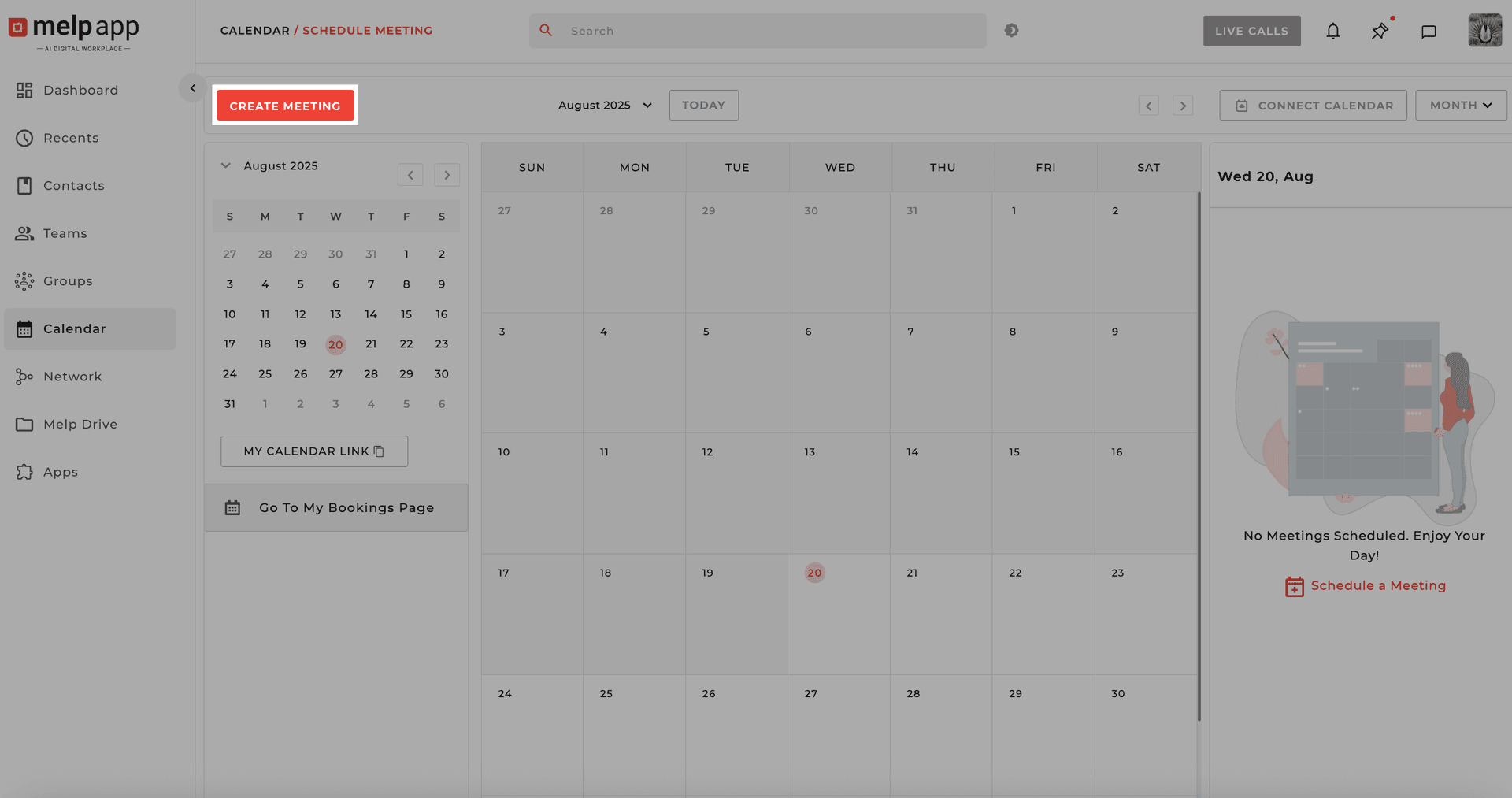
Open Meeting Creator
Click "Create Meeting" from Dashboard or Calendar.
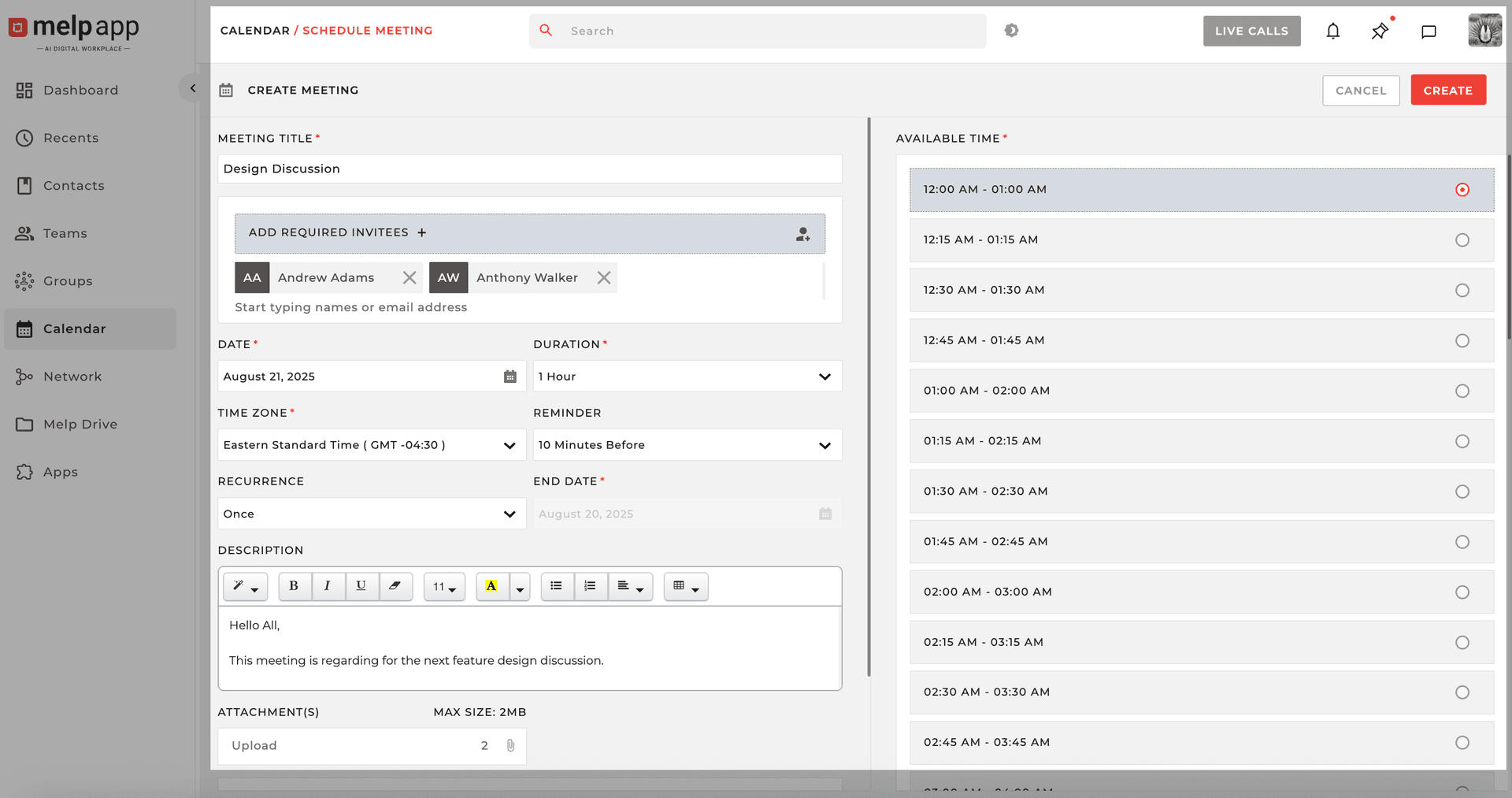
Fill in Details
Fill in the meeting info: Title, Invitees, Time Slot, Reminders, Attachments (optional).
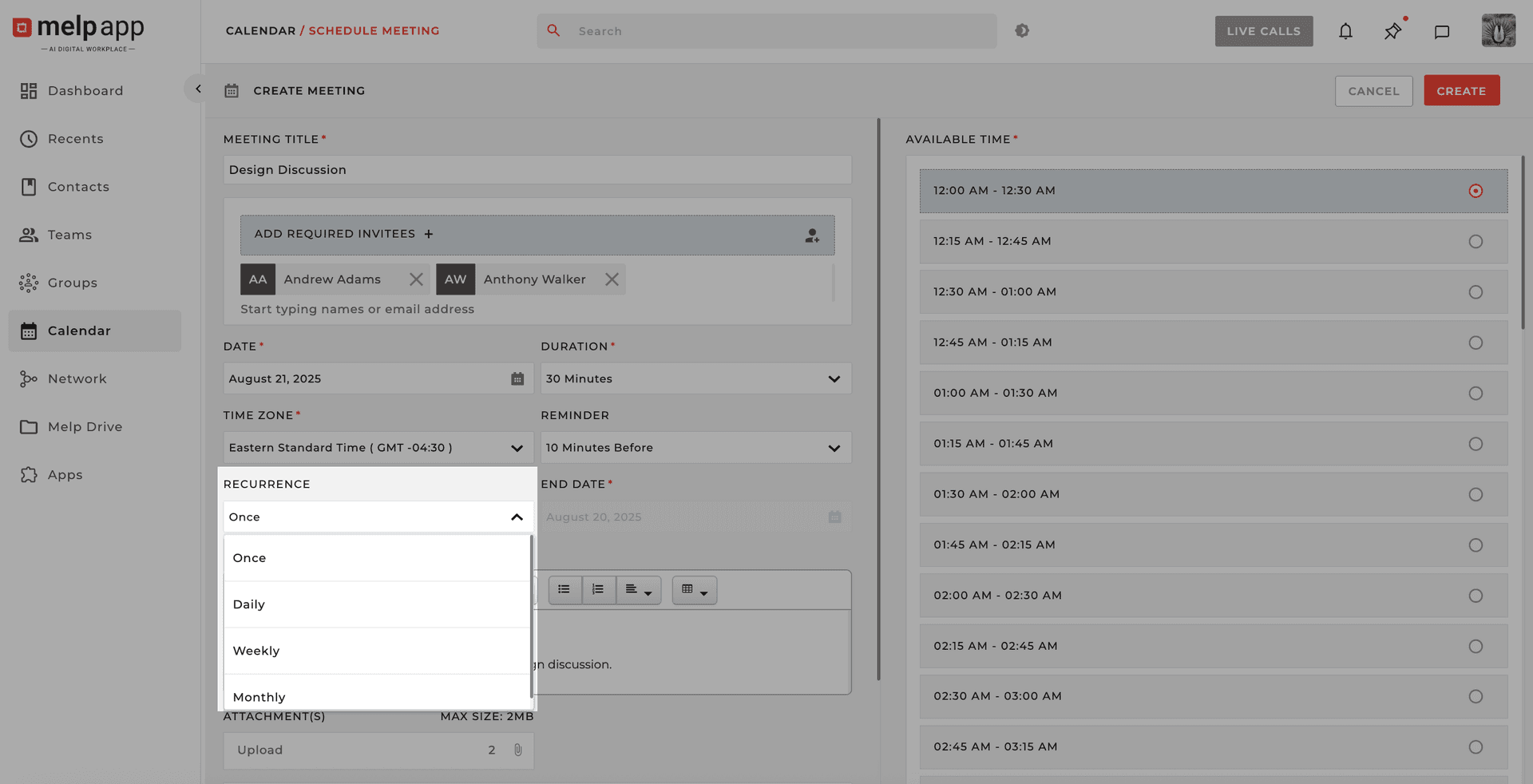
Choose Recurrence
Choose the Recurrence Type: Once, Daily, Weekly, or Monthly.
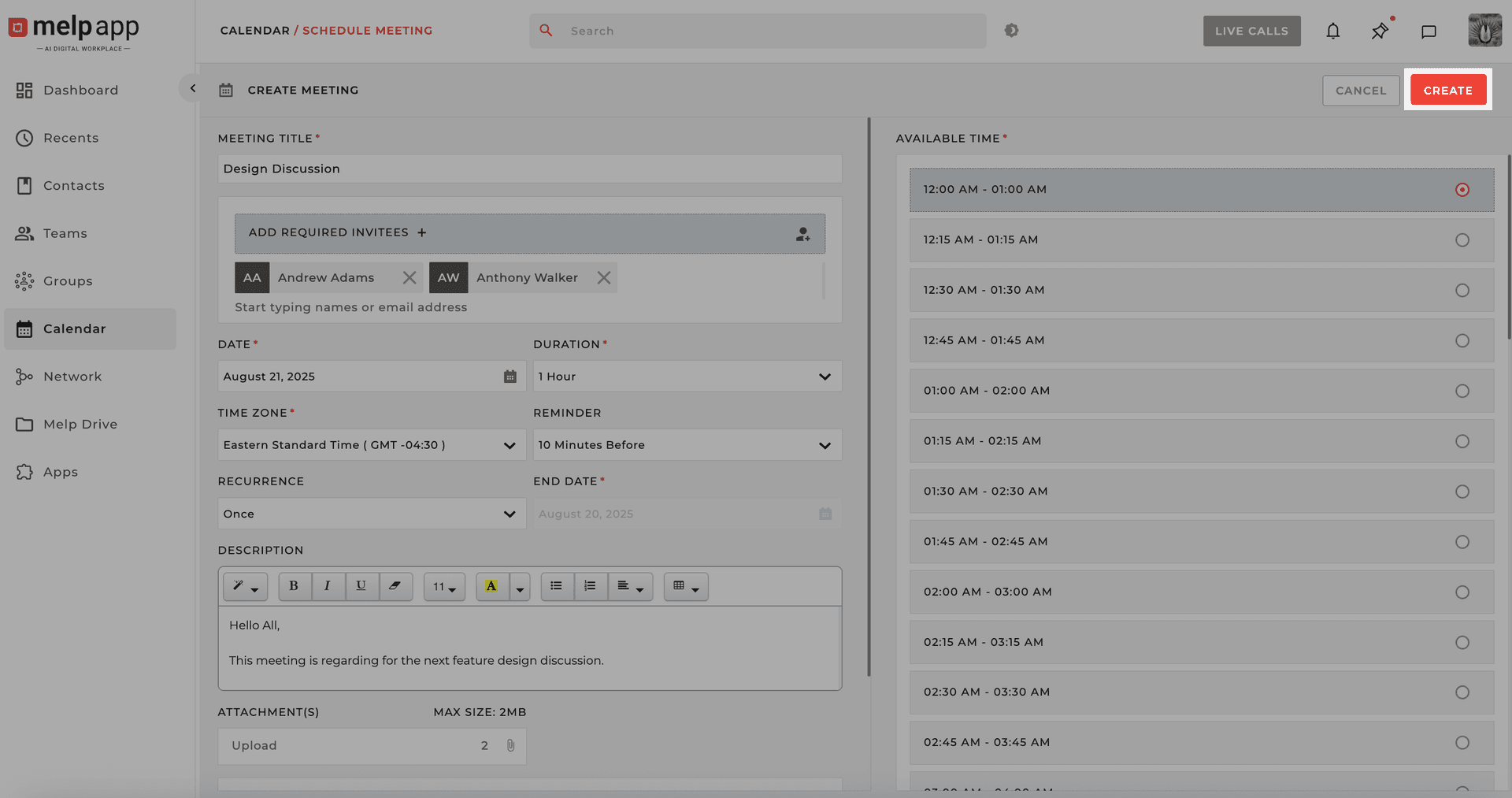
Create Your Series
Click "Create"—you're all set!
How to Edit a Meeting
Open Calendar
Open your Calendar and locate the meeting.
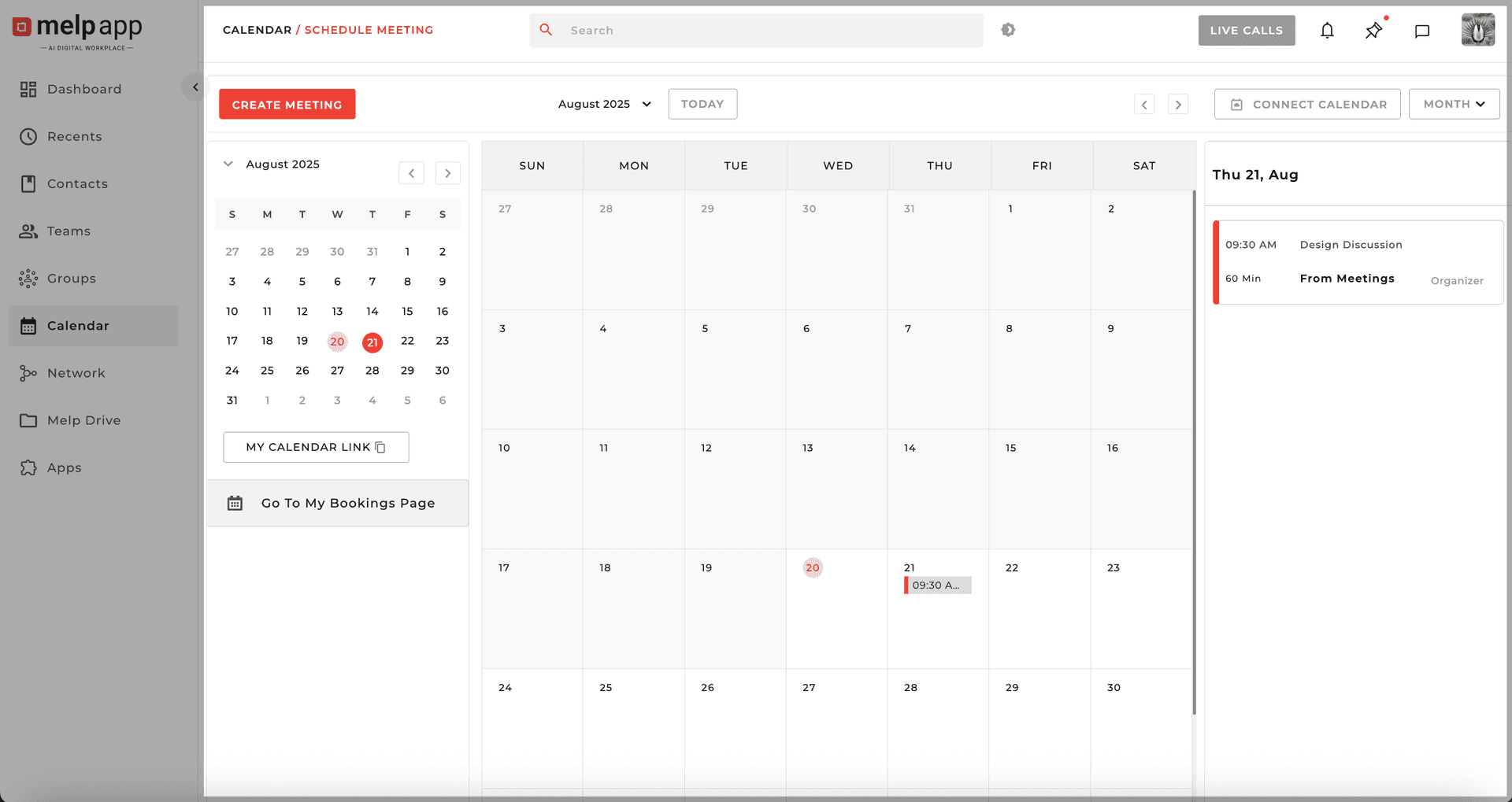
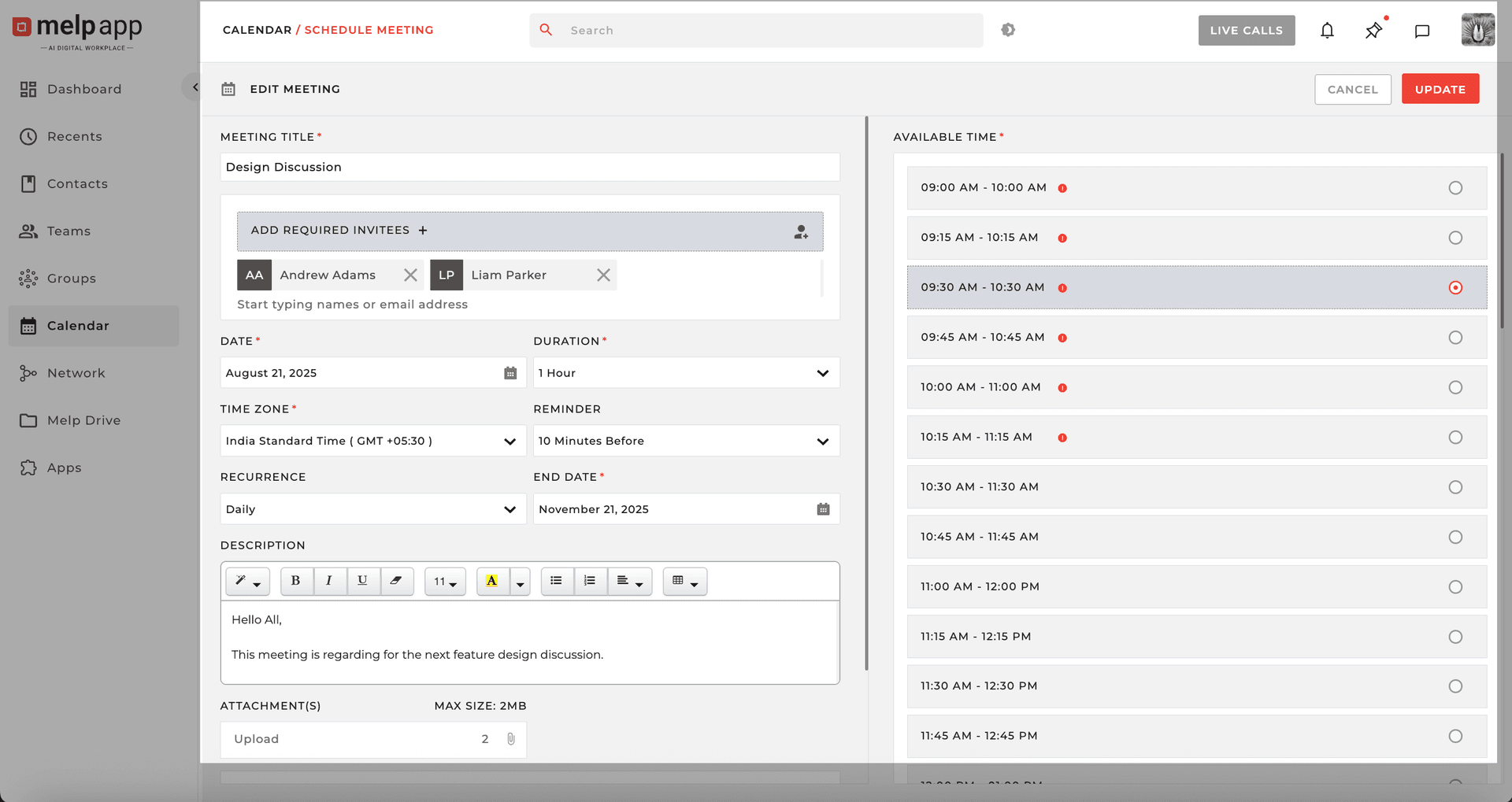
Edit the Meeting
Click the Edit icon next to the meeting. Update any detail—invitees, time, description, or recurrence pattern.
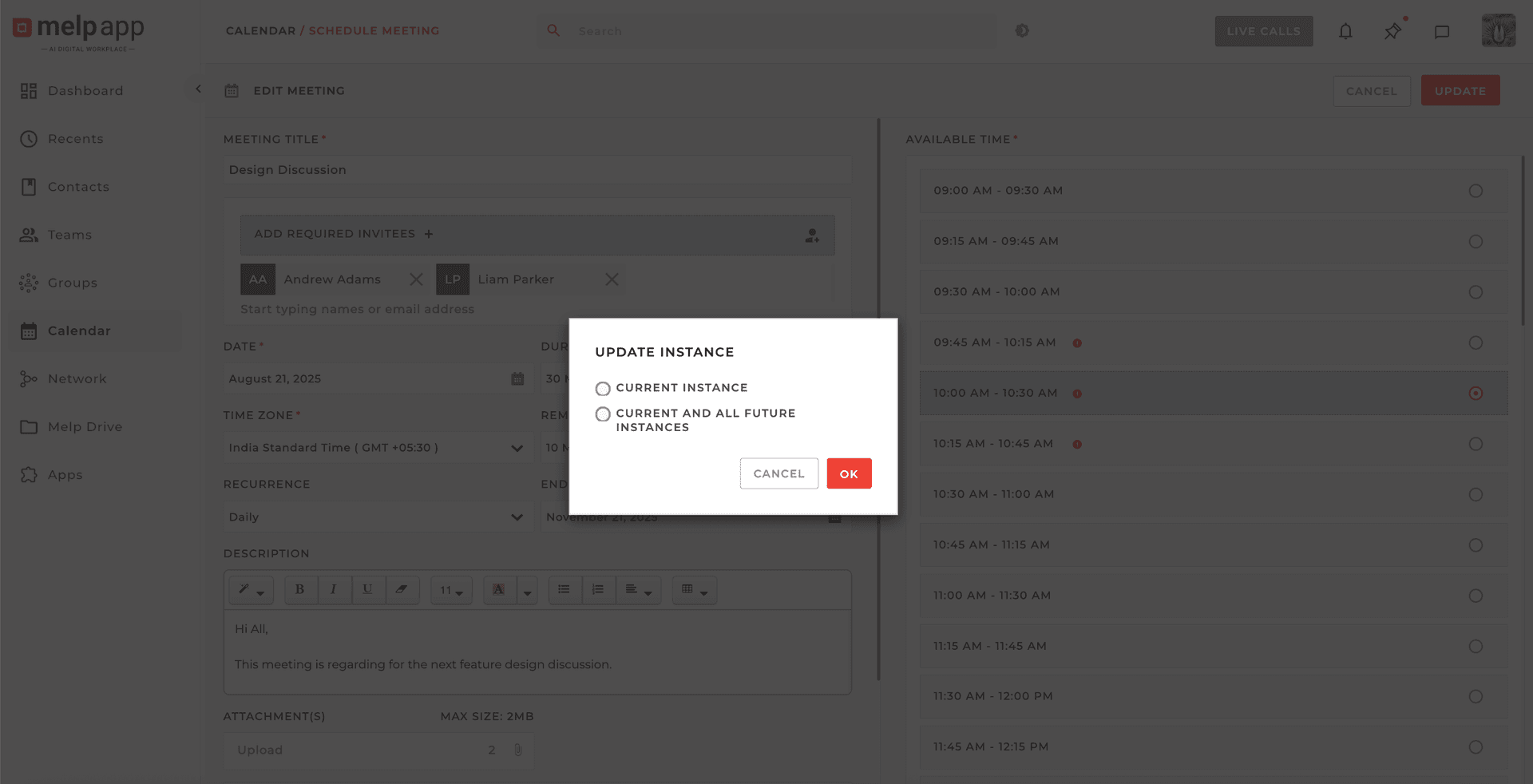
Choose Scope (For Recurring)
For recurring meetings, choose whether to apply changes to: Current instance or Current and all future instances.
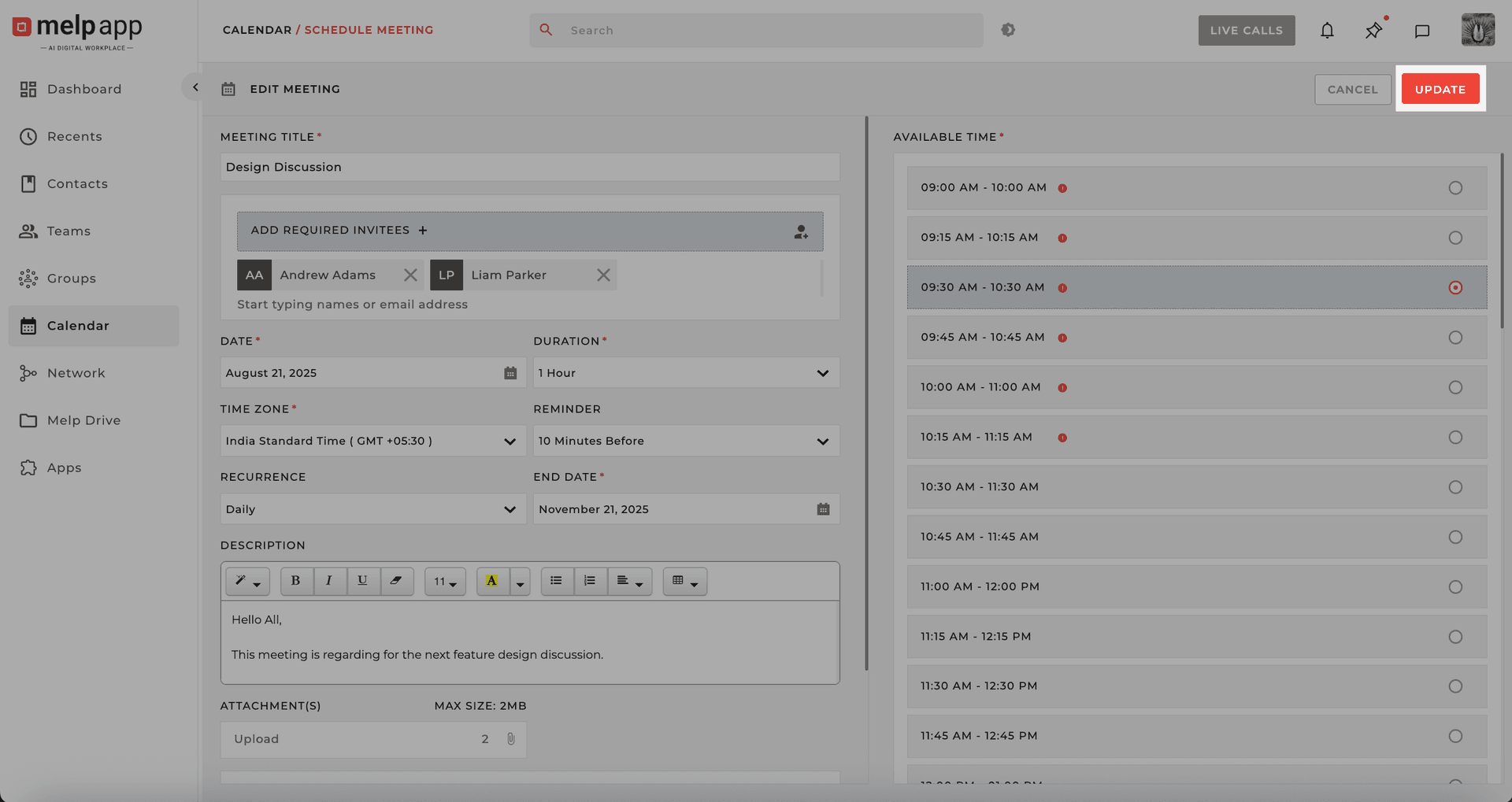
Save Changes
Click Update—and you're done!
Stay Flexible
Melp's recurring meetings help you stay on track, stay flexible, and get things done—your way.