Assign or Remove Group Admin Access
Control group permissions and roles.
Need a co-pilot to help run the group? You can make someone a group admin in just a few clicks — or take that badge back if things change.
Who Can Do This?
Only the Group Admin(that's you if you created the group!) can assign or remove admin rights.
Heads Up
Co-admins can't remove or demote the main admin.
How to Make Someone a Group Admin
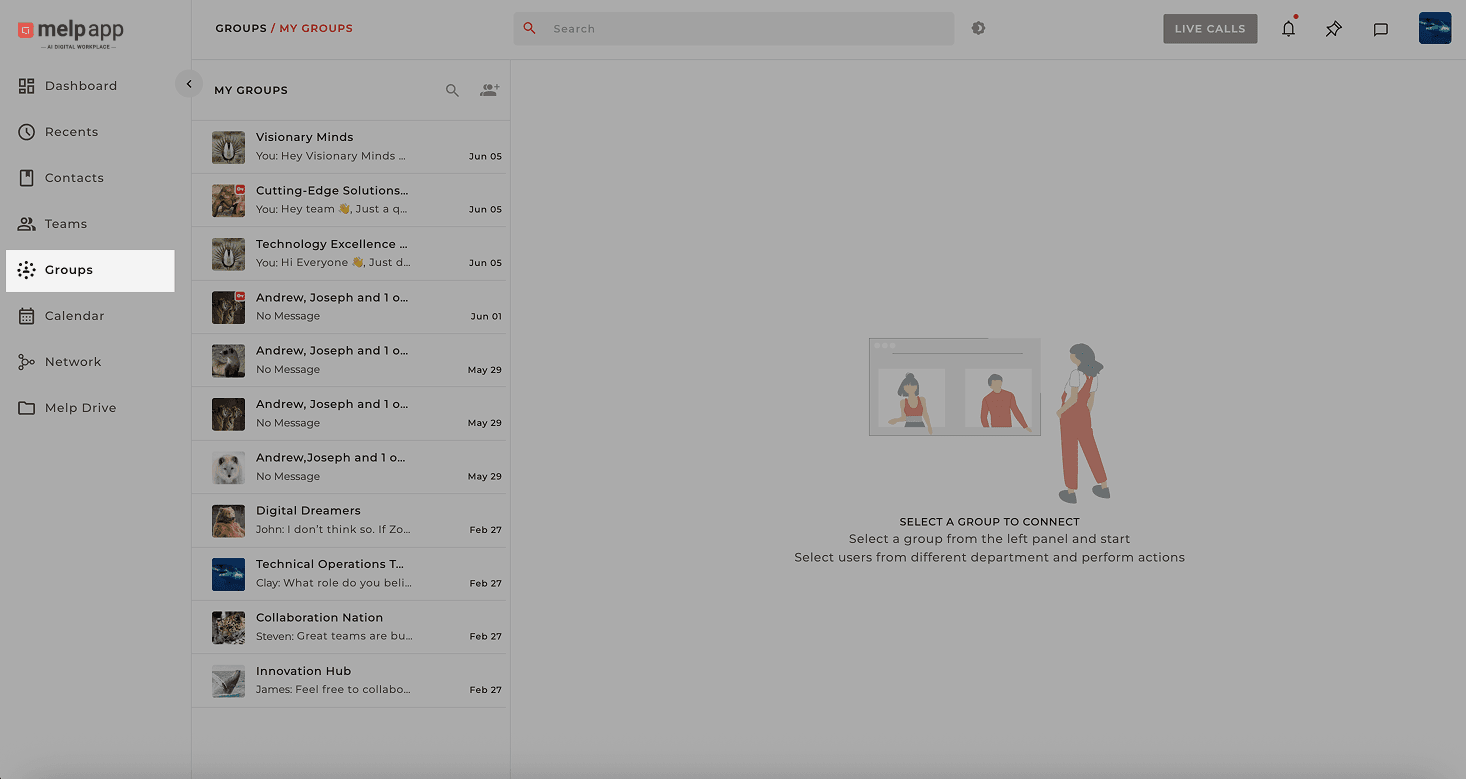
Open Group Tab
Head to the left sidebar and click on the Group tab.
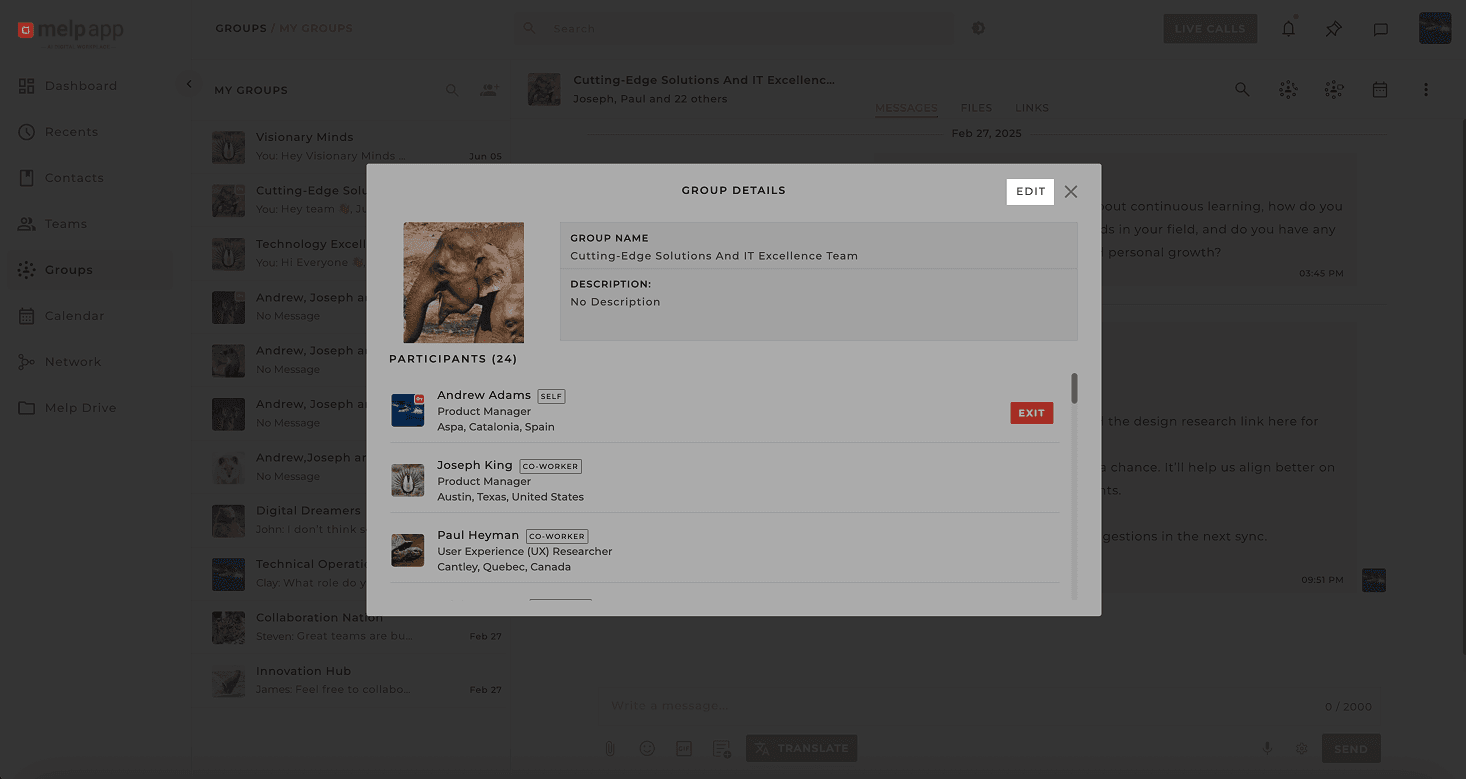
Open Group Details
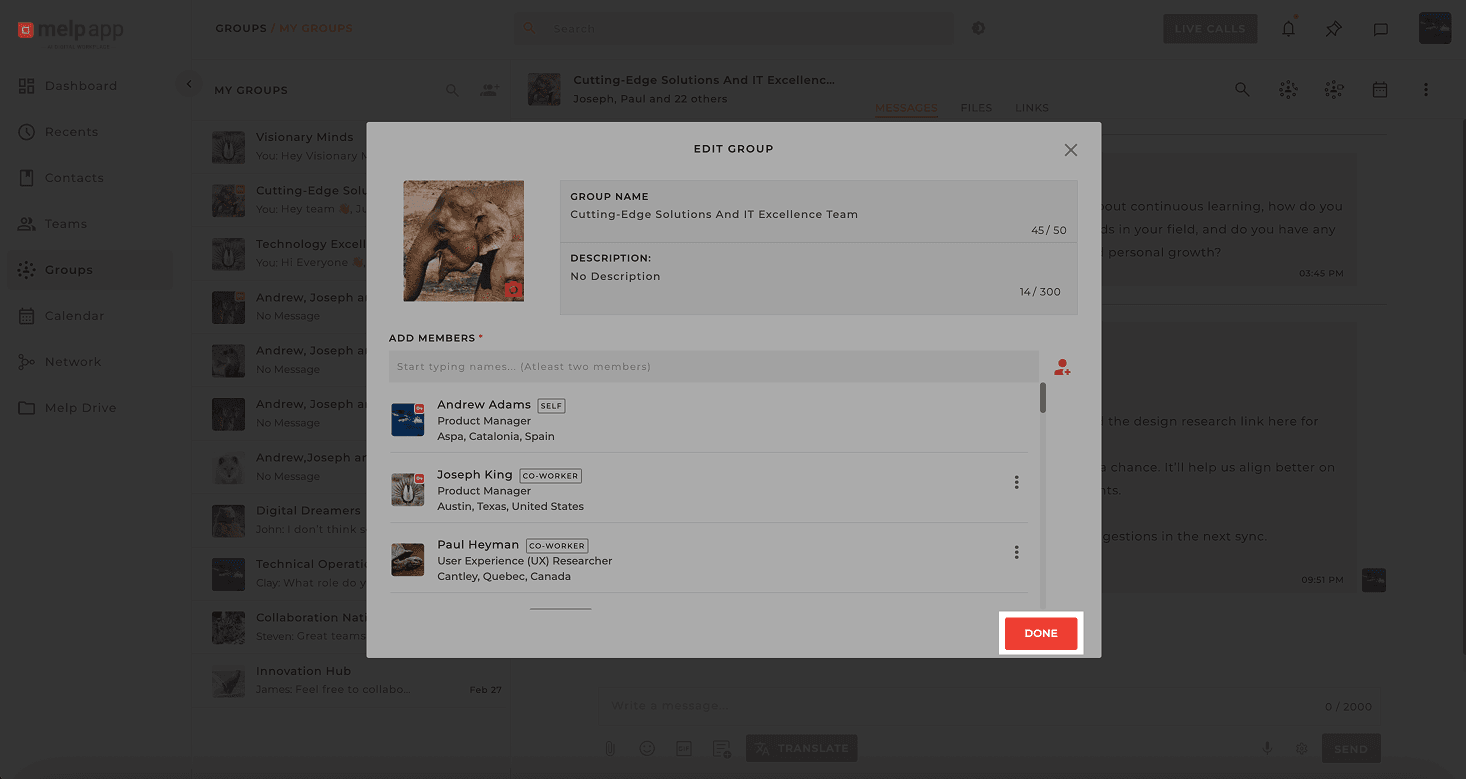
Open the group and click on the group name, then click Edit.
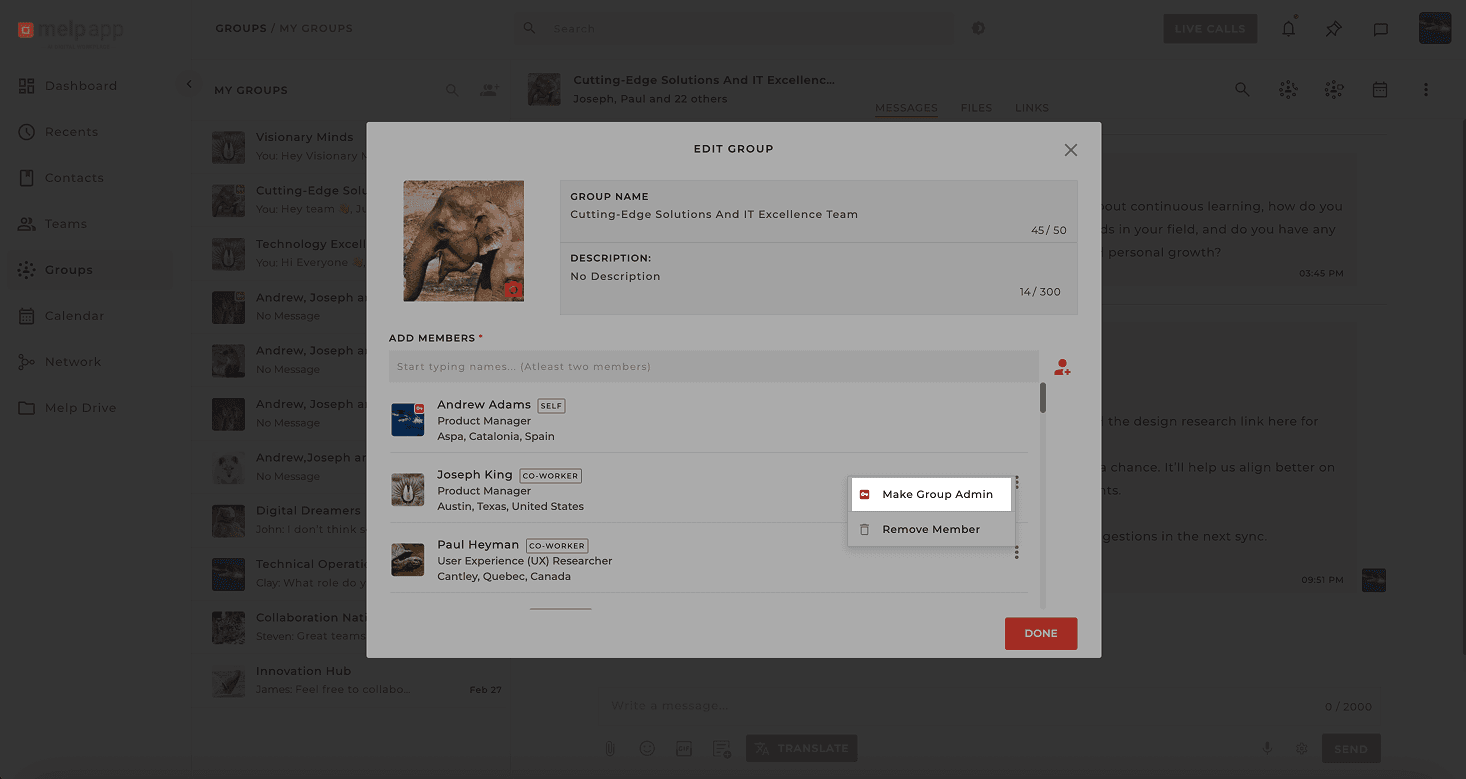
Promote to Admin
Find the member you want to promote, click the More icon next to their name, select Make Group Admin.
Complete
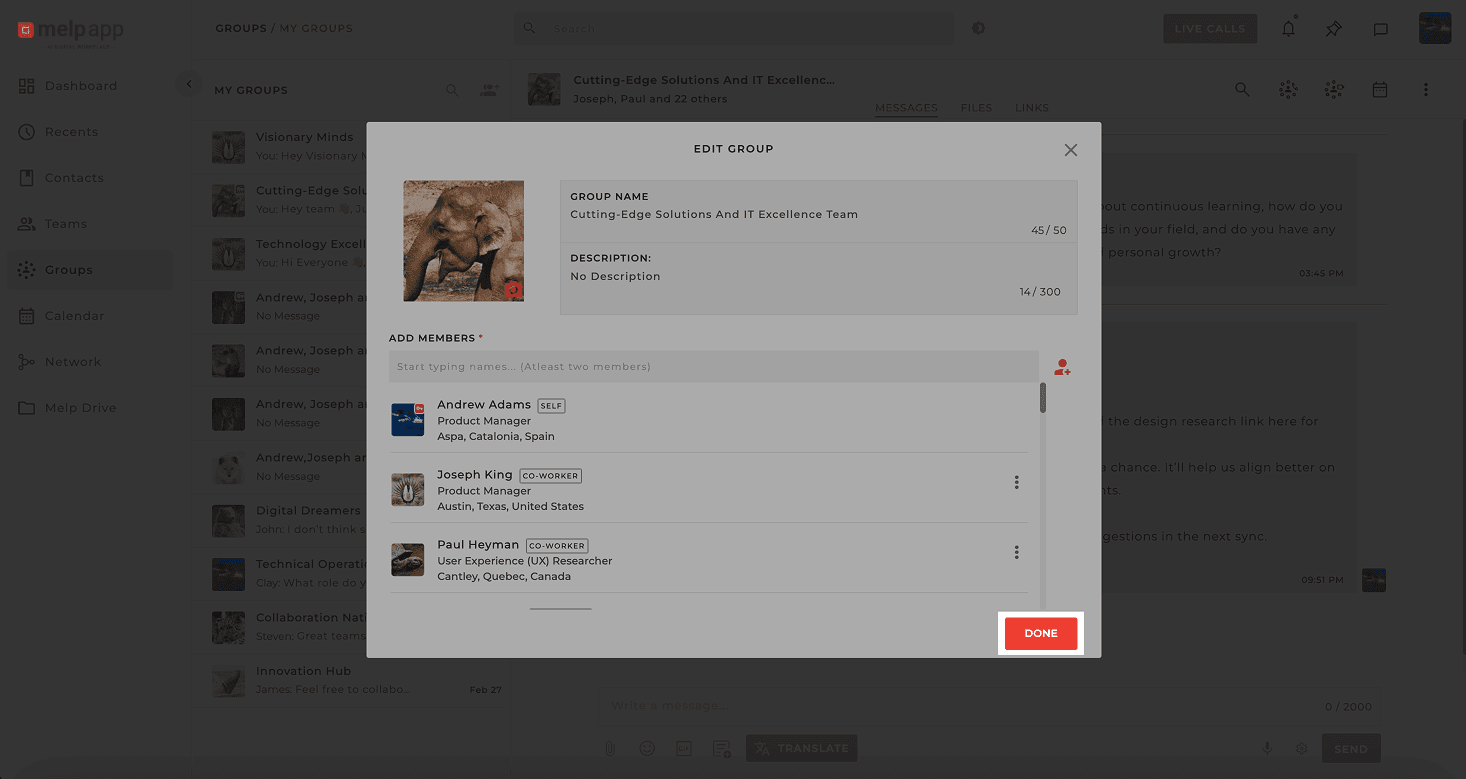
Click Done— Boom! They're now a group admin and can help run the show.
How to Remove Admin Rights
Open Group Tab
Head to the left sidebar and click on the Group tab.
Open Group Details
Open the group and click on the group name, then click Edit.
Remove Admin Rights
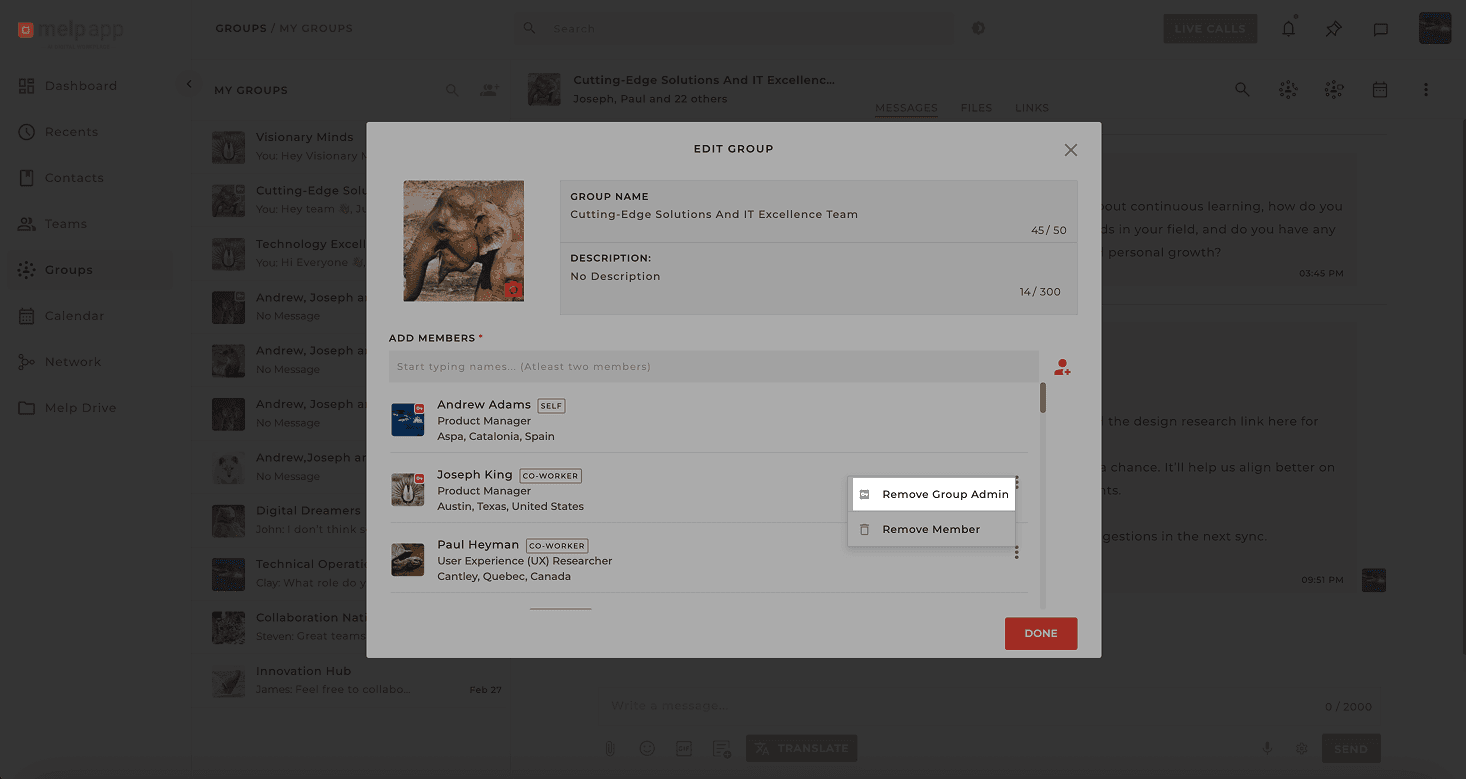
Click the More icon next to their name, select Remove Group Admin.
Complete
Click Done— and just like that, they're back to being a regular group member.