Assign or Remove Admin Access
Control team permissions and roles.
Need an extra hand managing the team? You can easily promote someone to co-admin or take away admin rights if things change.
Who Can Do This?
Only Team Admins can assign or remove admin rights. The original team creator is always an admin.
How to Make Someone a Team Admin
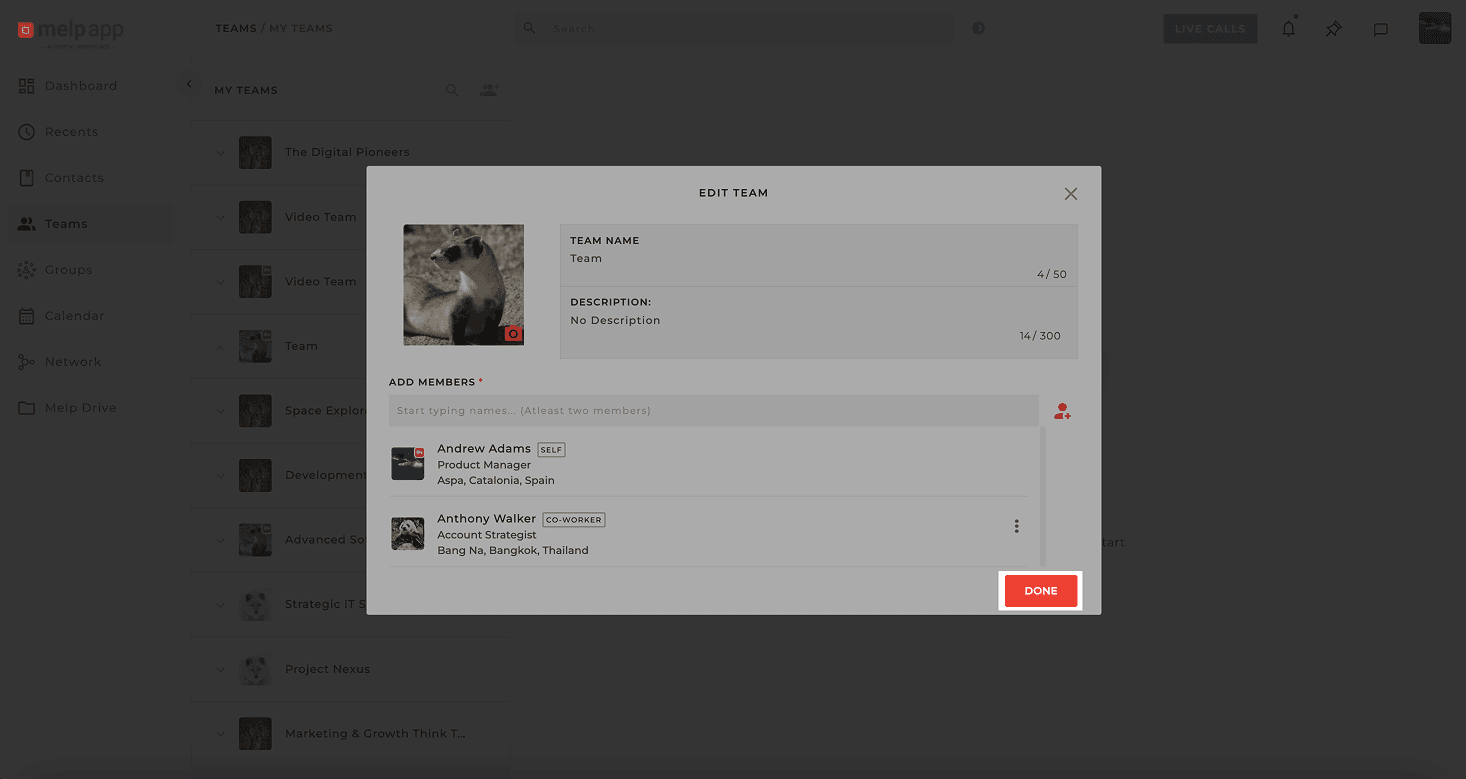
Open Team Info
Go to the Team Info page of the team you want to manage.
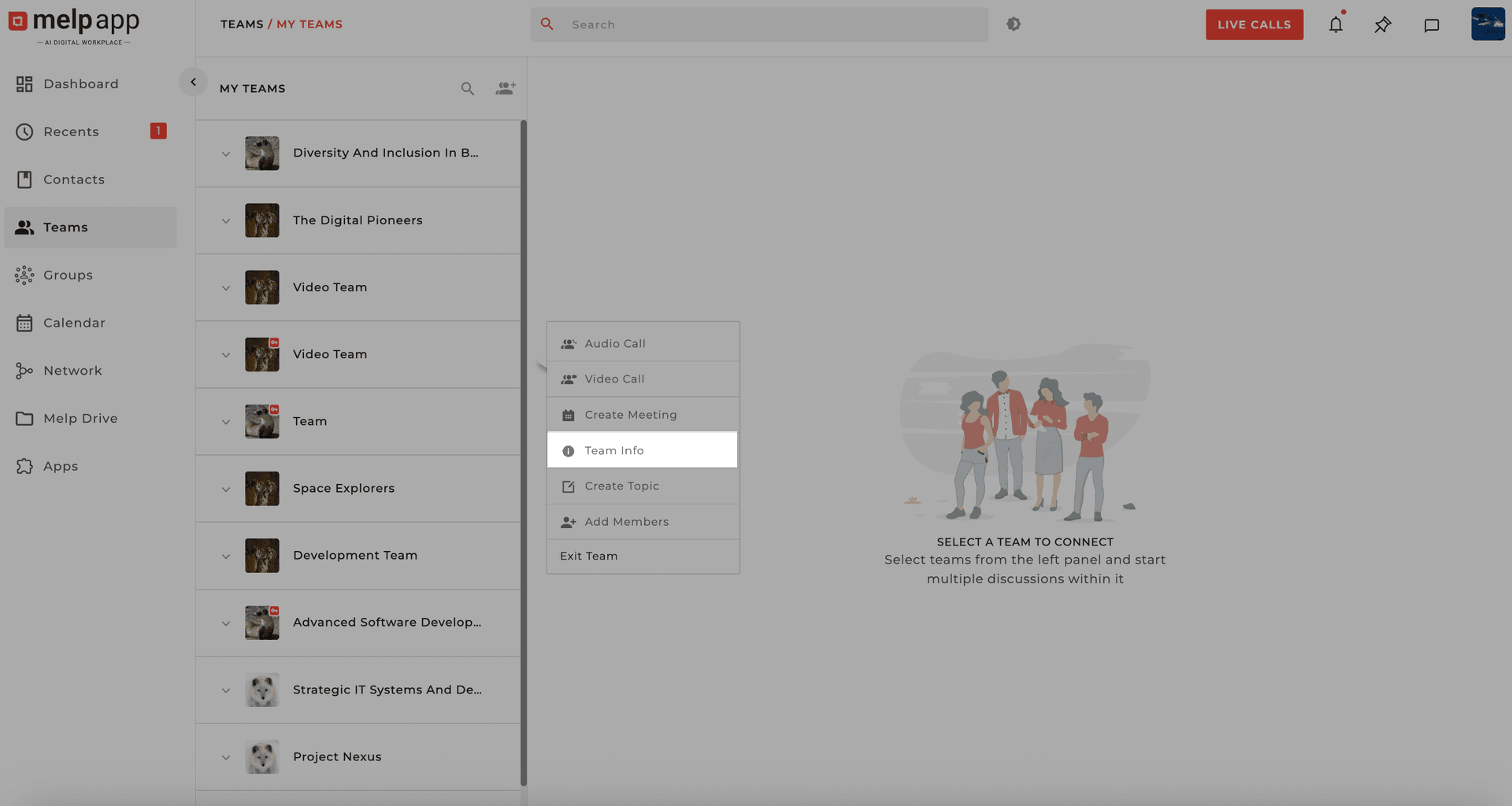
Click Edit Team
Click Edit Team to see the list of current members.
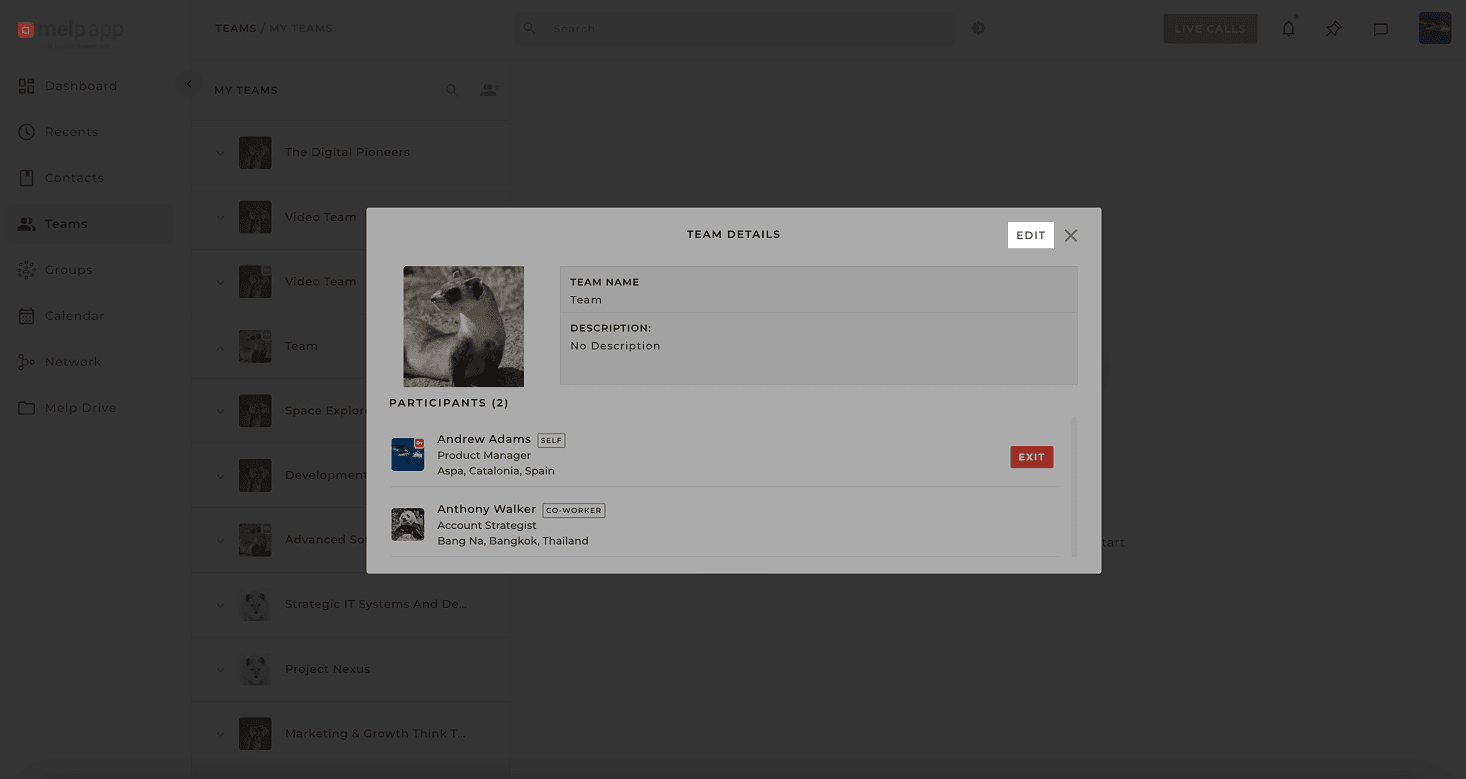
Promote to Admin
Click the More iconnext to the teammate's name, select Make Team Admin, confirm it — and just like that, they're promoted!
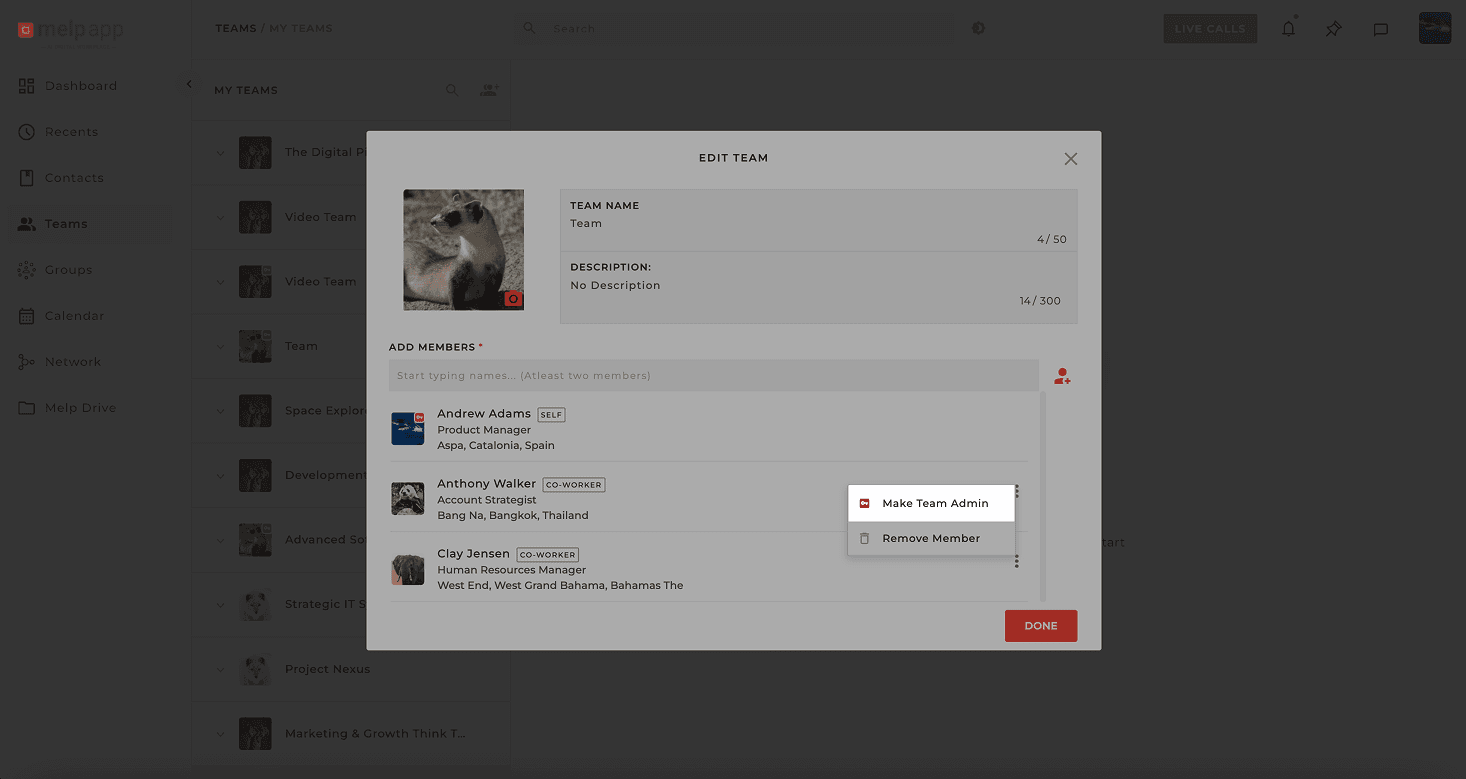
Complete
Click Done—they now have admin access and can help manage the team.
How to Remove Admin Rights
Open Team Info
Go to the Team Info page of the team you want to manage.
Click Edit Team
Click Edit Team to see the list of current members.
Remove Admin Rights
Click the More icon next to their name, select Remove Team Admin, confirm it — and just like that, they're no longer an admin.
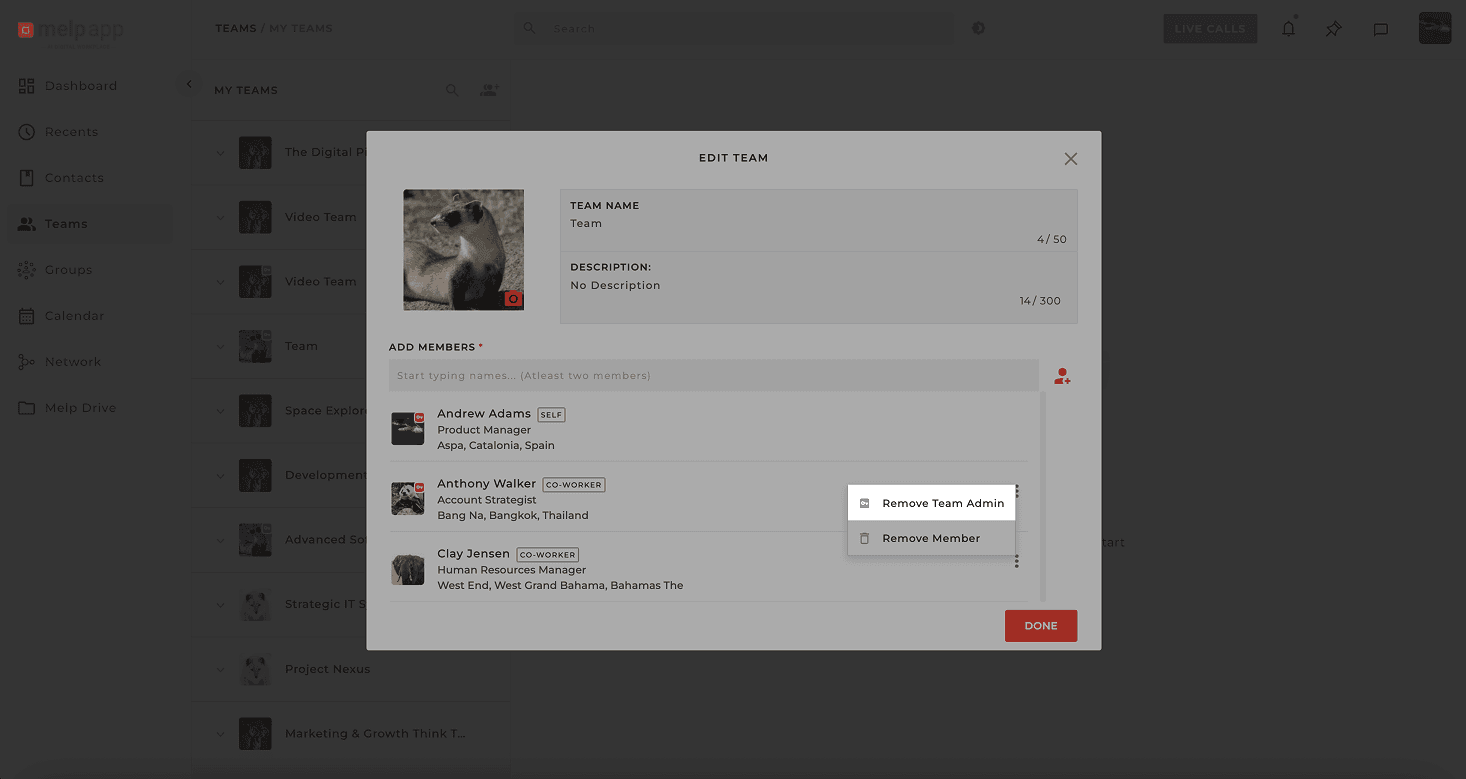
Complete
Click Done!They're now a regular team member again.