

How to Create a Topic
Organize conversations. Keep your team focused.
2 min read
What's a Topic?
In Melp, Topics are like mini workspaces inside your team. Each topic keeps conversations, tasks, and files neatly organized around one specific project, idea, or discussion—so things don't get messy.
Let's Create a Topic
1
Open More Options
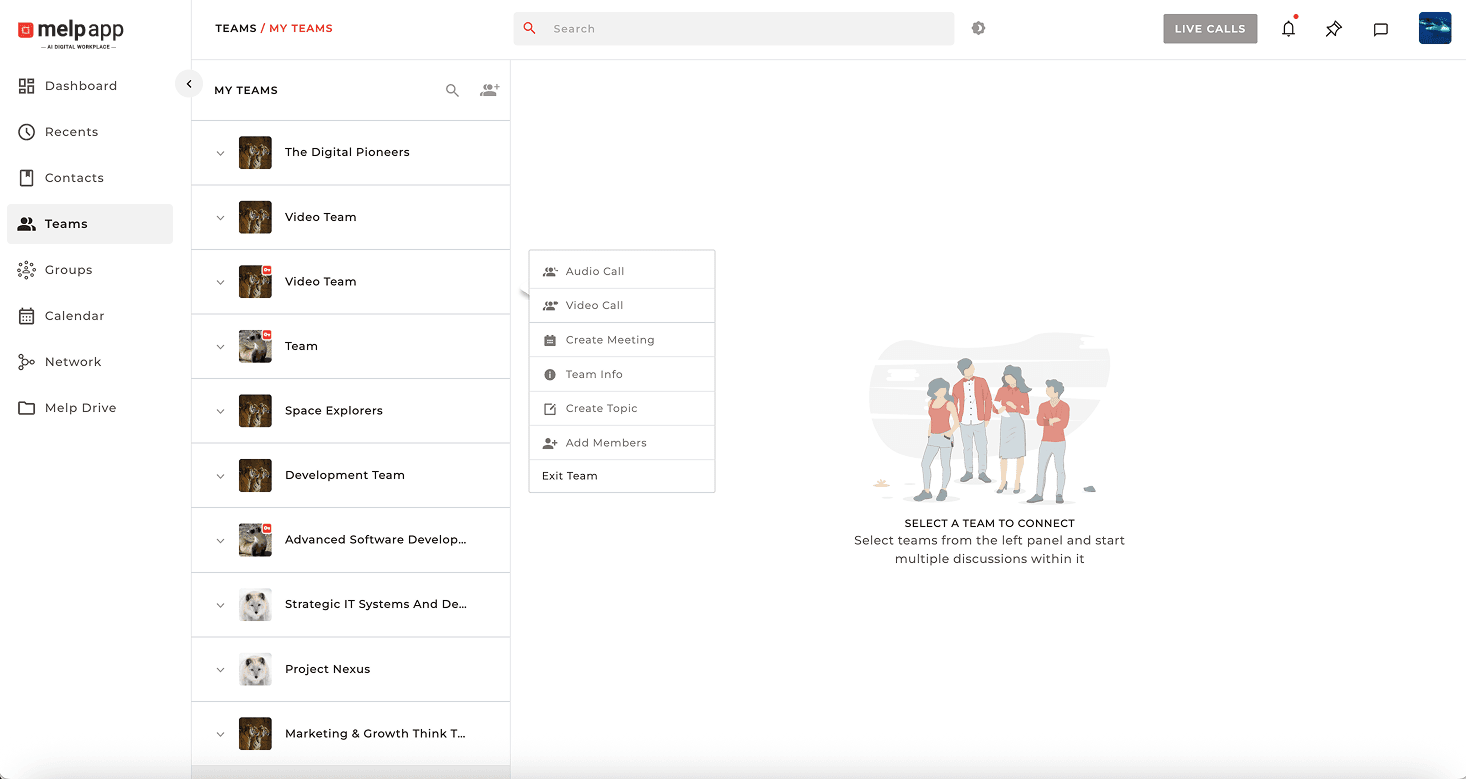
Hover on the team where you want to create a topic and click the three-dot "More Options"icon next to the team's name.
2
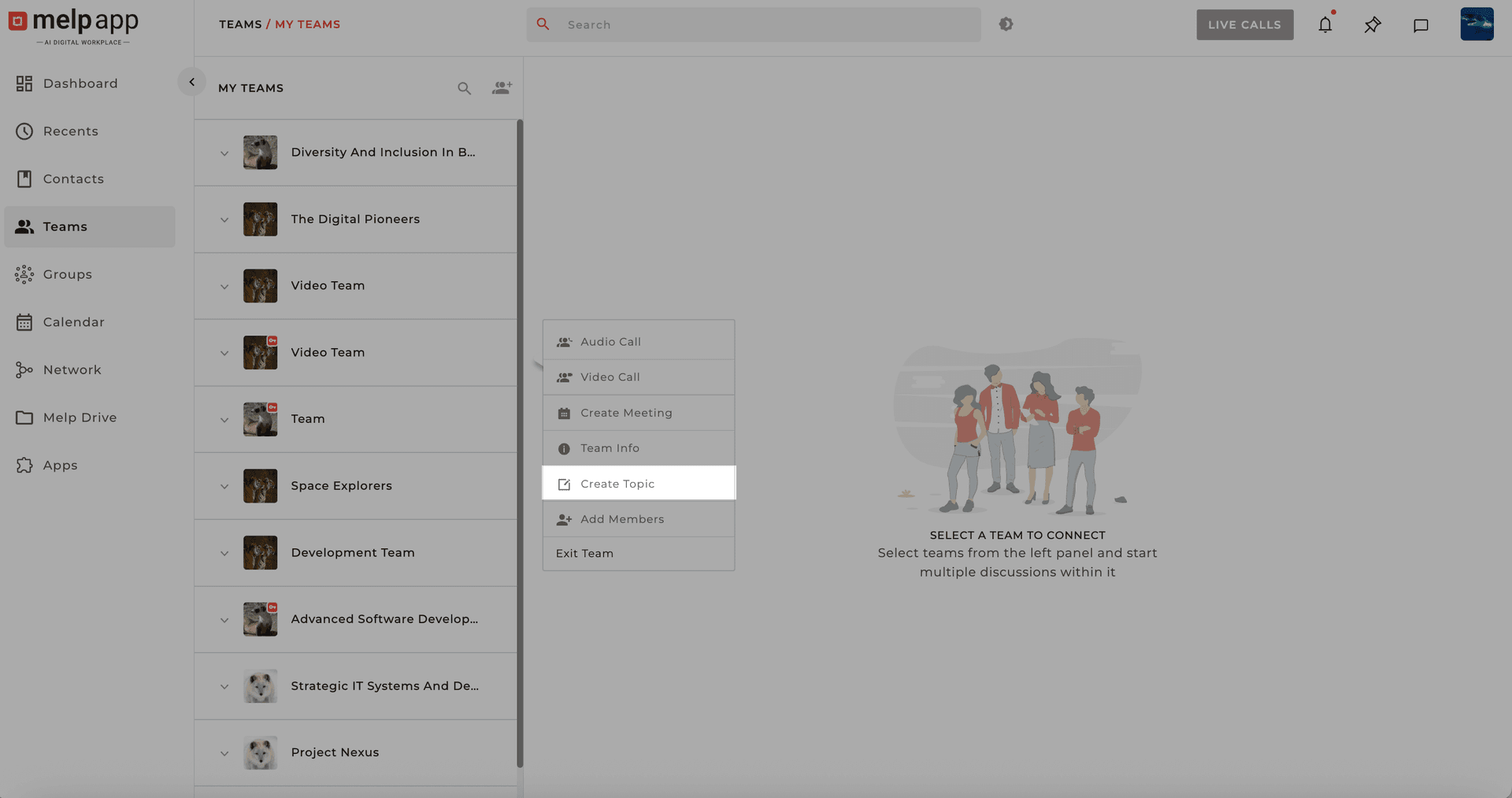
Select Create Topic
From the dropdown, select "Create Topic."
3
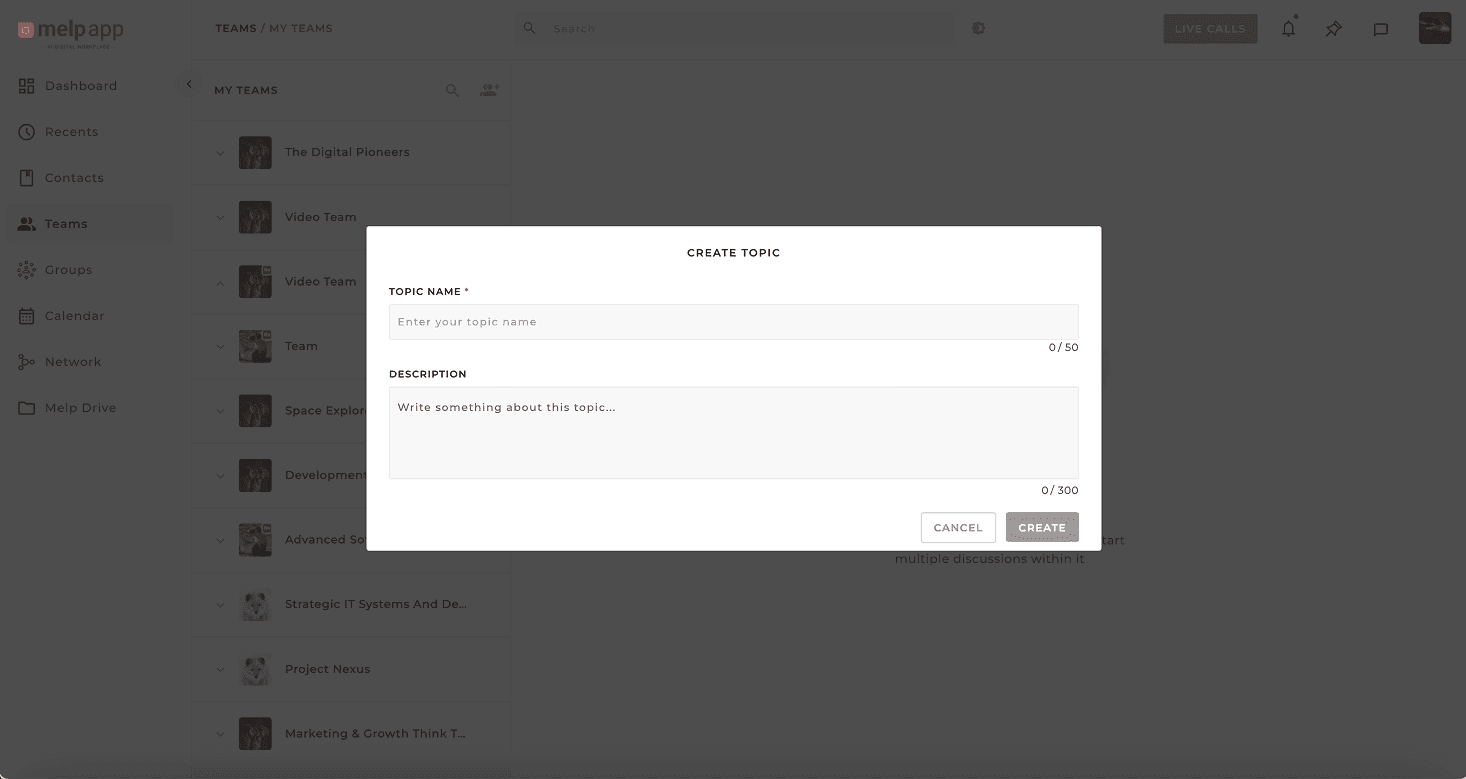
Name Your Topic
Give your topic a clear name—like "Q3 Marketing Plan" or "Innovation Design."Add a short description so your team knows what it's about.
4
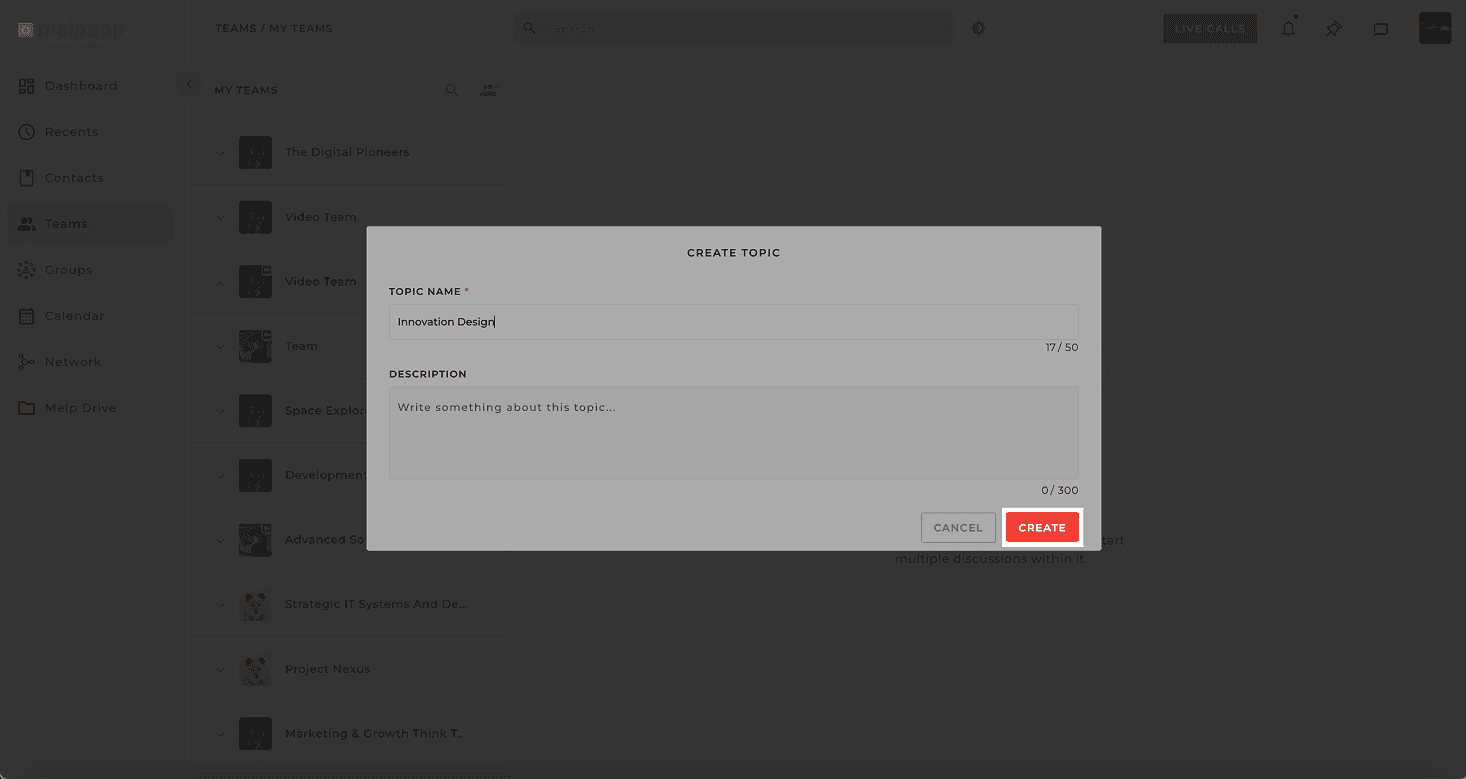
Create!
Click "Create"—and you're done!
Pro Tip: Topic Ideas
Use separate topics for things like:
Weekly planningFeedback reviewsTask-specific conversationsFile and link sharing for a particular project
It keeps everything organized—and your team will thank you for it!
Updated 21 Jan 2026
Did this page help you?